

Alternatives to JustPDF
JustPDF is a privacy-first, browser-based toolkit offering 17 free PDF tools for effortless editing, merging, and converting files securely.
20 alternatives found

How Long How Many Tool
Timers and hourly checks to figure how out long until a certain time or how many days away.
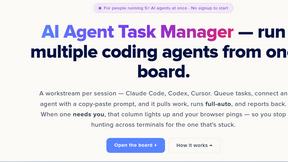
AI Agent Task Manager
Clipy is a screen recorder for coding agents. Show a bug or UI change, explain it out loud, and share agent-readable context.

TinyFines
A habit tracker your friends can see. Skip a day and you owe a friend a tiny fine: half a pizza, a coffee, €2. Money never goes through the app.

Memorable Contact
AI-powered personal CRM that remembers where you met people and what you talked about. Save, scan, and recall contacts instantly.

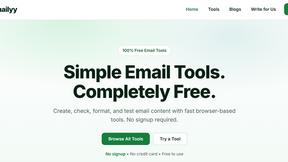
Emailyy
Free email tools for signatures, subject lines, HTML previews, word counts, and email headers. Browser-based, simple to use, and no signup required.
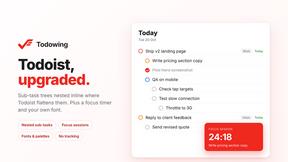
Todowing
Chrome extension that shows Todoist sub-tasks nested under their parents in Today, Upcoming, Filters, Labels, and boards.
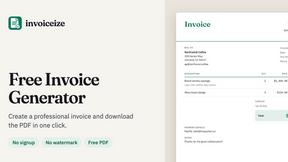

Uniclip
Clip pages, take full-page screenshots and batch-capture list data to Notion, Feishu, Obsidian, Markdown, CSV or JSON.

TroveKey
Search tabs, Chrome bookmarks and history, run browser commands, and save webpages and social posts locally—no account.


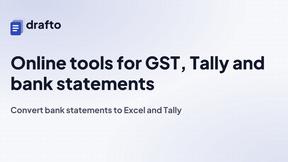
Drafto
Browser tools for Indian SMBs and CAs: GST, Tally, bank statement conversion and Meesho label crop. Free daily limit.

Agent Pets
Your Claude Code & Codex sessions as pets in Chrome. Approve, deny and reply to your coding agents from any tab.
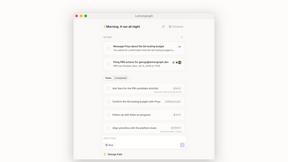

Context Board
Context Board brings your numbers, docs, clients, content and day into one workspace that Claude and Codex can read and update.

Zeptap
Zeptap lets AI use your real iPhone like you do: open apps, read the screen, tap, swipe and type. Reply to DMs, post Stories, book rides, test apps.

@fuck.it - email with attitude
Private email. Pure. Secure. Exclusive. No ads, no tracking, no data selling. GDPR compliant, EU-hosted.
About JustPDF Alternatives
JustPDF is a comprehensive privacy-first PDF toolkit that belongs to the productivity and management category. With a suite of 17 professional-grade tools, it allows users to manipulate PDF files entirely within their browser, ensuring that files remain secure and private. This local processing capability sets JustPDF apart from many other online solutions, making it an attractive option for users concerned about data privacy and security. Despite its robust features, users often seek alternatives for various reasons, including pricing, specific feature requirements, or platform compatibility. When choosing an alternative, it's essential to consider factors such as the range of tools available, ease of use, and whether the solution aligns with your workflow. Additionally, take into account the security measures in place, especially if you handle sensitive information. A well-rounded alternative should not only meet your functional needs but also enhance your overall productivity while maintaining your privacy.
FAQs about JustPDF Alternatives
What is JustPDF?
JustPDF is a privacy-first PDF toolkit that offers 17 professional-grade tools for managing PDF files directly in your browser. This includes functionalities such as merging, splitting, and converting PDFs, all processed locally on the user's device to ensure data privacy. It is designed to cater to both individual and professional users who need reliable PDF manipulation without compromising security.
Who is JustPDF for?
JustPDF is ideal for anyone who regularly works with PDF documents, including students, educators, and professionals across various industries. Its privacy-focused approach makes it particularly appealing for users who handle sensitive information and want to avoid uploading files to remote servers. Additionally, its user-friendly interface accommodates both tech-savvy individuals and those new to PDF tools.
Is JustPDF free?
Yes, JustPDF offers a free tier that allows users to perform up to three operations per day without needing to create an account. This makes it accessible for occasional users who require basic PDF functionalities. For those needing more extensive features or unlimited access, JustPDF provides a pro plan starting at just $4 per month.
What are the main features of JustPDF?
JustPDF boasts a wide range of features, including tools to merge, split, compress, and rotate PDF files. It also allows users to convert PDFs to and from various formats, such as Word, Excel, and JPG. Additional functionalities include OCR/scanning, PDF signing, and even an AI-powered chat feature, making it a comprehensive toolkit for all PDF-related tasks.