
Affligo
Affligo combines 65 free browser utilities with Studio workflows, including local PDF and image processing for routine file tasks.
Visit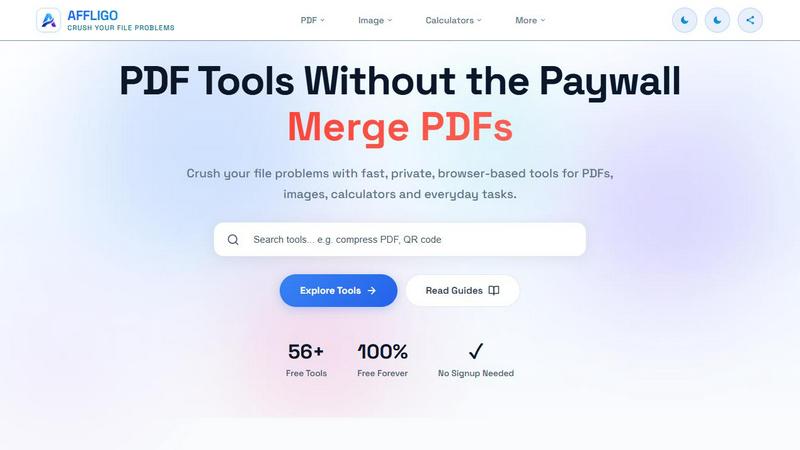
About Affligo
Affligo is useful when the job changes from one file to another: its index spans PDF conversion and page organization, image cleanup, calculators, and small utilities such as timers and text comparison. The collection is organized into six groups, making it easier to open a focused set of tools than to start with a large editing suite.
Check the processing mode first
The site says 63 of 65 tools run locally in the browser, so those files do not go to a server. Excel to PDF and PowerPoint to PDF are explicitly cloud conversions, with automatic deletion described by the site after conversion. For repeated document work, Studio can chain tools such as merge, compress, watermark, and protect into a workflow. This makes the service a practical fit for routine batches, while the browser format may be less suitable when a task calls for specialist editing features.
Features of Affligo
- A categorized index of 65 tools, including 22 PDF and 16 image utilities.
- Local processing for 63 tools, according to the product page.
- Studio chains tools into reusable workflows, with example templates shown.
- The site says tools require no signup and add no watermark to output.
Use Cases of Affligo
- Run a recurring sequence such as merging, compressing, and watermarking PDFs.
- Convert or organize document pages without installing an application.
- Handle lightweight image adjustments and format conversions in a browser.
- Open a calculator or text utility for a one-off task.
Frequently Asked Questions
Which tools upload files?
The site labels Excel to PDF and PowerPoint to PDF as cloud converters. It says the other 63 tools process locally.
What does Studio add?
Studio chains compatible tools into a reusable workflow, so a document batch can pass through several steps in one run.
Is it aimed at advanced editing?
The page presents a broad set of routine tools. People needing specialized editing controls may prefer a dedicated application.
Pricing of Affligo
Affligo presents the tools as free to use, with no signup required.
Similar to Affligo

FoxyLab
FoxyLab turns chat prompts or a product website into videos and banner sets in multiple sizes, with conversational editing and export options.

TrueLaunch
TrueLaunch is a free app and game launch community where developers publish listings, choose launch days, and collect structured reviews.

WeeknightBite
WeeknightBite plans weeknight dinners from tested recipes and builds a shared grocery list for households using iPhone, iPad, or Android.

SmartCV
SmartCV helps job seekers build and edit resumes with AI suggestions, text checks, PDF or DOCX exports, and a built-in application tracker.

AI//COST
Compare source-checked LLM API prices and cost-aware benchmarks to find models that fit your workload.
Testsy
Testsy checks AI-built websites and mobile apps, with replayable test runs and repair prompts for failed user flows.

AI Tattoo
Explore tattoo concepts from text or photos, with 12 style choices and downloadable designs to take to a tattoo artist for review.