
Best Dev Tools products (94+)
Discover 94+ best dev tools products. Compare features, pricing, and reviews. Free and paid options available.
AI Sandbox Hunt
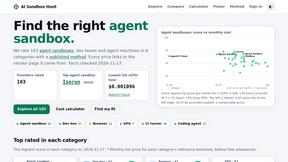
Ratings and sourced prices for 100+ AI agent sandboxes

GigUp
GigUp helps freelancers discover relevant Upwork jobs through AI matching, automated monitoring, and instant alerts.

BrewPage
Free instant hosting for HTML, Markdown, files and JSON for developers, CI jobs and AI agents. One API call returns a shareable link.

TestOptim AI
AI QA agent that explores your web app, writes end-to-end tests and reports bugs with screenshots. No test code.

Nitrozen
Publish product updates, embed an in-app changelog widget and host a public changelog page with Markdown, API, SDKs and an MCP server.

RenewRoster
Track every client's domain and SSL expiry in one list, with 60/30/14/3-day alerts, white-label client reminders and a monthly renewals report.

Phantom Blade Zero Saves
Free PBZ starter saves and a browser save editor that never uploads your file.

BankBridge
Let your AI agent answer questions about your real bank data. Read-only access, $5/mo per connected bank, cancel any time.

LaunchIntel
Your AI agent picks relevant directories, submits your product in your browser and tracks every step. One-time purchase.
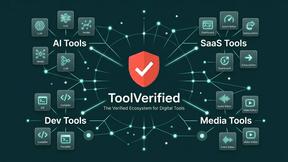
ToolVerified
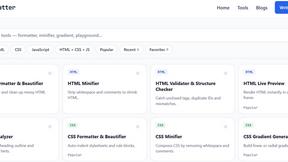
Stop wasting time on broken AI demos. We test every app by hand, and honest community votes build our daily trending charts.

CloneWebsite
Clone any webpage pixel-perfect, export HTML/CSS/ZIP or React/Vue components.
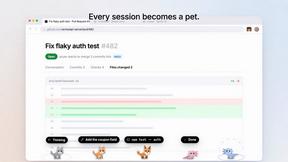
Agent Pets
Your Claude Code & Codex sessions as pets in Chrome. Approve, deny and reply to your coding agents from any tab.

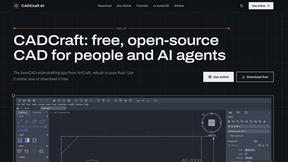
CADCraft
Free open-source 2D CAD for precise drafting, technical documentation, and AI-assisted automation.
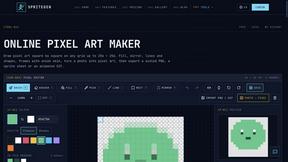
SpriteGen
Create AI pixel-art sprites and animated sprite sheets, refine assets in the editor, and export PNG, GIF, or JSON.
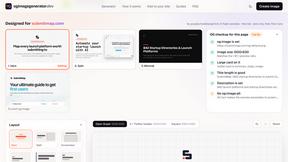
OG Image Generator
Paste a URL and AI designs on-brand Open Graph images from your page's colours, fonts and logo. Free, no sign-up.
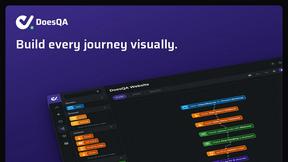
DoesQA
End-to-end testing for every web journey, from sign-up to checkout. Build tests without code, run them on hosted browsers, and see exactly what broke.
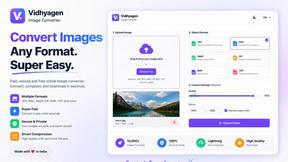
VidhyaGen - Image Converter
All-in-one digital toolkit for effortless image conversion, compression, resizing, and everyday file utilities in a single place.
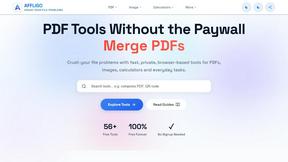
AFFLIGO
AFFLIGO makes everyday file tasks easier with free online tools to compress, convert, edit, and manage PDFs and images.

Ecommerce Data API
Amazon research data APIs for developers, sellers and AI agents. Integrate product, keyword and market research through REST APIs and MCP.
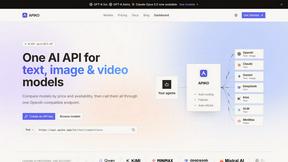
APIKO AI API
One OpenAI-compatible endpoint for text, image and video models from OpenAI, Anthropic, Google, DeepSeek and more.

JevModel
Jev turns text or JSON into Choice, Score and Noul answers with probabilities.
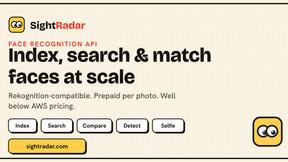
SightRadar
Face recognition API that is a drop-in replacement for AWS Rekognition. Index, search, compare and detect faces, billed per photo, no subscription.
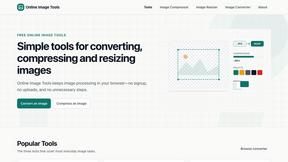
SnappyKit
40+ free image tools that run in your browser — convert, compress, resize and edit JPG, PNG, WebP, AVIF and HEIC files. No uploads, no sign-up.
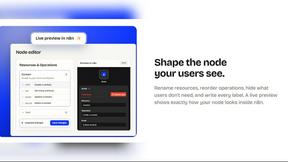
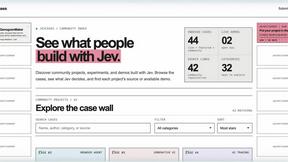
JevCases
Explore Jev AI use cases, live demos and open-source projects that use typed decisions.

swipetolaunch
launch directory for sass/apps, swipe through new products and vote them


Toolvero
Free Online Tools Built With Privacy in Mind


laya.tools
A free directory of 950+ projects built on Laya, the open-source decision model. Updated daily.

Sprite Sheet Maker
A free browser-based toolkit for creating, cutting, converting, and previewing sprite sheet animations.
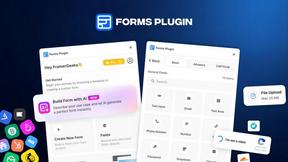
Forms Plugin
The #1 Native Form Builder Plugin for Framer - No Code, No Embeds, No External Platforms.
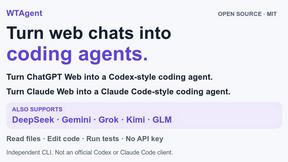
WTAgent
Turn ChatGPT Web into Codex and Claude Web into Claude Code. Open-source CLI coding agent - no model API key needed.
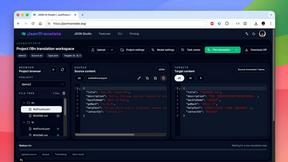
JsonTranslate
JsonTranslate translates JSON, Markdown, and TXT files while preserving keys and project structure for multilingual i18n workflows.
Popular Alternatives in Dev Tools
About Dev Tools products
Dev Tools provide developers with the software, platforms, and utilities needed to write, test, debug, deploy, and monitor code more efficiently. This category includes code editors, development environments, debugging tools, CI/CD platforms, API testing tools, version control interfaces, and developer productivity enhancers.
Whether you are writing code, managing deployments, testing APIs, monitoring application performance, or automating development workflows, these tools provide the infrastructure that modern software development demands.
Compare dev tools by their language support, integration ecosystem, performance, collaboration features, and pricing to find the right development tools for your stack and team.
FAQs for Dev Tools
What types of developer tools are listed?
This category includes code editors and IDEs, terminal and CLI tools, API testing platforms, CI/CD solutions, debugging tools, performance monitoring, version control interfaces, code review platforms, and developer productivity extensions.
Are there dev tools for specific programming languages?
Yes. Some tools specialize in specific languages or ecosystems like JavaScript, Python, Go, or Rust, while others provide multi-language support. Check individual listings for language-specific features and compatibility.
How do dev tools improve team productivity?
Dev tools improve productivity through code completion, automated testing, streamlined deployments, collaborative debugging, shared development environments, code review workflows, and integration with project management systems.
Do dev tools support cloud development?
Yes. Many modern dev tools offer cloud-based development environments, remote container support, cloud debugging, and browser-based IDEs that allow developers to work from any device without local setup.
Are there free developer tools?
Yes. Many essential dev tools are open source or offer generous free tiers for individual developers and small teams. Paid plans typically add team management, enterprise security, and advanced scaling features.
How do I choose the right dev tools?
Consider your tech stack, team size, deployment targets, collaboration needs, and budget. Prioritize tools that integrate well with your existing workflow and offer the specific features your development process requires.