
Best Video products (129+)
Discover 129+ best video products. Compare features, pricing, and reviews. Free and paid options available.

Rhinobird
AI video ads, UGC-style videos, and product visuals for cross-border sellers and e-commerce brands.

Video Meme Generator
Make AI video memes from text, photos or clips, or use a trending template. Free credits to start.
Angry Dance Filter
Upload one photo and get a 15-second angry dance video. Free watermarked preview, then optional one-time video packs.
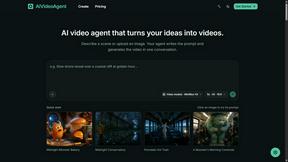
AIVideoAgent
Turn text ideas or reference images into videos through conversation, with agent-assisted prompts and a choice of video models.

Fix Pixelated Videos
AI that fixes pixelated, blocky and blurry videos by rebuilding detail in low-quality clips.
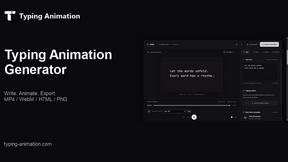
Typing Animation
Create typing animations with custom fonts, timing and sound. Export MP4, transparent WebM, HTML or PNG.
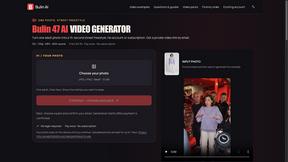
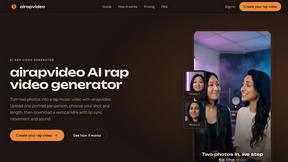
airapvideo
AI rap video generator that turns two portraits into a short vertical, lip-synced music video for TikTok, Reels, Shorts, celebrations, or fun.

GenX
All-in-one AI workspace to generate images, videos, and audio with multiple leading AI models.

YIX
AI image and video generation, photo editing, restoration and free prompt tools in one browser studio.
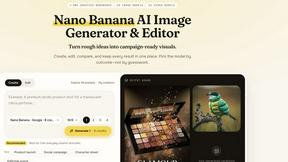
Nano AI
Create and edit AI images, generate videos, and compare models in one creative workbench.
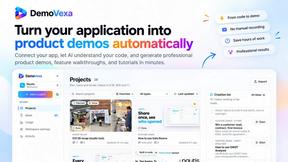

Tip Toe AI
Upload a Dancer photo and a Partner photo and get your own AI Tip Toe barn-dance video. Free 5s preview, 12s HD from $4.90. No subscription.
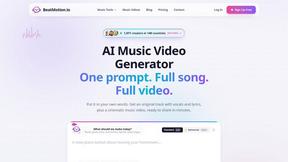
BeatMotion
Turn a text prompt, your lyrics, or a photo into an original song with vocals plus a cinematic AI music video, ready to share in minutes.

Ozil Goal AI
Turn one photo into the viral Özil goal meme video: you, your dog, a toy or a drawing scores. Free 5s preview, 10s 720p from $4.90. No subscription.
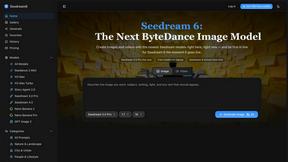
Seedream 6
Independent Seedream 6 guide with a browser-based AI image and video generator powered by Seedream 5.0 Pro and 5.5.

Seedream 5.5
Seedream 5.5 by ByteDance: 80+ rounds of stable image editing, native RGBA transparency, 100-layer splits, 4K output and reliable multilingual text.
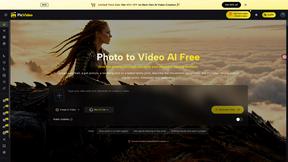
PicVideo
Turn photos into animated videos with AI. Free credits on selected models; paid options for private, watermark-free results.
SmoothCut
Screen recorder for macOS and Windows with automatic zooms, a smoothed cursor and on-device captions. Pay once, runs on your computer.

Artcraft AI
AI image and video studio in your browser: generate and edit images, turn photos into videos, edit clips by sentence.
ViewMax Studio
AI video generator that turns one prompt into shorts, UGC-style ads and faceless videos, with script, voiceover and captions.
ToonBee AI
ToonBee AI turns a script or a one-line idea into a narrated cartoon video, keeping the same character in every scene. 10+ styles, 16:9 or 9:16.

Genjutsu AI Video Editor
AI video-to-video editor for swapping characters, outfits, objects, and scenes or restyling existing clips.
AI Face Swap Video
Swap any face into any video online with AI in minutes. Upload a clip and a photo, get natural lighting and expressions. Free credits on sign-up.

Raindance AI Video Generator
Turn two photos into the Raindance AI pier video with the soundtrack included
Opus 5.5 Video Generator
Turn a prompt into a 1080p motion-graphics MP4 planned and coded by Claude Opus 5.5

subtitle.im
Manage existing YouTube captions and turn off confirmed duplicates.

Rumpelstiltskin AI Video Generator
Make the viral Rumpelstiltskin tiptoe dance meme video from two photos
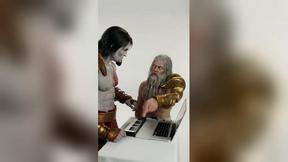
DanseAI - Alors on Danse AI Video Genera
Make the Alors on Danse AI meme video from two photos, soundtrack included

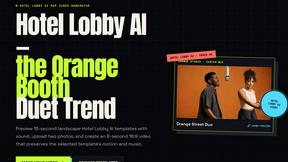
Hotel Lobby AI Video Generator
Turn two photos into a Hotel Lobby dance video in the orange A COLORS SHOW booth
TryH3 - MiniMax H3 Video Generator
Try MiniMax Hailuo H3 video generation in the browser

Genjutsu AI
Genjutsu AI turns your ideas into cinematic videos, product ads, social media shorts, and high-quality images in minutes. Choose a model, describe you

Video Text Remover
Video Text Remover — Erase Subtitles & Watermark from Video

Raindance AI
Turn two authorized portraits into a seaside golden-hour video: a wooden dock, two people taking turns singing, and a slow pullback to the sunset. Pre
GetYouTubeTranscript
Free YouTube transcripts on the web, a Chrome extension, and an API + MCP server so AI assistants can read YouTube.
Meigen AI
Create and edit AI images and videos with leading models in one workspace.
Popular Alternatives in Video
About Video products
Video tools help creators, marketers, and businesses produce, edit, host, and distribute video content across platforms. This category includes video editors, screen recorders, video hosting platforms, live streaming tools, subtitle generators, and AI-powered video creation tools that streamline every stage of the video production pipeline.
Whether you are editing marketing videos, recording tutorials, hosting webinars, creating social media clips, or building a video content library, these tools provide the production, editing, and distribution capabilities needed for professional video output.
Compare video tools by their editing features, hosting capabilities, AI tools, collaboration options, and pricing to find the right video solution for your content creation workflow.
FAQs for Video
What types of video tools are listed?
This category includes video editors, screen recording software, video hosting platforms, live streaming tools, subtitle and caption generators, AI video creators, animation tools, video compression utilities, and social media video optimizers.
Can I create professional videos without experience?
Yes. Many video tools offer templates, AI-powered editing, drag-and-drop timelines, and automated features that make professional video creation accessible to beginners without traditional video editing experience.
Do video tools support AI features?
Yes. Modern video tools increasingly use AI for automated editing, subtitle generation, background removal, voice synthesis, scene detection, content repurposing, and intelligent cropping for different social media formats.
Which video formats are supported?
Most tools support MP4, MOV, AVI, WebM, and other common formats. Professional tools also support ProRes, RAW video, and high-resolution formats. Export options typically include presets optimized for different platforms.
Can I host and share videos with these tools?
Yes. Several tools include video hosting with customizable players, privacy controls, analytics, embedding options, and CDN delivery. Some specialize in hosting while others combine editing and hosting in one platform.
Are there free video tools?
Yes. Many video tools offer free tiers with basic editing, limited export resolution, and watermarks. Premium plans unlock HD/4K export, advanced features, longer video lengths, and watermark-free output.