
BudgetSheet
BudgetSheet effortlessly imports your bank transactions into Google Sheets for seamless budgeting and expense tracking.
Visit
About BudgetSheet
BudgetSheet is an innovative tool designed to seamlessly integrate your bank transactions into Google Sheets, empowering users to manage their finances with ease and efficiency. By eliminating the tedious tasks of manual exports and the cumbersome process of copying and pasting from CSV files, BudgetSheet provides a streamlined solution for anyone looking to maintain a comprehensive overview of their financial activities. Whether you are a busy professional, a student, or a small business owner, BudgetSheet caters to your budgeting needs by supporting over 10,000 financial institutions, including checking accounts, savings accounts, credit cards, and more. Its main value proposition lies in the ability to customize and automate your budgeting process while ensuring that your financial data remains secure and accessible only to you. With BudgetSheet, users can enjoy full control over their financial data, facilitating better decision-making and financial planning.
Features of BudgetSheet
Live Bank Transactions
BudgetSheet allows users to import live bank transactions directly into Google Sheets, ensuring that your financial data is always up-to-date. This feature eliminates the need for manual data entry and allows for real-time tracking of expenses and income.
Secure Bank Connections
Using Plaid, BudgetSheet connects securely to your financial institutions without storing sensitive bank login information. This guarantees that your personal data remains protected while allowing BudgetSheet to fetch your transaction details seamlessly.
Customizable Budgeting
With BudgetSheet, users have the flexibility to create custom budgets tailored to their unique financial situations. This feature helps individuals and businesses track spending patterns and allocate resources more effectively.
Automated Fetching
The Autofetch feature enables users to automate the fetching of new bank transactions nightly. This means you can wake up to an updated financial overview every day, making budgeting and expense tracking even more manageable.
Use Cases of BudgetSheet
Personal Finance Management
Individuals can utilize BudgetSheet to manage their personal finances more efficiently. By importing transactions directly into Google Sheets, users can create customized budgets that reflect their spending habits and financial goals.
Small Business Accounting
BudgetSheet is an excellent tool for small business owners who need to track their business expenses and income. By integrating bank transactions into Google Sheets, businesses can maintain accurate records and streamline their accounting processes.
Investment Tracking
Investors can benefit from BudgetSheet by importing transactions related to investment accounts. This allows for better tracking of investment performance and aids in making informed decisions about portfolio management.
Expense Reporting
BudgetSheet can be utilized by professionals who need to prepare expense reports regularly. By automatically pulling transaction data into Google Sheets, users can generate detailed reports without the hassle of compiling information manually.
Frequently Asked Questions
How does BudgetSheet ensure the security of my financial data?
BudgetSheet uses Plaid for all bank connections, ensuring that your bank login information is never stored or handled by BudgetSheet. A read-only access token is used to fetch necessary data securely.
What types of financial accounts does BudgetSheet support?
BudgetSheet supports a wide range of financial accounts, including checking accounts, savings accounts, credit cards, investment accounts, loans, and mortgages, making it versatile for various financial needs.
Is there a free trial available for BudgetSheet?
Yes, users can try BudgetSheet free for 15 days without requiring a credit card. This allows potential users to experience the features and benefits before committing to a paid plan.
Can I automate the process of fetching transactions?
Absolutely! BudgetSheet offers an Autofetch feature that automates the process of fetching new bank transactions nightly. This ensures that your data is up-to-date with minimal effort on your part.
Similar to BudgetSheet

Tapetide
AI-first stock research platform and MCP server for every NSE & BSE listed stock.
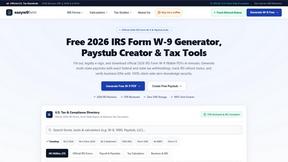
EasyW9Form
Free online tools for tax forms, invoices, and business paperwork for freelancers, contractors, LLCs, and small businesses.

SubKeep
Subkeep helps you track recurring expenses, renewals, and SaaS costs in one place without bank access or automated tracking.

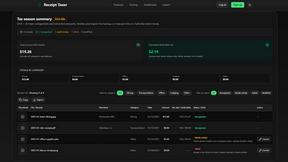
Receipt Taxer
Receipt Taxer teams up with TurboTax to automatically scan and organize your receipts into deductible tax data you can export and file.

FX Radar
FX Radar leverages AI to deliver real-time market insights and analysis, empowering traders to identify actionable signals swiftly.

CalcFi
CalcFi teams up with 500+ free calculators to read your money together as one AI-synthesized financial picture, instantly and without signup.

Redbark
Redbark syncs your Australian bank data to tools like Google Sheets for seamless, automated financial teamwork.