
PhotoWeather
PhotoWeather alerts outdoor photographers to perfect conditions, ensuring you never miss the ideal moment to capture.
Visit
About PhotoWeather
PhotoWeather is a revolutionary tool designed specifically for outdoor photographers who seek to capture the perfect shot at the right moment. Instead of relying on traditional weather apps that require constant checking, PhotoWeather monitors forecasts around the clock and sends alerts tailored to your specific photography goals. Whether you're aiming to catch the mystical beauty of sunrise fog, the intensity of a storm, or the enchanting glow of golden-hour light, PhotoWeather ensures you won’t miss these fleeting opportunities. With a user-friendly interface available on both iOS and Android, you can add your favorite locations, set custom rules or use pre-made templates, and receive notifications with confidence scores. This synergy between technology and photography allows users to focus on their craft, knowing that they will be alerted when conditions align perfectly for their next masterpiece.
Features of PhotoWeather
Ready-Made Templates
PhotoWeather offers a selection of ready-made templates specifically crafted for photographers. These templates include conditions ideal for capturing fog and mist, golden and blue hours, aurora visibility, storm intensity, and coastal drama. This feature simplifies the setup process, allowing photographers to quickly choose conditions they want to monitor without needing to create rules from scratch.
Powerful Rule Builder
The powerful rule builder in PhotoWeather allows users to define their ideal shooting conditions with over 80 parameters. Photographers can combine various factors such as clouds, visibility, wind, humidity, and astronomical events using AND/OR/NOT logic. For instance, you can set alerts for "Golden hour + 20-60% clouds + wind less than 7 m/s," ensuring that you are alerted to the precise conditions you are interested in.
Smart Notifications
PhotoWeather provides smart notifications that keep you informed about the best photographic opportunities. You can receive daily digests, reminders before conditions begin, and alerts when forecasts change. Additionally, calendar synchronization ensures that all opportunities are integrated into your calendar, making it easier to plan your shoots without missing any critical moments.
Trusted Forecast Sources
The app sources its forecasts from reputable meteorological services like ECMWF, DWD, NOAA, MET Norway, and Météo-France. This ensures that users receive accurate and reliable weather information, allowing them to make informed decisions about when and where to shoot. With real-time updates and alerts sent within a minute, you can be confident that you will never miss an important photo opportunity.
Use Cases of PhotoWeather
Landscape Photography
Landscape photographers can utilize PhotoWeather to set conditions for capturing stunning natural scenes. By monitoring specific weather patterns such as fog, cloud drama, and golden hours, they can ensure they are ready to capture landscapes under the most favorable conditions.
Astro Photography
For astro photographers, PhotoWeather simplifies the process of planning night shoots. By tracking astronomical events, moon phases, and cloud coverage, users can anticipate ideal nights for capturing the Milky Way or other celestial phenomena, eliminating guesswork.
Wildlife Photography
Wildlife photographers can set alerts based on specific weather conditions that affect animal behavior, such as humidity and temperature changes. This allows them to plan their shoots around the best times for animal activity, enhancing their chances of capturing stunning wildlife images.
Event Photography
Event photographers can leverage PhotoWeather to ensure they are prepared for outdoor events. By setting rules related to weather conditions, they can receive alerts that help them decide whether to proceed with outdoor shoots or find alternative indoor venues based on forecast changes.
Frequently Asked Questions
How do I get started with PhotoWeather?
Getting started is simple. Download the PhotoWeather app, create your account, and begin by adding your favorite shooting locations. You can then set your desired conditions using templates or the powerful rule builder to receive alerts tailored to your photography needs.
How accurate are the forecasts provided by PhotoWeather?
PhotoWeather sources its forecasts from trusted meteorological services such as NOAA and ECMWF, ensuring high accuracy. Users can expect reliable weather predictions that will help them plan their photography shoots effectively.
Can I create my own rules for weather alerts?
Yes, PhotoWeather allows users to create their own custom rules based on over 80 parameters. This flexibility lets you tailor alerts to your specific photographic goals, ensuring you receive notifications only when the conditions you care about are met.
Do you support calendar synchronization?
Absolutely! PhotoWeather offers calendar synchronization that allows you to integrate photographic opportunities directly into your calendar. This feature helps you stay organized and ensures that you never miss a chance to capture the perfect shot.
Similar to PhotoWeather

AIEnhancer
AI photo, image, and video enhancement with creative effects and shared asset workflows.
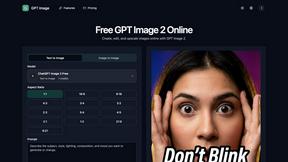
ChatGPT Image 2 Photo Editor
Turn your ideas and photos into polished visuals with GPT Image 2, an AI workspace for generating, editing, and upscaling images together.
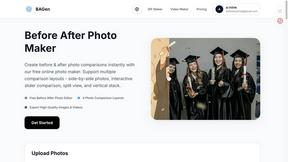
Before After Photo Maker
Our free online tool helps your team create professional before and after photo comparisons instantly.
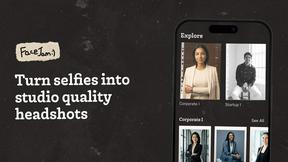
Facejam
Together, we create professional AI headshots from your selfies in minutes.
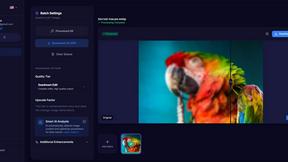
MyImageUpscaler
MyImageUpscaler enhances and upscales your photos instantly while preserving text clarity with a free tier available.
ZeroEdit
ZeroEdit is your collaborative AI image editor that transforms photos instantly using simple text prompts.

poseup
PoseUp is your AI partner that works with you to perfect every photo's posture and composition.

Looktara
Looktara is your collaborative AI photographer, creating professional photos that truly capture you.