ChatGPT Image 2 Photo Editor
Turn your ideas and photos into polished visuals with GPT Image 2, an AI workspace for generating, editing, and upscaling images together.
VisitPublished on:
April 30, 2026
Pricing:
About ChatGPT Image 2 Photo Editor
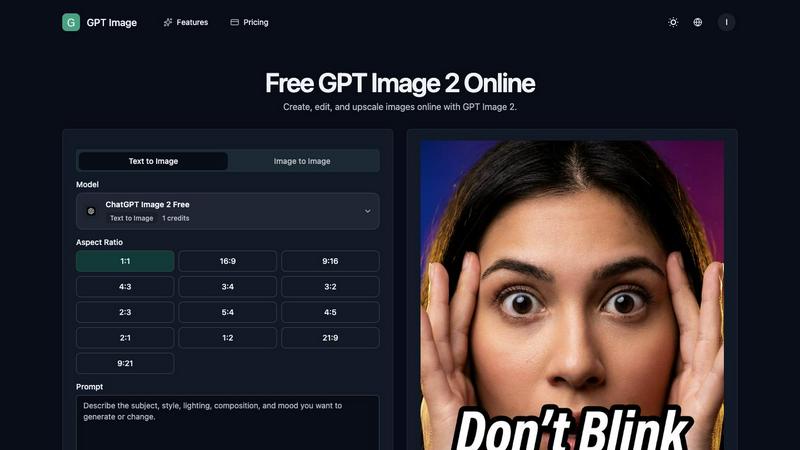
ChatGPT Image 2 Photo Editor is an online AI image generator and AI photo editor designed to streamline visual content creation for creators, marketers, designers, ecommerce teams, and small businesses. This powerful tool operates entirely in the browser, eliminating the need for complex software installations or manual masking workflows. It supports a comprehensive range of functionalities including text-to-image generation, image-to-image transformation, prompt-based editing, reference image workflows, upscaling, cleanup, and downloadable creative outputs. The core value proposition lies in its ability to democratize professional-grade image creation and editing, allowing teams to collaborate efficiently on product visuals, ads, thumbnails, portraits, brand assets, and fast creative variations. By leveraging advanced AI models like ChatGPT Image 2, users can move from concept to polished deliverable with unprecedented speed. The platform fosters a cooperative creative environment where team members can generate, edit, compare, and refine visuals for campaigns, products, portraits, and content together. Its intuitive interface and prompt-first approach mean that anyone, regardless of technical skill level, can contribute to the visual production pipeline, ensuring that marketing teams, creative departments, and small business owners can achieve synergy in their branding and communication efforts without bottlenecks.
Features of ChatGPT Image 2 Photo Editor
Text-to-Image Generation
This feature allows users to start from a blank canvas and generate entirely new visuals based solely on a text prompt. With support for detailed descriptions up to 2000 characters, users can specify subjects, styles, moods, compositions, and lighting conditions. The tool offers a wide range of aspect ratios including 1:1, 16:9, 9:16, 4:3, 3:4, 3:2, 2:3, 5:4, 4:5, 2:1, 1:2, 21:9, and 9:21, making it suitable for social media posts, presentations, banners, and more. This feature is ideal for brainstorming sessions where teams need to quickly visualize concepts and iterate on creative directions together.
Image-to-Image Transformation
This feature enables users to start with an existing image and transform its style, background, mood, or subject while keeping core elements consistent. Users can upload reference images to maintain tight control over composition, materials, and art direction. The AI understands what must stay stable, such as a face, product silhouette, packaging details, palette, or framing, ensuring the result remains usable for real production work. This collaborative workflow allows teams to refine existing assets without starting from scratch, fostering efficiency and creative synergy.
Prompt-Based Editing and Retouching
Users can type what they want to repair, replace, restyle, or keep consistent in plain language, eliminating the need for long manual masking workflows. This prompt-first cleanup capability lets users describe blur, clutter, or unwanted details and have the AI handle the edits automatically. It also supports fast visual restyling, allowing teams to switch mood, color treatment, and scene direction quickly when they need more than one creative version. This feature accelerates the review and revision process, enabling teams to align on visual direction with minimal friction.
Multiple Reference Image Workflows
This feature allows users to upload more than one reference image when they need to combine subjects, styles, or compositional elements from different sources. The AI can analyze multiple inputs to generate outputs that respect the desired consistency across faces, products, and core visual details. This is particularly useful for brand teams that need to maintain identity retention across a series of images, or for ecommerce teams creating lifestyle scenes from multiple product shots. It promotes a collaborative environment where different team members can contribute reference materials to guide the final output.
Use Cases of ChatGPT Image 2 Photo Editor
Ecommerce Product Visuals and Lifestyle Scenes
Ecommerce teams can use this tool to turn simple product photos into polished lifestyle environment visuals for product pages, paid social ads, and landing pages. By starting with a product image and using image-to-image transformation, teams can generate multiple scene variations that place the product in different contexts, such as a living room, outdoor setting, or professional studio. This allows for rapid A/B testing of visual approaches without the cost of multiple photoshoots, fostering a data-driven and collaborative approach to conversion optimization.
Social Media Content and Thumbnail Creation
Creators and social media managers can generate eye-catching thumbnails, profile images, and feed posts using text-to-image generation. The ability to quickly produce multiple variations of a single concept allows teams to test different visual hooks and styles. For example, a team can generate a set of thumbnails for a video series, each with a different color palette or composition, and then collaboratively select the one that best captures audience attention. This streamlines content calendars and ensures brand consistency across platforms.
Brand Asset Creation and Consistency
Marketing teams and brand managers can use the tool to generate a cohesive set of brand assets such as social media templates, ad creatives, and presentation visuals. By using reference images that include brand colors, logos, and style guides, the AI can produce outputs that adhere to brand guidelines. This enables teams to work together on maintaining a unified visual identity while rapidly producing assets for campaigns, product launches, and seasonal promotions, reducing the time spent on manual design adjustments.
Portrait and Profile Image Refinement
Individuals and teams can use the photo editor AI to retouch and refine portraits, profile images, and headshots. The prompt-based cleanup feature allows users to remove background clutter, adjust lighting, or change the mood of a portrait without complex software. This is particularly useful for internal communications, professional networking profiles, and team pages. The collaborative aspect means that team members can provide feedback on generated variations, ensuring the final image represents the desired professional image and brand personality.
Frequently Asked Questions
What is the difference between Text-to-Image and Image-to-Image modes?
Text-to-Image mode starts from a blank canvas and generates a completely new visual based on your text prompt. This is ideal for ideation and creating visuals from scratch. Image-to-Image mode starts from an existing image you upload and allows you to transform its style, background, or mood while keeping the subject or key details consistent. Use Text-to-Image for new concepts and Image-to-Image when you want to refine or restyle an existing asset.
How do reference images work in the workflow?
You can upload one or more reference images to give the AI tighter control over subject, composition, materials, or art direction. The model analyzes these references to understand what should remain stable, such as a face, product silhouette, packaging details, color palette, or framing. This ensures the generated output stays usable for your specific needs, whether you are creating a series of product shots or maintaining brand consistency across multiple visuals.
Can I use this tool for commercial projects and ecommerce?
Yes, ChatGPT Image 2 Photo Editor is designed for real production work and is well-suited for commercial projects including ecommerce product visuals, social media ads, brand assets, and marketing materials. The tool allows you to move from concept to a cleaner deliverable for campaigns, listings, thumbnails, and internal reviews. Always ensure you have the rights to any reference images you upload and that your generated outputs comply with your platform's content policies.
What aspect ratios are available for generated images?
The tool supports a comprehensive range of aspect ratios to fit various platforms and use cases. Available options include 1:1 (square), 16:9 and 9:16 (landscape and portrait for video), 4:3 and 3:4 (standard photo), 3:2 and 2:3 (common for print), 5:4 and 4:5 (social media), 2:1 and 1:2 (panoramic), and 21:9 and 9:21 (ultrawide). This flexibility ensures you can generate images optimized for websites, social media feeds, presentations, and more.
Similar to ChatGPT Image 2 Photo Editor
AI Album Cover Maker
Create release-ready album covers from a prompt or photo. Generate, refine, and export art for singles, EPs, mixtapes, and playlists.
Toolvero
Free Online Tools Built With Privacy in Mind
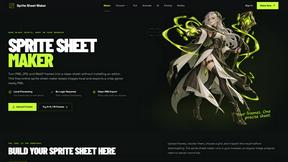
Sprite Sheet Maker
A free browser-based toolkit for creating, cutting, converting, and previewing sprite sheet animations.
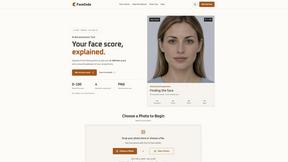
FaceCoda
Free AI attractiveness test and face analysis with private, on-device photo processing.
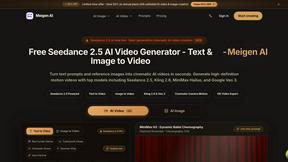
Meigen AI
Create and edit AI images and videos with leading models in one workspace.
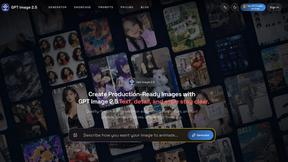
GPT Image 2 API
Generate and edit production-ready images with GPT Image 2 API, clear text rendering, reference images, and developer-friendly API workflows.
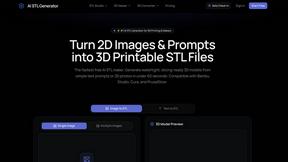
AI STL Generator
The fastest AI STL generator to turn prompts and images into 3D printable STL files.