AI ImageEditor
AI ImageEditor is a powerful online tool that enables seamless image generation, editing, and enhancement with AI precision for all your creative.
Visit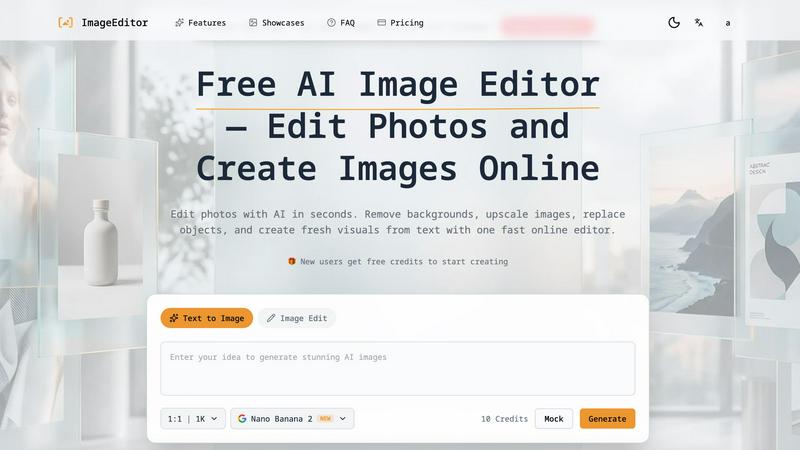
About AI ImageEditor
AI ImageEditor is a powerful AI-driven online image editing tool designed to streamline the creative process for users across various fields, including creators, marketers, designers, and businesses. With its comprehensive suite of features, AI ImageEditor enables users to effortlessly create, edit, and enhance images directly within their browsers. The platform simplifies the image editing workflow by integrating text-to-image generation, background removal, object replacement, style transfer, and high-resolution upscaling into one cohesive tool. This eliminates the need for complex software, allowing users to produce professional-quality visuals quickly and efficiently. Whether you are looking to generate fresh visuals from text prompts or refine existing images, AI ImageEditor empowers you to transform your creative vision into reality with ease and speed.
Features of AI ImageEditor
Text to Image Generation
This feature allows users to create images from detailed text descriptions using cutting-edge AI models. The platform excels at understanding natural language, enabling it to produce stunning, photorealistic visuals that capture the essence of the user's prompts.
Image to Image Enhancement
With this functionality, users can upload their existing photos and apply intelligent modifications while preserving the original composition. The AI enhances quality, applies creative transformations, and allows for style transfers, giving a fresh look to your images.
Background Removal
AI ImageEditor offers instant background removal with unmatched precision. This feature is ideal for creating transparent PNGs or isolating subjects in portraits and product photos, making it easier to prepare images for professional use.
Image Upscaling
Enhance the resolution of your images without sacrificing detail. The image upscaling feature allows users to upscale their visuals to 2K or 4K, making it perfect for high-quality prints, marketing materials, and professional projects that demand clarity and precision.
Use Cases of AI ImageEditor
Marketing Campaigns
Professionals can utilize AI ImageEditor to create stunning visuals for marketing campaigns. By generating graphics from text prompts and enhancing existing images, marketers can produce eye-catching content that resonates with their audience.
Social Media Content Creation
Social media managers can leverage the platform's features to generate and edit images tailored for various social platforms. The ability to quickly create engaging visuals helps enhance brand presence and interaction.
E-commerce Product Photography
E-commerce businesses can benefit from the background removal and image enhancement features. By providing clean, professional images of products, businesses can improve the appeal of their online stores and boost sales.
Educational Content Development
Educators and content creators can use AI ImageEditor to create informative and visually appealing graphics for presentations and learning materials. The tool's versatility allows for the generation of infographics and illustrative content that enhances learning experiences.
Frequently Asked Questions
What types of image formats does AI ImageEditor support?
AI ImageEditor supports various image formats, including high-resolution PNG and JPG, ensuring compatibility for different uses, from social media posts to professional prints.
Is there a need for design skills to use AI ImageEditor?
No design skills are necessary to use AI ImageEditor. The intuitive interface and AI-driven features allow anyone, regardless of their design background, to create and edit stunning visuals effortlessly.
Can I use AI ImageEditor for commercial projects?
Yes, AI ImageEditor includes a commercial license, allowing users to utilize the generated images for professional and commercial purposes without any restrictions.
How do I get started with AI ImageEditor?
Getting started is simple. Just visit the platform, and you can begin creating visuals instantly without any signup required. Enter your image prompt, customize settings, and generate your images in a matter of seconds.
Explore more in this category:
Similar to AI ImageEditor
Reword Image
Replace the text already inside a photo or screenshot and keep the original layout, colors and perspective. No design file needed.
Artcraft AI
AI image and video studio in your browser: generate and edit images, turn photos into videos, edit clips by sentence.
ToonBee AI
ToonBee AI turns a script or a one-line idea into a narrated cartoon video, keeping the same character in every scene. 10+ styles, 16:9 or 9:16.
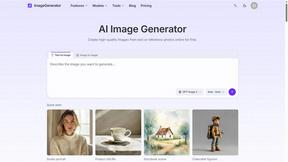
ImageGenerator
Create and edit AI images online with multiple models, text-to-image, image-to-image, background removal, and upscaling.
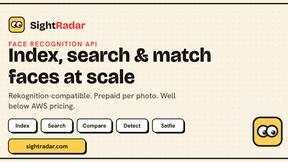
SightRadar
Face recognition API that is a drop-in replacement for AWS Rekognition. Index, search, compare and detect faces, billed per photo, no subscription.
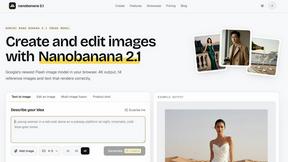
nanobanana 21
Fast, simple image creation and editing with accurate details, readable text, consistent characters, and up to 14 reference images.

AI Object Remover
Remove unwanted people, objects, text and watermarks from photos with AI