

Alternatives to UseSkill
UseSkill automates your workflows with pre-built AI skills and seamless integrations for effortless team collaboration.
20 alternatives found
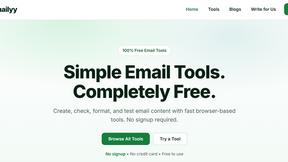
Emailyy
Free email tools for signatures, subject lines, HTML previews, word counts, and email headers. Browser-based, simple to use, and no signup required.
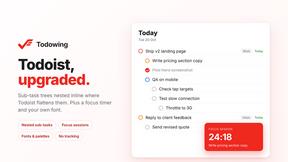
Todowing
Chrome extension that shows Todoist sub-tasks nested under their parents in Today, Upcoming, Filters, Labels, and boards.
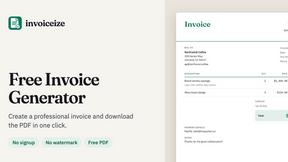

Uniclip
Clip pages, take full-page screenshots and batch-capture list data to Notion, Feishu, Obsidian, Markdown, CSV or JSON.

TroveKey
Search tabs, Chrome bookmarks and history, run browser commands, and save webpages and social posts locally—no account.


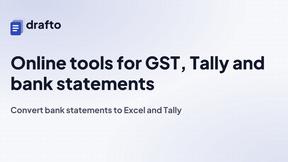
Drafto
Browser tools for Indian SMBs and CAs: GST, Tally, bank statement conversion and Meesho label crop. Free daily limit.
Agent Pets
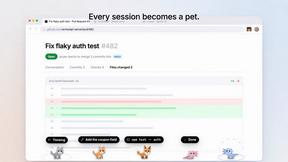
Your Claude Code & Codex sessions as pets in Chrome. Approve, deny and reply to your coding agents from any tab.

Context Board
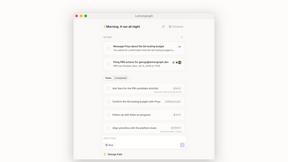
Context Board brings your numbers, docs, clients, content and day into one workspace that Claude and Codex can read and update.

Zeptap
Zeptap lets AI use your real iPhone like you do: open apps, read the screen, tap, swipe and type. Reply to DMs, post Stories, book rides, test apps.

@fuck.it - email with attitude
Private email. Pure. Secure. Exclusive. No ads, no tracking, no data selling. GDPR compliant, EU-hosted.
AFFLIGO
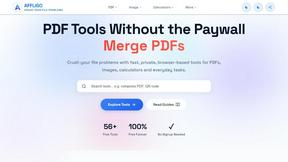
AFFLIGO makes everyday file tasks easier with free online tools to compress, convert, edit, and manage PDFs and images.

SmoothCut
Screen recorder for macOS and Windows with automatic zooms, a smoothed cursor and on-device captions. Pay once, runs on your computer.

Suparelay
Call landlines and mobiles in 200+ countries from your browser. The person you call needs no app. Prepaid, from about 2 cents a minute.
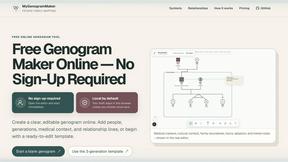
MyGenogramMaker
Draw genograms and family relationship diagrams in your browser with editable templates.
About UseSkill Alternatives
UseSkill is an innovative platform designed to automate workflows through a comprehensive library of AI skills and over 100 integrations, making it a powerful tool in the productivity and management category. Users often seek alternatives for various reasons, including pricing concerns, specific feature needs, or compatibility with their existing systems. The right alternative should offer similar functionality while aligning with your team's unique requirements, ensuring seamless integration and effective collaboration. When evaluating alternatives, consider factors such as the range of integrations available, the ease of use of pre-built workflows, and the company's commitment to user privacy and data security. A responsive support system and the ability to scale as your team grows are also crucial elements to keep in mind, as they can significantly impact your team's efficiency and overall experience.
FAQs about UseSkill Alternatives
What is UseSkill?
UseSkill is a platform that automates workflows with a library of AI skills and over 100 integrations, enhancing team collaboration and productivity.
Who is UseSkill for?
UseSkill is tailored for professionals in sales, support, engineering, data, and marketing who seek to streamline their workflows.
Is UseSkill free?
The information regarding pricing for UseSkill is not specified in the provided content.
What are the main features of UseSkill?
Main features of UseSkill include over 100 integrations, pre-built workflows for task automation, a privacy-first approach, and fast execution of complex tasks.