

Alternatives to Subclip
Subclip is an AI-powered video editor that simplifies editing, auto-generates subtitles, and dubs in multiple languages, saving you time and effort.
14 alternatives found

Suparelay
Call landlines and mobiles in 200+ countries from your browser. The person you call needs no app. Prepaid, from about 2 cents a minute.

ShortTranscript
Turn public TikTok videos and Instagram Reels into editable English transcripts.

ToneWell
ToneWell helps individuals gain clarity on their wellness priorities through voice analysis. By analyzing wellness-related vocal patterns, the platfor

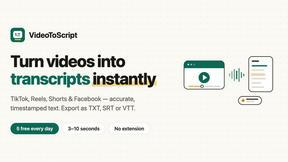
VideoToScript
Turn TikTok, Instagram Reels, YouTube Shorts, and Facebook videos into accurate, timestamped transcripts.

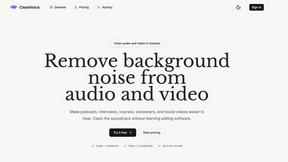
Clean Voice
Remove background noise from audio and video with Clean Voice's AI-powered tool. Make podcasts, voiceovers, interviews, and videos clear.

Hush Touch | Voice-to-Text for MacOS
Hush Touch offers offline voice-to-text for Mac, learning your vocabulary and improving accuracy with every use.

Glossa
Glossa empowers your church to translate sermons in real time, uniting your global congregation through seamless AI.

Bantr: Offline & Unlimited TTS for Mac
Bantr delivers unlimited offline text-to-speech on Mac, providing natural voices without subscriptions or privacy.

VoiceAILabs
VoiceAILabs empowers teams to effortlessly create, collaborate, and customize high-fidelity AI voice clones in real.

KaiCalls
KaiCalls is your 24/7 AI phone agent that captures leads and answers calls while you focus on your team.

Vowen
Vowen empowers your team with a private voice interface for seamless dictation, meeting notes, and voice commands.

About Subclip Alternatives
Subclip is an innovative, AI-powered video editing tool designed specifically for creators, marketers, and educators. It simplifies the video editing process by allowing users to edit videos as easily as editing a document, leveraging features such as voice cloning, auto-subtitles, silence removal, and multi-language dubbing. This makes it an invaluable resource for anyone involved in video production, from YouTubers and podcasters to course creators and content teams. Users often seek alternatives to Subclip for various reasons, including pricing considerations, specific feature requirements, or compatibility with their preferred platforms. When evaluating alternatives, it's essential to look for tools that offer similar functionalities, such as ease of use, efficiency, and comprehensive support for various video editing tasks. Additionally, potential users should consider the pricing structure, available features, and the overall user experience to ensure they choose the right solution for their unique needs.
FAQs about Subclip Alternatives
What is Subclip?
Subclip is an AI-powered video editing platform designed for creators, marketers, and educators. It enables users to edit videos with a simple drag-and-drop interface, utilizing an AI-driven transcript for seamless editing. With features such as voice cloning, silence removal, and multi-language dubbing, Subclip streamlines the video production workflow.
Who is Subclip for?
Subclip caters to a diverse range of users, including YouTubers, podcasters, course creators, and content teams. It is ideal for anyone looking to produce high-quality video content efficiently without the complexities of traditional editing tools. Its user-friendly interface and powerful features make it accessible to both novice and experienced creators.
Is Subclip free?
Subclip offers a freemium pricing model that includes a free tier, allowing users to explore its core functionalities. For those who require additional features, affordable paid plans are available. This structure ensures that users can find a suitable option based on their specific needs and budget.
What are the main features of Subclip?
Subclip boasts a range of powerful features designed to enhance the video editing experience. Key functionalities include transcription for accurate subtitles, voice cloning to re-record parts of videos, silence removal to eliminate unwanted pauses, and multi-language dubbing while preserving background music. These features work together to streamline the video production process.