
Subclip
Subclip is an AI-powered video editor that simplifies editing, auto-generates subtitles, and dubs in multiple languages, saving you time and effort.
Visit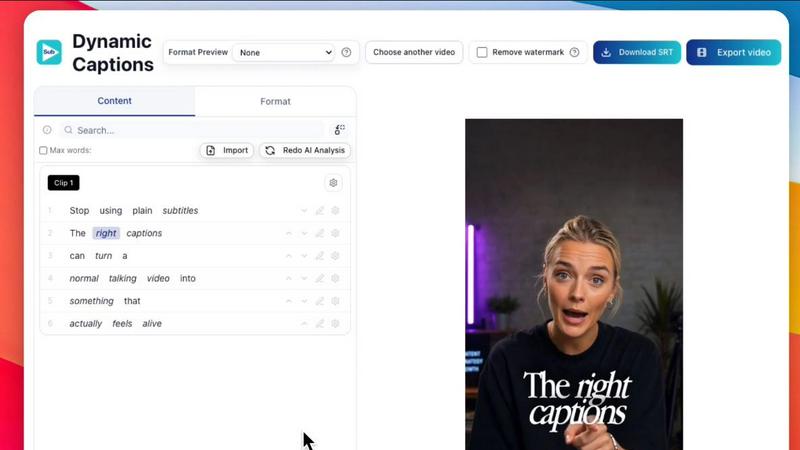
About Subclip
Subclip is an innovative AI-powered video editor designed to empower creators, marketers, and educators by transforming the video editing process into a seamless experience. By allowing users to edit videos as if they were editing text documents, Subclip streamlines the workflow significantly. Users can easily drag and drop transcripts, enabling them to make precise edits quickly. The platform offers advanced features like voice cloning, which allows users to re-record sections of their videos using their own voice, ensuring consistency and personal touch. Additionally, Subclip simplifies the labor-intensive tasks of removing silences and filler words with just a click, generating accurate subtitles, and dubbing videos into multiple languages while keeping the background music intact. Ideal for YouTubers, podcasters, course creators, and content teams, Subclip is built for speed and simplicity, effectively saving users hours of work and reducing the complexities associated with traditional video editing tools. With a freemium pricing model, including a free tier and affordable paid plans, Subclip is accessible for everyone looking to enhance their video production capabilities.
Features of Subclip
AI Clipping
Subclip's AI clipping feature scans your videos to identify high-energy segments, punchlines, and emotional shifts. This intelligent analysis allows you to quickly find and select the best moments from your footage, turning long videos into engaging clips that capture attention effortlessly.
One-Click Unlimited Captions
With Subclip, generating unlimited subtitles is a breeze. The platform enables users to create captions in over 48 languages, allowing for seamless localization of content. This feature helps ensure that your videos are accessible to a global audience, enhancing viewer engagement and retention.
AI Dubbing with Voice Clone
Subclip offers an advanced dubbing feature that translates your voice into 21+ languages while preserving your original tone and emotional nuance. This means you can effortlessly reach diverse audiences without the need for additional voice recordings, making your content truly international.
Enhance Voice & Remove Silences
The audio enhancement feature in Subclip allows users to clean up their recordings by removing background noise, echo, and silences with just one click. This ensures that your audio quality is polished and professional, which is crucial for creating high-impact video content.
Use Cases of Subclip
Subclip for Creators & Podcasters
Creators and podcasters can utilize Subclip to edit long-form videos and efficiently clip out highlights, increasing their viewership without additional editing time. This capability allows them to focus on content creation rather than laboring over complex editing processes.
Subclip for Coaches
Coaches can leverage Subclip to dub their recorded sessions or courses into over 20 languages using their own voice. This feature not only enhances accessibility but also allows them to reach a wider audience, making their expertise available to learners globally.
Subclip for Vloggers
Vloggers can take full advantage of Subclip's capabilities to add captions, incorporate B-Roll, and enhance audio quality with ease. The platform's one-click export functionality enables them to streamline their publishing process and maintain a high standard of content delivery.
Subclip for Agencies & Freelancers
Agencies and freelancers can significantly boost their productivity with Subclip by utilizing its unlimited transcription, export options, and team collaboration features. This ensures that projects can be completed efficiently and cost-effectively, allowing for greater output without sacrificing quality.
Frequently Asked Questions
How does Subclip simplify the video editing process?
Subclip simplifies video editing by allowing users to edit transcripts as if they were text documents, enabling quick adjustments without the need for traditional timeline scrubbing. This approach saves time and enhances efficiency.
Can I collaborate with my team on Subclip?
Yes, Subclip is designed for collaboration. Users can share projects with team members, collect feedback, and work together in a single workspace to streamline the video production process.
What languages does Subclip support for dubbing and subtitles?
Subclip supports dubbing and subtitles in over 48 languages, including popular options like English, Spanish, and French. This broad language support allows users to reach a diverse global audience.
Is there a free version of Subclip available?
Yes, Subclip offers a freemium pricing model that includes a free tier, making it accessible for creators and teams of all sizes. Affordable paid plans are also available for users looking for additional features and capabilities.
Similar to Subclip

Suparelay
Call landlines and mobiles in 200+ countries from your browser. The person you call needs no app. Prepaid, from about 2 cents a minute.

ShortTranscript
Turn public TikTok videos and Instagram Reels into editable English transcripts.

ToneWell
ToneWell helps individuals gain clarity on their wellness priorities through voice analysis. By analyzing wellness-related vocal patterns, the platfor

VideoToScript
Turn TikTok, Instagram Reels, YouTube Shorts, and Facebook videos into accurate, timestamped transcripts.

ViralClip
Clone trending TikTok, Reels and Shorts videos into your own AI clips.

Clean Voice
Remove background noise from audio and video with Clean Voice's AI-powered tool. Make podcasts, voiceovers, interviews, and videos clear.

Hush Touch | Voice-to-Text for MacOS
Hush Touch offers offline voice-to-text for Mac, learning your vocabulary and improving accuracy with every use.