
Bantr: Offline & Unlimited TTS for Mac
Bantr delivers unlimited offline text-to-speech on Mac, providing natural voices without subscriptions or privacy.
Visit
About Bantr: Offline & Unlimited TTS for Mac
Bantr is an innovative text-to-speech (TTS) application tailored specifically for Mac users, harnessing the advanced capabilities of Apple’s MLX framework to provide a rich and engaging audio experience. Unlike conventional TTS solutions that rely on cloud connectivity, Bantr operates entirely offline, maintaining the privacy and security of your data while ensuring unlimited access to its features. This makes it a perfect tool for educators, content creators, and anyone who prefers listening to text rather than reading it. With a one-time purchase, users gain lifetime access to over 150 high-quality voices, eliminating the frustrations of subscriptions, quotas, and data collection. Bantr promises continuous updates and improvements, fostering a community-driven approach to development. Whether you need to create voiceovers for videos, tutorials, or narration, Bantr positions itself as a reliable and future-proof choice for all your text-to-speech needs.
Features of Bantr: Offline & Unlimited TTS for Mac
Over 150 High-Quality Voices
Bantr offers an impressive selection of more than 150 expressive voices, allowing users to choose from a diverse range of accents, styles, and tones. This variety ensures that you can find the perfect voice for any project, enhancing the overall auditory experience and meeting specific needs.
Completely Offline Functionality
One of Bantr's most compelling features is its ability to function entirely offline. This not only protects your privacy by keeping your data secure on your device but also allows for seamless use without the need for an internet connection. You can convert text to speech anywhere, anytime.
No Subscription, No Limits
Bantr operates on a straightforward one-time purchase model, eliminating the need for subscriptions or quotas. This means you can use the application as much as you want without worrying about additional costs or usage restrictions, making it a cost-effective solution for users.
Continuous Updates and Future Features
When you purchase Bantr, you not only gain lifetime access but also benefit from ongoing updates and improvements. The development team actively listens to user feedback, with exciting upcoming features such as custom voice cloning, document uploads, and multi-speaker dialogue generation.
Use Cases of Bantr: Offline & Unlimited TTS for Mac
Voiceovers for Educational Content
Educators can leverage Bantr to create engaging voiceovers for instructional videos, making learning more accessible and enjoyable for students. The variety of voices allows for personalized content that can cater to different learning styles.
Content Creation for Videos and Podcasts
Content creators can use Bantr to generate high-quality audio for videos, podcasts, and other media. The ability to produce natural-sounding speech enhances the quality of the content, making it more appealing to audiences.
Accessibility Solutions for Individuals with Dyslexia
Bantr serves as an invaluable tool for individuals with dyslexia or other reading difficulties. By converting written text into spoken words, it aids in comprehension and learning, promoting inclusivity and understanding.
Narration for Audiobooks and Storytelling
Authors and narrators can utilize Bantr to produce audio versions of their written works. The application's diverse voice options allow for dynamic storytelling, enriching the listening experience for audiobook audiences.
Frequently Asked Questions
What platforms does Bantr support?
Bantr is designed exclusively for Mac users, specifically compatible with macOS 15 and above, and optimized for Apple Silicon devices like M1, M2, M3, M4, and M5.
Is my data safe when using Bantr?
Yes, Bantr operates entirely offline, which means your data remains on your device and is not sent to the cloud. This ensures privacy and security for all your text-to-speech needs.
Do I need to pay a subscription fee?
No, Bantr is available through a one-time purchase, providing you with lifetime access to the application and all future updates without any subscription fees or usage quotas.
What future features can we expect from Bantr?
The development team is actively working on exciting new features such as the ability to clone custom voices and emotions, upload various document types, and generate multi-speaker dialogues, all based on user feedback.
Similar to Bantr: Offline & Unlimited TTS for Mac


Leadeon
AI growth tool for X and LinkedIn: write posts in your voice, schedule at your best times, find leads on X and see what works.
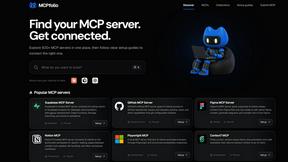
mcpfolio
Discover MCP servers, compare tools, and follow setup guides to connect AI assistants to your apps and workflows
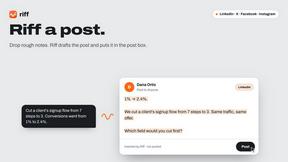
Riff
Riff writes replies, DMs and posts with Gemini Nano inside Chrome. Runs on your computer, no account or API key, and never posts for you.
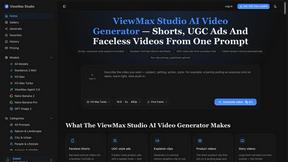
ViewMax Studio
AI video generator that turns one prompt into shorts, UGC-style ads and faceless videos, with script, voiceover and captions.
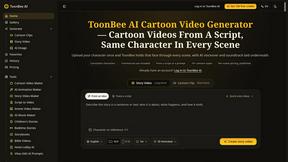
ToonBee AI
ToonBee AI turns a script or a one-line idea into a narrated cartoon video, keeping the same character in every scene. 10+ styles, 16:9 or 9:16.

Suparelay
Call landlines and mobiles in 200+ countries from your browser. The person you call needs no app. Prepaid, from about 2 cents a minute.

Novastart
Apps and files on an infinite canvas where people and AI agents work together.