

Alternatives to EditTextImage
EditTextImage lets us seamlessly edit text in images online together—no design skills needed, just upload, replace, and keep everything else intact.
20 alternatives found

PhotoGenerAI
Browser-based AI photo generation and editing for portraits, product images, background edits and outfit changes.
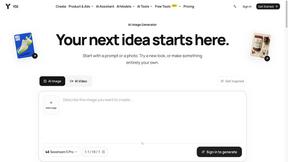
YIX
AI image and video generation, photo editing, restoration and free prompt tools in one browser studio.
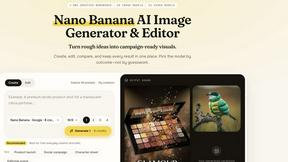
Nano AI
Create and edit AI images, generate videos, and compare models in one creative workbench.
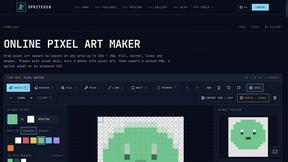
SpriteGen
Create AI pixel-art sprites and animated sprite sheets, refine assets in the editor, and export PNG, GIF, or JSON.
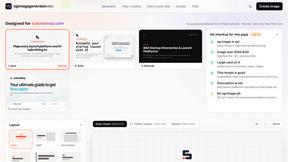
OG Image Generator
Paste a URL and AI designs on-brand Open Graph images from your page's colours, fonts and logo. Free, no sign-up.
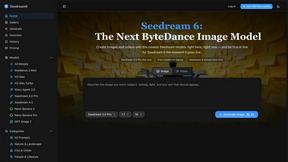
Seedream 6
Independent Seedream 6 guide with a browser-based AI image and video generator powered by Seedream 5.0 Pro and 5.5.
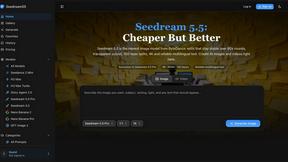
Seedream 5.5
Seedream 5.5 by ByteDance: 80+ rounds of stable image editing, native RGBA transparency, 100-layer splits, 4K output and reliable multilingual text.
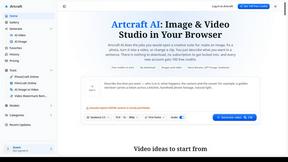
Artcraft AI
AI image and video studio in your browser: generate and edit images, turn photos into videos, edit clips by sentence.
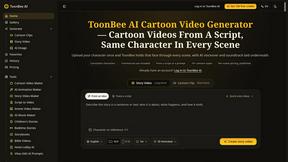
ToonBee AI
ToonBee AI turns a script or a one-line idea into a narrated cartoon video, keeping the same character in every scene. 10+ styles, 16:9 or 9:16.
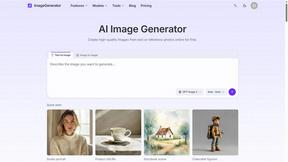
ImageGenerator
Create and edit AI images online with multiple models, text-to-image, image-to-image, background removal, and upscaling.
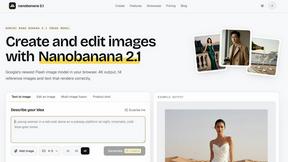
nanobanana 21
Fast, simple image creation and editing with accurate details, readable text, consistent characters, and up to 14 reference images.

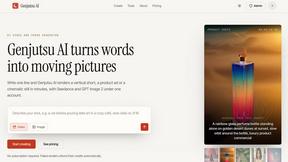
Genjutsu AI
Genjutsu AI turns your ideas into cinematic videos, product ads, social media shorts, and high-quality images in minutes. Choose a model, describe you
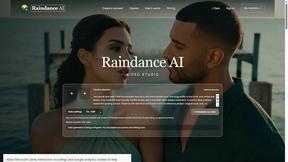
Raindance AI
Turn two authorized portraits into a seaside golden-hour video: a wooden dock, two people taking turns singing, and a slow pullback to the sunset. Pre
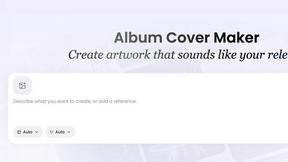
AI Album Cover Maker
Create release-ready album covers from a prompt or photo. Generate, refine, and export art for singles, EPs, mixtapes, and playlists.

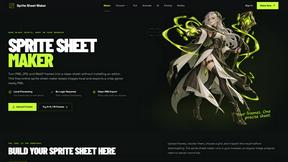
Sprite Sheet Maker
A free browser-based toolkit for creating, cutting, converting, and previewing sprite sheet animations.
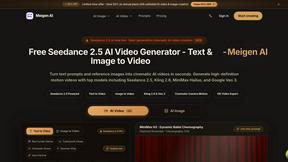
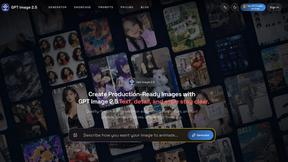
GPT Image 2 API
Generate and edit production-ready images with GPT Image 2 API, clear text rendering, reference images, and developer-friendly API workflows.
AI STL Generator
The fastest AI STL generator to turn prompts and images into 3D printable STL files.
About EditTextImage Alternatives
As a team, we often find ourselves needing to make quick edits to visual assets without the overhead of complex design software. EditTextImage belongs to the emerging category of AI-powered image generation and editing tools, specifically focused on seamless text replacement within existing images. While it offers a brilliant solution for pixel-perfect font and style matching, team members frequently explore alternatives due to varying needs such as different pricing models, the requirement for batch processing capabilities, or the desire for a more integrated platform that handles full image generation from scratch. When evaluating other options, it is crucial to look for tools that maintain high fidelity in font replication, offer transparent and scalable pricing for team use, provide robust security for uploaded assets, and deliver output resolutions suitable for both digital and print workflows. Choosing the right alternative for your team means prioritizing synergy between the tool’s capabilities and your specific project workflows. The core value to preserve is the ability to edit text without the original source files, maintaining the exact font, color, shadow, and perspective. However, you should also consider whether an alternative offers collaborative features like shared project libraries, version history, or API access for automation. A strong alternative will not only solve the immediate problem of text replacement but will also integrate smoothly into your existing design-to-deployment pipeline, ensuring that every team member—from designers to content managers—can contribute without friction or technical bottlenecks.
FAQs about EditTextImage Alternatives
What is EditTextImage?
EditTextImage is an AI-powered online tool that allows you to edit text within any image without needing the original design file or any installed fonts. It works by sampling the typography, color, drop shadow, and perspective directly from the image pixels, ensuring the replacement text matches the original style perfectly. This process takes approximately 10 seconds and outputs high-resolution results at 2K, making it an ideal solution for quick, professional edits.
Who is EditTextImage for?
EditTextImage is designed for anyone who needs to make quick text changes on finished visual assets, including marketers, social media managers, graphic designers, and content creators. It is particularly useful for professionals who frequently update posters, screenshots, product photos, or any image where the original design file has been lost. The tool empowers team members who may not have advanced Photoshop skills to make accurate edits autonomously.
Is EditTextImage free?
Yes, EditTextImage offers a free trial where your first edit is completely free and does not require a credit card. After the free trial, the service operates on a one-time payment model of $9.90 for 30 edits, with no recurring subscription fees. This makes it a cost-effective solution compared to ongoing subscriptions for full design suites like Canva or Adobe Photoshop.
What are the main features of EditTextImage?
The main features include AI-driven text replacement that preserves the original font, color, layout, and drop shadow from the source image. It supports paid fonts and hand-lettering by sampling typeface from pixels, eliminating the need for font file installations. The tool works online in about 10 seconds per edit, outputs at 2K resolution, and requires no design software or subscription to use.