
EditTextImage
EditTextImage lets us seamlessly edit text in images online together—no design skills needed, just upload, replace, and keep everything else intact.
Visit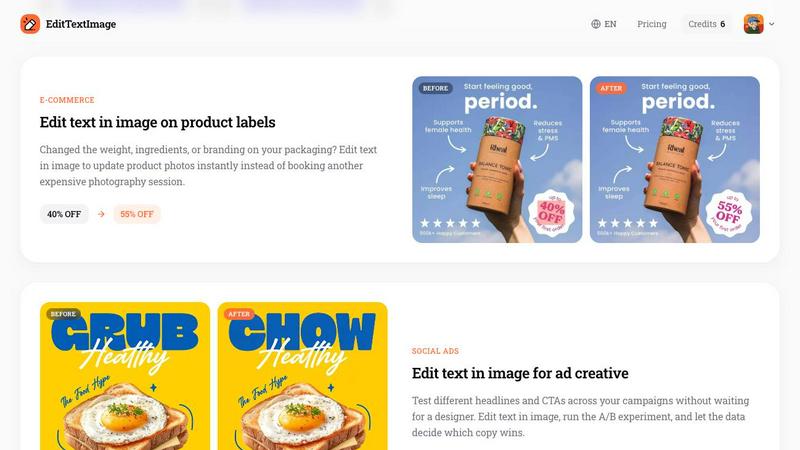
About EditTextImage
EditTextImage is an innovative online AI tool that empowers teams and individuals to seamlessly edit text within any image file without requiring Photoshop expertise or design skills. At its core, this tool solves a universal pain point: you have a finished image like a poster, screenshot, product photo, or document but the original design file is lost, and you need to change a single word, date, or headline. Instead of recreating the entire design from scratch, EditTextImage lets you upload the image, type the existing text and your replacement, and the AI samples the typography directly from the pixels. This means the font, color, drop shadow, perspective, and background all stay perfectly intact, even for paid fonts you do not have installed. The entire process takes approximately 10 seconds and outputs at 2K resolution. This tool is designed for marketers, designers, localization teams, e-commerce managers, and anyone who needs to make quick, pixel-perfect text edits on finished images. It eliminates the need for expensive software subscriptions, font files, or complex workflows. With a collaborative spirit, EditTextImage enables teams to work faster, iterate on creative assets without bottlenecks, and maintain visual consistency across all projects. The first edit is completely free with no credit card required, and subsequent edits are available through a simple one-time credit purchase. This is the tool you use when you need to fix a typo, swap a date, or A/B test a headline on a finished image without the source design file.
Features of EditTextImage
AI-Powered Font Sampling from Pixels
The core technology behind EditTextImage is its ability to analyze the pixels of your uploaded image and intelligently sample the typeface, color, size, and style of the existing text. This means you do not need to have the original font installed on your computer or know what font was used. The AI handles everything by examining the visual characteristics of each character, including serifs, weight, spacing, and any applied effects like drop shadows or gradients. This feature works seamlessly with paid fonts, hand-lettering, and custom typography that would otherwise be impossible to replicate manually. Your team can collaborate on edits without worrying about font licensing or availability.
Pixel-Perfect Background Preservation
When you edit text in most image editors, the area behind the original text often gets smeared, distorted, or filled with an incorrect color, ruining the overall composition. EditTextImage solves this by intelligently reconstructing the background behind the original text before placing the new text. Whether the background is a solid color, a complex gradient, a texture, or part of a photograph, the AI ensures every pixel around the text stays exactly where it should be. This creates a seamless, natural result that is indistinguishable from the original image. Your team can make changes with confidence, knowing the visual integrity of the asset is maintained.
Perspective and Lighting Preservation
One of the most challenging aspects of editing text in images is maintaining the original perspective, lighting, and shadows. Text on a product label photographed at an angle, text on a curved surface, or text with a specific lighting direction all require sophisticated handling. EditTextImage analyzes the spatial orientation and lighting conditions of the text in your image. It then applies the same perspective transformation, lighting effects, and shadow placement to the replacement text. This ensures the edited text looks like it was always part of the original image, even in complex scenarios like packaging photos or architectural signage. Your team can edit images from any angle or lighting condition without losing realism.
Fast 2K Resolution Output
Speed and quality are paramount in collaborative workflows. EditTextImage delivers results in approximately 10 to 12 seconds on average, allowing teams to iterate quickly and make multiple changes in a single session. The output resolution is a crisp 2K, which is suitable for professional use in digital marketing, print materials, app store screenshots, and social media. This high-resolution output means you do not have to compromise on quality for the sake of speed. The tool handles PNG, JPEG, and WebP files up to 10 MB, making it compatible with most common image formats used in modern design and marketing workflows. Your team can move from request to finished asset in under a minute.
Use Cases of EditTextImage
Document Fixes and Corrections
Lost the source file for an important contract, invoice, or official document? Only have a screenshot or a scanned PDF? EditTextImage allows you to edit text in image directly to update invoice numbers, fix typos in contracts, correct dates on certificates, or modify any other text element without needing the original design file. This is invaluable for administrative teams, legal departments, and anyone who works with finalized documents that require last-minute corrections. Instead of recreating the entire document from scratch or using complex PDF editing software, you simply upload the image, make the text change, and download the corrected version. This saves hours of work and ensures consistency with the original document layout.
Poster and Flyer Updates
Event organizers, marketing teams, and designers frequently face the challenge of updating finished promotional materials. The date changed, a speaker dropped out, the venue moved, or a sponsor name needs updating. With EditTextImage, you can edit text in image directly on the finished poster or flyer without reopening the original design file. This is especially useful when the original designer is offline, the design software is unavailable, or the source file is lost. Your team can make changes in seconds, keeping the campaign moving forward. This use case saves hundreds of dollars in redesign costs every season and allows for rapid iteration on event materials.
App Screenshot Localization
For app developers and product managers, creating screenshots for multiple app stores in different languages is a significant time drain. Instead of rebuilding every UI mockup for each language, EditTextImage lets you swap languages on existing screenshots with pixel-perfect accuracy. You can take one English screenshot and quickly generate versions in Spanish, French, German, Japanese, or any other language. The AI preserves the font, color, and layout of the original text, ensuring your localized screenshots look native and professional. This dramatically speeds up the localization workflow, allowing your team to launch in new markets faster and with consistent visual quality across all language versions.
E-Commerce Product Photo Updates
E-commerce managers and branding teams often need to update product photos when packaging changes. The weight changed, ingredients were updated, a promotion ended, or the branding was refreshed. Instead of booking another expensive photography session or using complex photo editing software, you can edit text in image on product labels directly. Upload the existing product photo, type the old text and the new text, and the AI handles the rest. The perspective, lighting, and background of the product label are preserved, making the edit look completely natural. This allows your team to keep product listings up to date quickly and cost-effectively, without disrupting the photography schedule.
Frequently Asked Questions
What types of images can I edit with EditTextImage?
You can edit text in any image file that contains readable text, including posters, flyers, screenshots, product labels, documents, social media graphics, packaging photos, and signs. The tool supports PNG, JPEG, and WebP file formats up to 10 MB in size. The text must be clearly visible in the image for the AI to sample it accurately. Complex backgrounds, perspectives, and lighting conditions are handled well by the AI, but extremely small or heavily obscured text may require a higher resolution source image for best results.
Do I need any design skills or software to use this tool?
No design skills or software are required to use EditTextImage. The entire process is handled through a simple web interface. You upload your image, type the original text you want to replace, type the replacement text, and click generate. The AI does all the complex work of font sampling, background reconstruction, and perspective matching. You do not need Photoshop, Canva, or any other design tool. This makes the tool accessible to anyone on your team, from marketing coordinators to product managers to legal assistants.
How does EditTextImage handle fonts I do not own?
EditTextImage samples the typeface directly from the pixels of your uploaded image. This means it does not need to know the name of the font or have the font file installed. It works with any font, including paid commercial fonts, custom hand-lettering, and unique typography that is not available for download. The AI analyzes the visual characteristics of each character and recreates the replacement text in the same style. This is one of the most powerful features of the tool, as it eliminates font licensing and availability issues entirely.
Is there a free trial available and what are the pricing options?
Yes, EditTextImage offers one free credit to start, which allows you to edit text in one image with no credit card required. You simply sign in with your Google account to claim your free credit. After your free edit, you can purchase a one-time pack of 30 credits for $9.90. Credits never expire, so you can use them at your own pace. Commercial use is included with all credits. There is no subscription, no recurring fees, and no hidden costs. This pay-as-you-go model is perfect for teams and individuals who need occasional text edits without a monthly commitment.
Pricing of EditTextImage
EditTextImage offers a simple and transparent pricing model with no subscriptions. You start with one free credit to edit text in an image, no credit card required. After your free edit, you can purchase a one-time pack of 30 credits for $9.90. Credits never expire, so you can use them whenever you need them. Commercial use is included with every credit purchase, meaning you can use the edited images for business purposes, marketing materials, and client work. There are no monthly fees, no hidden charges, and no commitment. This pricing structure is designed for flexibility, allowing teams and individuals to pay only for what they use.
Similar to EditTextImage
ImageAgent
Create and edit AI images through conversation, using text or reference images and refining results in chat.
GenX
All-in-one AI workspace to generate images, videos, and audio with multiple leading AI models.
AiAgeFilter
Free AI age filter: upload an adult portrait, add 10-40 years, meet your older self. No app needed.

AppIconGenerator
Generate iOS and Android app icons from any image and export all platform sizes for free.
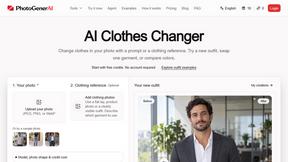
PhotoGenerAI
Browser-based AI photo generation and editing for portraits, product images, background edits and outfit changes.
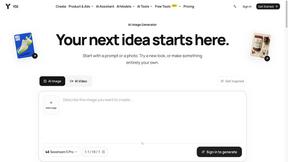
YIX
AI image and video generation, photo editing, restoration and free prompt tools in one browser studio.
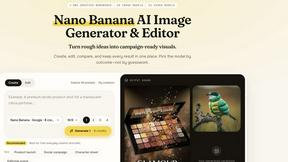
Nano AI
Create and edit AI images, generate videos, and compare models in one creative workbench.
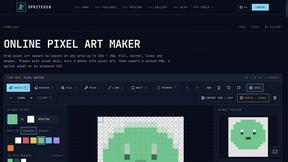
SpriteGen
Create AI pixel-art sprites and animated sprite sheets, refine assets in the editor, and export PNG, GIF, or JSON.