

Alternatives to ColorPaletteHub
Let us work together to explore ColorPaletteHub, the quiet encyclopedia and toolset where every color is studied and ready for your team.
20 alternatives found
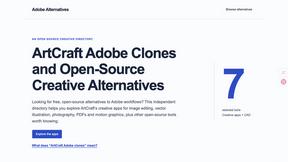
Adobe Alternatives
Explore open-source creative software by workflow, platform and development stage, with comparisons and official project links.

ToolVerified
Stop wasting time on broken AI demos. We test every app by hand, and honest community votes build our daily trending charts.
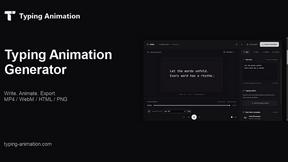
Typing Animation
Create typing animations with custom fonts, timing and sound. Export MP4, transparent WebM, HTML or PNG.

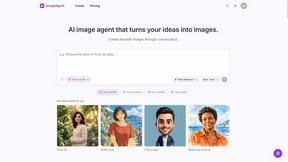
ImageAgent
Create and edit AI images through conversation, using text or reference images and refining results in chat.

3D House Planner
Free browser-based home design tool: draw a 2D floor plan, see it in 3D, furnish rooms and render it with AI. No install.

Engineering on Web
Free browser-based CAD, FEA simulation and engineering statistics, with an AI assistant for CAD. No install, no account.
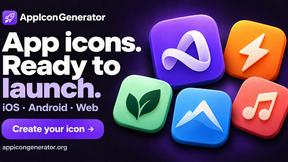
AppIconGenerator
Generate iOS and Android app icons from any image and export all platform sizes for free.
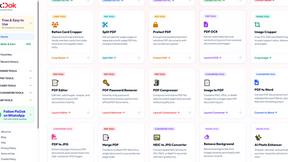
Pixdok
PixDok is your all-in-one free online toolkit for PDF editing, image conversion, background removal, passport photos, and QR codes.
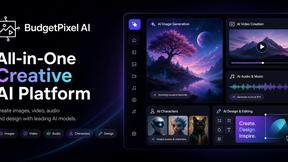
Budgetpixel AI
Create AI images, videos, music, and designs in one workspace with multiple models, powerful editing tools, and API access.

CADCraft
Free open-source 2D CAD for precise drafting, technical documentation, and AI-assisted automation.
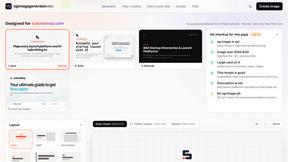
OG Image Generator
Paste a URL and AI designs on-brand Open Graph images from your page's colours, fonts and logo. Free, no sign-up.

Seedream 5.5
Seedream 5.5 by ByteDance: 80+ rounds of stable image editing, native RGBA transparency, 100-layer splits, 4K output and reliable multilingual text.
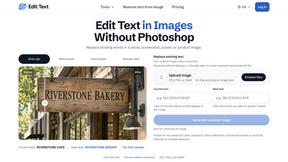
Reword Image
Replace the text already inside a photo or screenshot and keep the original layout, colors and perspective. No design file needed.
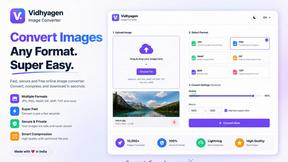
VidhyaGen - Image Converter
All-in-one digital toolkit for effortless image conversion, compression, resizing, and everyday file utilities in a single place.
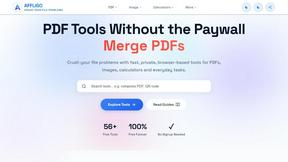
AFFLIGO
AFFLIGO makes everyday file tasks easier with free online tools to compress, convert, edit, and manage PDFs and images.

Artcraft AI
AI image and video studio in your browser: generate and edit images, turn photos into videos, edit clips by sentence.
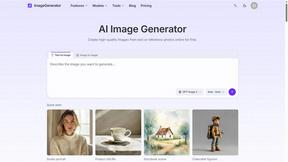
ImageGenerator
Create and edit AI images online with multiple models, text-to-image, image-to-image, background removal, and upscaling.

About ColorPaletteHub Alternatives
ColorPaletteHub serves as a comprehensive color palette encyclopedia and design resource, fitting squarely into the design tools category. It is built for designers, developers, and brand builders who need a reliable reference for curated palettes, named colors, and exact color values across multiple formats like hex, RGB, CMYK, and HSL. While it offers a robust free toolset including a color converter, contrast checker, and gradient generator, users often look for alternatives due to specific needs like advanced team collaboration features, offline functionality, deeper integration with their existing design software, or a different pricing model for premium content. When evaluating any alternative, your team should prioritize seamless workflow synergy, the availability of color psychology context, and whether the platform supports the collaborative handoff between design and development phases. Finding a tool that enhances your team’s operational efficiency without sacrificing the depth of color knowledge is key to a successful switch.ColorPaletteHub serves as a comprehensive color palette encyclopedia and design resource, fitting squarely into the design tools category. It is built for designers, developers, and brand builders who need a reliable reference for curated palettes, named colors, and exact color values across multiple formats like hex, RGB, CMYK, and HSL. While it offers a robust free toolset including a color converter, contrast checker, and gradient generator, users often look for alternatives due to specific needs like advanced team collaboration features, offline functionality, deeper integration with their existing design software, or a different pricing model for premium content. When evaluating any alternative, your team should prioritize seamless workflow synergy, the availability of color psychology context, and whether the platform supports the collaborative handoff between design and development phases. Finding a tool that enhances your team’s operational efficiency without sacrificing the depth of color knowledge is key to a successful switch.
FAQs about ColorPaletteHub Alternatives
What is ColorPaletteHub?
ColorPaletteHub is a color palette encyclopedia and design resource that serves as a central hub for color exploration and application. It provides designers, developers, and brand builders with curated palettes, named colors, and detailed color values including hex, RGB, CMYK, and HSL codes. The platform also integrates color psychology and practical design context to help users make informed decisions about their color choices.
Who is ColorPaletteHub for?
ColorPaletteHub is designed for a collaborative audience of designers, developers, and brand builders who need reliable color data and tools. It is ideal for UI/UX teams looking for consistent color systems, graphic designers seeking palette inspiration, and developers requiring accurate code-friendly color values. The platform supports synergy between creative and technical roles by providing both visual context and precise numerical data.
Is ColorPaletteHub free?
ColorPaletteHub offers a robust set of free tools that provide significant value to individual users and teams. These free features include a color converter, contrast checker, color picker, image palette extractor, and gradient generator. While the core encyclopedia and basic tools are accessible without cost, there may be premium or subscription-based options for advanced features or extended access, though the platform is designed to be highly functional at the free tier.
What are the main features of ColorPaletteHub?
The main features of ColorPaletteHub include a curated color palette encyclopedia with named colors and their corresponding hex, RGB, CMYK, and HSL values. It also offers a suite of free design tools such as a color converter for switching between color models, a contrast checker for accessibility compliance, a color picker for precise selection, an image palette extractor for pulling color schemes from photos, and a gradient generator. Additionally, it provides color psychology insights to guide design decisions.