

Alternatives to ChatGPT Image 2 Photo Editor
Turn your ideas and photos into polished visuals with GPT Image 2, an AI workspace for generating, editing, and upscaling images together.
20 alternatives found
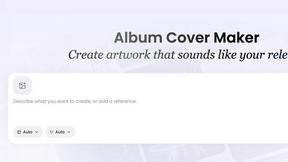
AI Album Cover Maker
Create release-ready album covers from a prompt or photo. Generate, refine, and export art for singles, EPs, mixtapes, and playlists.
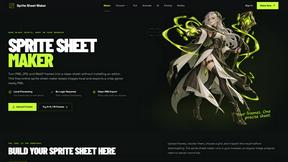
Sprite Sheet Maker
A free browser-based toolkit for creating, cutting, converting, and previewing sprite sheet animations.
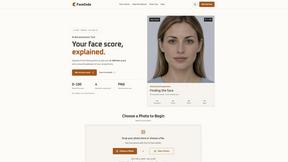
FaceCoda
Free AI attractiveness test and face analysis with private, on-device photo processing.
GPT Image 2 API
Generate and edit production-ready images with GPT Image 2 API, clear text rendering, reference images, and developer-friendly API workflows.
AI STL Generator
The fastest AI STL generator to turn prompts and images into 3D printable STL files.

Ideogram Studio
Create readable text, logos, posters, ads, and ecommerce visuals with Ideogram 4 workflows, guided prompts, image references, and API tools.
AIEnhancer
AI photo, image, and video enhancement with creative effects and shared asset workflows.
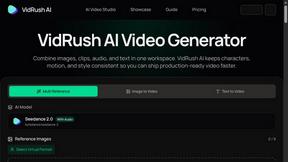
VidRush AI
AI-powered long video generator. Combine images, video, audio, and text into production-ready videos.

Presentation Intelligence
AI-native presentation and visual content platform that turns prompts, documents, images, videos, and data into polished, shareable decks.
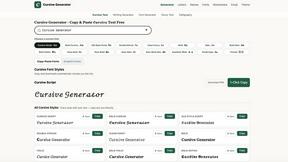
cursive text generator
Cursive Text Generator is a free browser-based tool that converts ordinary text into elegant cursive, script, and fancy Unicode styles. Users can inst
Clipy
Free, no-watermark screen recorder + instant share links. A Loom alternative: record, stop, share. No signup, no time cap, no app to watch.
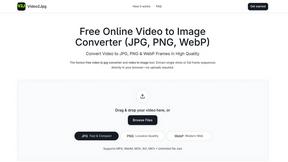
Video2Jpg
Convert video to JPG, PNG, or WebP frames in your browser. High-quality video to image converter with no uploads—fast, private, and free.
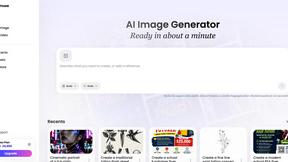
Vismuse
Create polished AI images and videos from prompts or references for social posts, ads, flyers, album covers, and campaigns.
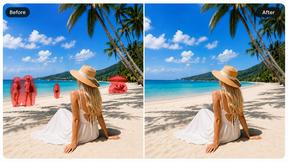
Magic Eraser
AI-powered photo editor for removing objects, erasing backgrounds, enhancing images, and creating visuals.
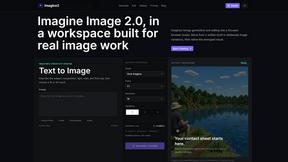

About ChatGPT Image 2 Photo Editor Alternatives
When a team is exploring new creative workflows, ChatGPT Image 2 Photo Editor often comes up as a strong contender in the design tools and image generation space. It functions as an online AI photo editor and image generator, empowering creators, marketers, designers, ecommerce teams, and small businesses to produce product visuals, ads, thumbnails, portraits, and brand assets directly in the browser. However, teams frequently look for alternatives due to specific workflow constraints such as pricing models that don't scale with team usage, a need for more granular control over brand-specific outputs, or platform requirements like offline functionality or native desktop integration. The search for an alternative is usually a collaborative effort to find a tool that better aligns with a team’s unique synergy, whether that means more advanced batch processing for ecommerce catalogs or stricter data privacy protocols. When choosing an alternative, your team should prioritize features that foster seamless cooperation and output consistency. Look for tools that support robust reference image workflows, prompt-based editing, and reliable upscaling and cleanup capabilities, as these are the core functionalities that keep creative projects moving. It is also essential to evaluate how well the platform integrates into your existing tech stack and whether it offers flexible licensing for commercial use. Ultimately, the right alternative will empower every member of your team, from designers to marketers, to generate fast creative variations without bottlenecks, ensuring that your collective output remains both high-quality and on-brand.
FAQs about ChatGPT Image 2 Photo Editor Alternatives
What is ChatGPT Image 2 Photo Editor?
ChatGPT Image 2 Photo Editor is an online AI image generator and AI photo editor designed for creators, marketers, designers, ecommerce teams, and small businesses. It supports a range of functions including text-to-image, image-to-image, prompt-based editing, reference image workflows, upscaling, cleanup, and downloadable creative outputs, all within the browser. This tool is categorized under Design Tools, Image & Photo, Photography, and Image Generation, making it a versatile asset for producing product visuals, ads, thumbnails, portraits, and brand assets.
Who is ChatGPT Image 2 Photo Editor for?
ChatGPT Image 2 Photo Editor is specifically built for creators, marketers, designers, ecommerce teams, and small businesses who need to generate fast creative variations. It is ideal for teams looking to produce product visuals, advertisements, social media thumbnails, professional portraits, and consistent brand assets without requiring extensive design expertise. The platform supports collaborative workflows by allowing multiple users to generate and edit images directly in the browser, streamlining the creative process for both individuals and small groups.
Is ChatGPT Image 2 Photo Editor free?
The pricing model for ChatGPT Image 2 Photo Editor is not explicitly defined in the provided content, but like many AI-powered design tools, it may offer a free tier with limited features or a subscription-based model for full access. Users should check the official platform for the most current pricing details, including any free trial options or usage caps on image generation and editing. For teams, it is advisable to evaluate whether the cost aligns with their volume of output and required features such as upscaling and cleanup.
What are the main features of ChatGPT Image 2 Photo Editor?
The main features of ChatGPT Image 2 Photo Editor include text-to-image generation, image-to-image transformation, prompt-based editing, reference image workflows, upscaling, and cleanup capabilities. It also allows users to download creative outputs directly in the browser, making it easy to produce product visuals, ads, thumbnails, portraits, and brand assets. These features are designed to support fast creative variations for marketing and design teams, enabling efficient iteration without leaving the browser environment.