
Veo 4 video generator
Veo 4 empowers teams to effortlessly create stunning, studio-quality videos from text, images, or existing footage in seconds.
Visit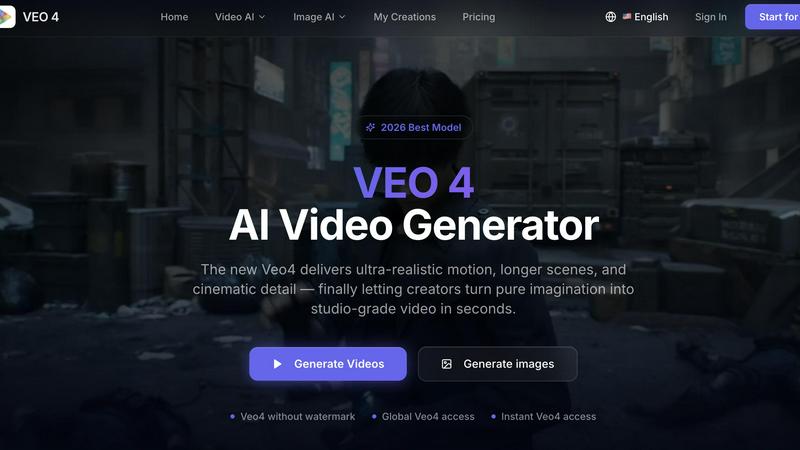
About Veo 4 video generator
Veo 4 is a groundbreaking AI video generator designed specifically for creators, marketers, and brands seeking to elevate their visual storytelling. This innovative tool enables users to transform text prompts, images, or existing video footage into high-quality, realistic videos with unparalleled motion, detail, and scene control. With Veo 4, the creative process becomes faster and more intuitive, allowing teams to turn their imaginative ideas into studio-grade videos in just seconds. By streamlining the video production workflow, Veo 4 empowers teams to produce first drafts quickly, compare variations, and efficiently iterate on their concepts. This makes it an essential asset for marketing teams, creative agencies, and content creators who value speed and clarity in their video projects.
Features of Veo 4 video generator
Text to Video Generation
Veo 4 allows users to input text prompts to generate videos, providing a seamless way to explore concepts visually. This feature helps teams quickly visualize ideas and enhance their storytelling capabilities.
Image to Video Conversion
Users can upload still images to be animated into engaging video content. This feature is ideal for those looking to bring static visuals to life, enhancing brand narratives with dynamic elements.
Video to Video Enhancement
Veo 4 offers a video-to-video workflow that enables users to improve existing footage. Whether it is for restyling, extending, or enhancing rough cuts, this feature ensures that teams can refine their projects without starting from scratch.
Customizable Outputs
With Veo 4, users can set aspect ratios, motion styles, and visual themes tailored to their specific needs. This flexibility allows for the creation of polished video assets suitable for various platforms, be it social media or advertising.
Use Cases of Veo 4 video generator
Marketing Campaigns
Veo 4 is perfect for marketers looking to create promotional videos quickly. By generating engaging content that aligns with their brand messaging, teams can accelerate their marketing efforts and improve audience engagement.
Social Media Content
Content creators can utilize Veo 4 to produce eye-catching social media videos that stand out in crowded feeds. This tool helps in crafting compelling narratives that resonate with viewers, leading to higher interaction rates.
Product Launch Videos
Veo 4 can be instrumental in developing product launch videos. By combining text prompts and visuals, teams can create polished promotional materials that effectively communicate product features and benefits to potential customers.
Training and Educational Videos
Organizations can leverage Veo 4 to create instructional videos that enhance employee training programs. By transforming complex information into accessible video content, teams can foster better understanding and retention among learners.
Frequently Asked Questions
What types of media can I use with Veo 4?
Veo 4 supports various media inputs, including text prompts, images, and existing video footage. This versatility allows you to choose the best starting point for your video projects.
How long does it take to generate a video?
Videos can be generated in seconds, making Veo 4 a time-efficient tool for creators and marketers. This rapid turnaround time enables teams to iterate quickly and meet tight deadlines.
Can I customize the video outputs?
Yes, Veo 4 allows for extensive customization of video outputs, including aspect ratios, motion styles, and visual themes. This ensures that the final product aligns with your branding needs.
Is Veo 4 suitable for team collaboration?
Absolutely! Veo 4 is designed with collaboration in mind, allowing teams to work together efficiently. With features that streamline the video production process, teams can share and refine their ideas seamlessly.
Similar to Veo 4 video generator
SmoothCut
Screen recorder for macOS and Windows with automatic zooms, a smoothed cursor and on-device captions. Pay once, runs on your computer.

Artcraft AI
AI image and video studio in your browser: generate and edit images, turn photos into videos, edit clips by sentence.
ViewMax Studio
AI video generator that turns one prompt into shorts, UGC-style ads and faceless videos, with script, voiceover and captions.
ToonBee AI
ToonBee AI turns a script or a one-line idea into a narrated cartoon video, keeping the same character in every scene. 10+ styles, 16:9 or 9:16.

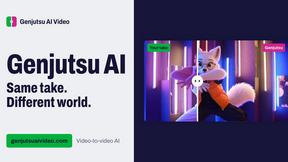
Genjutsu AI Video Editor
AI video-to-video editor for swapping characters, outfits, objects, and scenes or restyling existing clips.
AI Face Swap Video
Swap any face into any video online with AI in minutes. Upload a clip and a photo, get natural lighting and expressions. Free credits on sign-up.

Raindance AI Video Generator
Turn two photos into the Raindance AI pier video with the soundtrack included