

Alternatives to Veo 4 video generator
Veo 4 empowers teams to effortlessly create stunning, studio-quality videos from text, images, or existing footage in seconds.
20 alternatives found

SmoothCut
Screen recorder for macOS and Windows with automatic zooms, a smoothed cursor and on-device captions. Pay once, runs on your computer.

Artcraft AI
AI image and video studio in your browser: generate and edit images, turn photos into videos, edit clips by sentence.

ViewMax Studio
AI video generator that turns one prompt into shorts, UGC-style ads and faceless videos, with script, voiceover and captions.
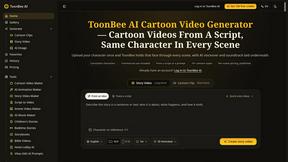
ToonBee AI
ToonBee AI turns a script or a one-line idea into a narrated cartoon video, keeping the same character in every scene. 10+ styles, 16:9 or 9:16.


Genjutsu AI Video Editor
AI video-to-video editor for swapping characters, outfits, objects, and scenes or restyling existing clips.

AI Face Swap Video
Swap any face into any video online with AI in minutes. Upload a clip and a photo, get natural lighting and expressions. Free credits on sign-up.

Raindance AI Video Generator
Turn two photos into the Raindance AI pier video with the soundtrack included

Opus 5.5 Video Generator
Turn a prompt into a 1080p motion-graphics MP4 planned and coded by Claude Opus 5.5


Rumpelstiltskin AI Video Generator
Make the viral Rumpelstiltskin tiptoe dance meme video from two photos

DanseAI - Alors on Danse AI Video Genera
Make the Alors on Danse AI meme video from two photos, soundtrack included


Hotel Lobby AI Video Generator
Turn two photos into a Hotel Lobby dance video in the orange A COLORS SHOW booth


Genjutsu AI
Genjutsu AI turns your ideas into cinematic videos, product ads, social media shorts, and high-quality images in minutes. Choose a model, describe you


Raindance AI
Turn two authorized portraits into a seaside golden-hour video: a wooden dock, two people taking turns singing, and a slow pullback to the sunset. Pre


GetYouTubeTranscript
Free YouTube transcripts on the web, a Chrome extension, and an API + MCP server so AI assistants can read YouTube.
About Veo 4 video generator Alternatives
The Veo 4 video generator is a cutting-edge tool designed for creators and brands looking to produce ultra-realistic videos. It excels in delivering lifelike motion, extended scenes, and cinematic detail, enabling users to transform their imaginative concepts into high-quality, studio-grade productions. This next-generation AI video generator falls within the video category, providing innovative features that resonate with both professional creators and casual users alike. However, many users find themselves exploring alternatives to the Veo 4 video generator for various reasons. Pricing may be a significant factor, as budgets can differ across projects and users. Additionally, some may seek specific features that better fit their creative vision or technical requirements, such as compatibility with different platforms or user-friendly interfaces. When choosing an alternative, it's essential to consider factors such as functionality, ease of use, customer support, and integration capabilities to ensure that the new tool aligns with your content creation needs.
FAQs about Veo 4 video generator Alternatives
What is Veo 4 video generator?
Veo 4 video generator is an advanced AI-powered tool that allows users to create high-quality, ultra-realistic videos. It is designed for creators and brands, providing features such as enhanced motion, detailed imagery, and extended scene capabilities, which help in producing professional-grade video content.
Who is Veo 4 video generator for?
Veo 4 video generator is ideal for a wide range of users including content creators, marketers, and brands who are looking to produce engaging video content. Whether you're an experienced filmmaker or a novice looking to explore video creation, Veo 4 provides the tools necessary to bring your creative visions to life.
Is Veo 4 video generator free?
Veo 4 video generator is not free; it typically operates on a subscription or one-time purchase model depending on the features and capabilities required. Pricing may vary based on the specific plan chosen, so it's advisable to check the official site for detailed information on costs and available packages.
What are the main features of Veo 4 video generator?
The main features of Veo 4 video generator include ultra-realistic motion capabilities, the ability to create longer scenes, and cinematic detail that enhances the overall video quality. These features empower users to have greater control over their video projects, facilitating a seamless creative process.