
Unicode to Bamini Converter
Effortlessly convert Tamil text from Unicode to Bamini with our free, instant online tool—no downloads needed for seamless text transformation.
Visit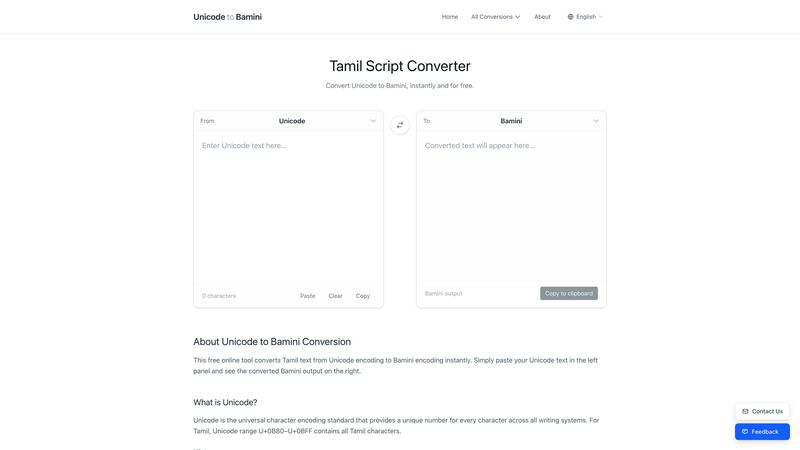
About Unicode to Bamini Converter
Unicode to Bamini Converter is a versatile and user-friendly online tool designed specifically for converting Tamil text between various font encodings, including Unicode and Bamini. This free, web-based application allows users to quickly and efficiently transform their Tamil text with just a few clicks. It is particularly beneficial for Tamil publishers, journalists, and content creators who often deal with legacy documents that use older encoding systems like Bamini or TSCII. By converting these texts to modern Unicode format, users can ensure wider accessibility across multiple devices and platforms. The converter supports over 25 different Tamil font encodings, making it an invaluable resource for anyone working with Tamil content, whether for professional publishing or personal use. With real-time conversion and support for multiple languages, this tool bridges the gap between traditional and contemporary Tamil typography.
Features of Unicode to Bamini Converter
Convert Between Multiple Encodings
The Unicode to Bamini Converter supports conversion between a wide range of Tamil font encodings, including Unicode, Bamini, TSCII, Anjal, TAB, Dinamani, and Murasoli. This extensive support ensures users can work seamlessly with various text formats without worrying about compatibility issues.
Instant Real-Time Conversion
With its instant real-time conversion capability, users can see the converted text immediately after pasting their Unicode content. This feature eliminates the need for page reloads, offering a smooth and efficient user experience as they work with Tamil text.
Comprehensive Character Mapping Table
The tool includes a complete character mapping table for every encoding pair, enabling users to understand how characters correspond between different Tamil fonts. This feature is essential for accurate conversions, ensuring no character is lost or misrepresented during the process.
Multi-Device Compatibility
Designed to work seamlessly on both desktop and mobile devices, the Unicode to Bamini Converter allows users to convert Tamil text on the go. Whether you are at your desk or using a mobile device, you can access the converter anytime, anywhere.
Use Cases of Unicode to Bamini Converter
Legacy Document Conversion
For Tamil publishers and archivists, converting legacy documents encoded in Bamini or TSCII to Unicode is crucial. This ensures that historical documents remain accessible and usable in modern digital formats, preserving Tamil literature for future generations.
Content Creation for Media
Journalists and content creators can utilize the converter to quickly adapt their Tamil content for different platforms. By converting between encodings, they can ensure their articles and reports are formatted correctly for various media outlets, enhancing readability and presentation.
Software Development
Developers creating applications that include Tamil text can benefit from the converter's ability to switch between encodings. This ensures that their applications can handle multiple types of Tamil input, catering to a broader audience and enhancing user experience.
Research and Academia
Researchers studying Tamil literature or linguistics often need to convert texts between different encodings. This tool provides a straightforward solution, allowing them to analyze and compare texts accurately without encoding-related issues.
Frequently Asked Questions
How do I use the Unicode to Bamini Converter?
To use the converter, simply paste or type your Unicode Tamil text in the left text area. The Bamini-encoded output will automatically appear in the right panel, ready for you to copy and use.
Is there any software installation required?
No, the Unicode to Bamini Converter is entirely web-based and requires no software download or installation. You can access it directly through your web browser on any device.
What languages does the converter support?
The converter is available in five languages: English, Tamil, Sinhala, Hindi, and Chinese. This multi-language support makes it accessible to a diverse range of users.
Why is it necessary to convert from Unicode to Bamini?
Converting from Unicode to Bamini may be necessary for compatibility with older systems or software that only accepts Bamini input. It also helps maintain consistency with existing legacy documents that are still widely used.
Explore more in this category:
Similar to Unicode to Bamini Converter

Wordy
Learn languages with real movie and TV show clips.
JsonTranslate
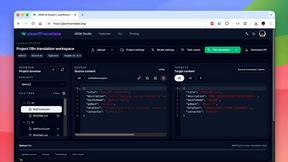
JsonTranslate translates JSON, Markdown, and TXT files while preserving keys and project structure for multilingual i18n workflows.

YT Video Summarizer
Turn Long YouTube Videos into Quick AI Summaries in Seconds.
MeloLingua
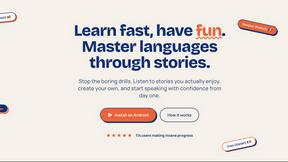
MeloLingua empowers you to learn languages through personalized stories, enhancing confidence in speaking from day one.

Glossa
Glossa empowers your church to translate sermons in real time, uniting your global congregation through seamless AI.
Lovalingo
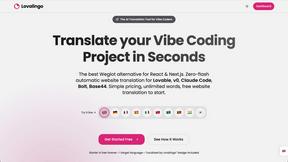
Lovalingo instantly translates and indexes your React app with your team, enabling seamless global collaboration.
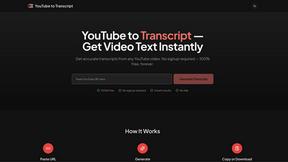
YouTube to Transcript
Easily extract accurate transcripts from any YouTube video for free, with no account needed and instant results.

VideoDubber Video Translator
VideoDubber effortlessly translates and dubs your videos into 150+ languages, helping you reach a global audience.