
YouTube to Transcript
Easily extract accurate transcripts from any YouTube video for free, with no account needed and instant results.
VisitPublished on:
February 1, 2026
Pricing:

About YouTube to Transcript
YouTube to Transcript is a user-friendly, web-based tool designed for anyone needing quick and accurate transcripts from YouTube videos. By simply pasting the URL of any video, users can generate high-quality text transcripts in seconds, making it an invaluable resource for content creators, students, researchers, and professionals. This innovative service eliminates the need for lengthy manual transcription, empowering users to focus on their work rather than the tedious task of converting video content into text. Its main value proposition lies in its accessibility and efficiency; it is completely free and requires no registration, allowing users to generate transcripts instantly without any barriers. With support for over 125 languages, YouTube to Transcript caters to a global audience, ensuring that everyone can benefit from this powerful tool.
Features of YouTube to Transcript
Completely Free
YouTube to Transcript offers its services entirely free of charge. There are no hidden fees, premium tiers, or subscription costs. Users can access the full range of features without financial commitments, making it an ideal choice for budget-conscious individuals and organizations.
Multi-language Support
This tool excels in providing transcription and translation capabilities in over 125 languages. Users can easily switch to their preferred language, allowing them to access content in a format that is accessible and comprehensible, regardless of the original video's language.
Instant Results
The process to generate transcripts is remarkably swift. After pasting the YouTube video URL and clicking the generate button, users receive their transcripts almost instantly. This efficiency is crucial for those who need to work under tight deadlines or who require immediate access to video content in text form.
Unlimited Usage
There are no restrictions on the number of transcripts users can generate. Whether it is a short video or a lengthy presentation, users can transcribe as many videos as they wish without encountering any limits. This feature is particularly beneficial for researchers and professionals who frequently need to reference multiple video sources.
Use Cases of YouTube to Transcript
Content Creation
Content creators can leverage YouTube to Transcript to quickly generate scripts from their video content. This allows them to create blog posts, articles, or social media content based on their video themes without spending hours on transcription.
Academic Research
Students and researchers utilize this tool to transcribe educational videos or lectures from YouTube. This facilitates easier note-taking and helps in studying, as they can review the text while watching the videos.
Accessibility
Individuals with hearing impairments can benefit from the transcripts generated by this tool, improving their access to video content. By providing text versions of spoken content, YouTube to Transcript fosters inclusivity and ensures that everyone can engage with multimedia resources.
Language Learning
Language learners can use transcripts to enhance their education by reading along with videos in their target language. This dual exposure to spoken and written forms helps reinforce vocabulary and comprehension skills.
Frequently Asked Questions
Is YouTube to Transcript free to use?
Yes, YouTube to Transcript is completely free to use with no hidden costs or subscription fees. Users can generate transcripts without any financial commitment.
How do I get a transcript of a YouTube video?
To obtain a transcript, simply copy the URL of the desired YouTube video and paste it into the designated input field on the YouTube to Transcript website. Then, click the generate button to receive your transcript.
How long does it take to generate the transcript?
The generation of transcripts is instant. Users can expect to receive their transcripts within seconds after submitting the video URL, making the process highly efficient.
Can I download the transcript?
Yes, users can easily download the generated transcript as a TXT file. This feature allows for convenient storage and sharing of the content outside of the platform.
Similar to YouTube to Transcript

@fuck.it - email with attitude
Private email. Pure. Secure. Exclusive. No ads, no tracking, no data selling. GDPR compliant, EU-hosted.

Leadeon
AI growth tool for X and LinkedIn: write posts in your voice, schedule at your best times, find leads on X and see what works.
AFFLIGO
AFFLIGO makes everyday file tasks easier with free online tools to compress, convert, edit, and manage PDFs and images.
SmoothCut
Screen recorder for macOS and Windows with automatic zooms, a smoothed cursor and on-device captions. Pay once, runs on your computer.
Artcraft AI
AI image and video studio in your browser: generate and edit images, turn photos into videos, edit clips by sentence.
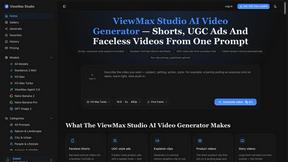
ViewMax Studio
AI video generator that turns one prompt into shorts, UGC-style ads and faceless videos, with script, voiceover and captions.
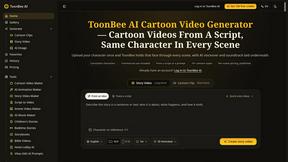
ToonBee AI
ToonBee AI turns a script or a one-line idea into a narrated cartoon video, keeping the same character in every scene. 10+ styles, 16:9 or 9:16.