
The Text Tool
Let’s work together to transform, clean, convert, and extract text instantly with over 200 free in-browser tools and zero sign-ups.
Visit
About The Text Tool
The Text Tool is a collaborative, comprehensive online text toolbox designed to bring your team's text manipulation tasks into a single, secure, and efficient workspace. It is a growing library of over 227 fast, privacy-first utilities that run entirely in your browser, ensuring that your sensitive data never leaves your machine. No sign-ups, no account creations, and no file uploads to any server are required. Your team can clean, convert, compare, and debug text, URLs, logs, CSV, JSON data, and more with complete confidence and instant results.
This platform is purpose-built for cross-functional teams, including developers, DevOps, SRE, security, data analysts, writers, and SEO specialists who work with messy text every day. It eliminates the need for context-switching between different tools or worrying about data privacy. By providing a unified set of reliable, repeatable tools, The Text Tool fosters a cooperative workflow where team members can standardize their processes, share results, and focus on solving problems together. Whether you are normalizing log files for a joint debugging session or converting data formats for a shared report, The Text Tool empowers your team to work in synergy, achieving more in less time with complete peace of mind.
Features of The Text Tool
Comprehensive and Categorized Tool Library
The Text Tool boasts a collection of over 227 individual utilities, all neatly organized into intuitive categories like Conversion, Line, Cleaning, Encoding, Extraction, and Word Tools. This collaborative structure allows your team to quickly find the exact tool needed for any task, from sorting lines of code to encoding data for secure transmission. The categorization fosters a shared understanding of the toolset, enabling team members to guide each other to the right utility, promoting efficient cooperation and reducing time spent searching for solutions.
Complete Privacy and Offline Operation
All processing happens directly within your browser, meaning no data is ever sent to an external server or stored in the cloud. This is a fundamental feature for security-conscious teams handling sensitive logs, proprietary code, or confidential client information. It allows for a cooperative environment where team members can share screens and work through text issues without fear of data leaks. This privacy-first approach builds trust within the team and with stakeholders, knowing that every operation is secure and self-contained.
Advanced Text Manipulation and Debugging
The platform provides powerful, specialized tools for deep text analysis and debugging. Features like the Advanced Line Deduplicator with regex-based key extraction, or the ANSI Code Remover for cleaning terminal logs, are essential for collaborative troubleshooting. Teams can work together to filter, sort, and normalize data in real-time, using the same reliable set of parameters. This synergy ensures that debugging sessions are productive and that everyone is working from a clean, consistent dataset, leading to faster problem resolution.
Multi-Format Conversion and Encoding Support
The Text Tool excels at bridging different data formats, supporting seamless conversion between CSV, JSON, Markdown, HTML, YAML, XML, and more. It also includes a wide array of encoding and decoding utilities, from Base64 to Base91 and Affine Ciphers. This feature is invaluable for collaborative projects where data needs to be shared across different systems or platforms. Team members can standardize data formats for joint analysis or encode strings for secure API testing, all within a unified, cooperative workspace that eliminates compatibility friction.
Use Cases of The Text Tool
Collaborative Log Analysis and Debugging
When a DevOps team is debugging a production issue, they can collectively use The Text Tool to clean up ANSI codes from terminal logs using the ANSI Code Remover. Next, they can filter out irrelevant lines and deduplicate errors with the Advanced Line Deduplicator. By working together on the same sanitized dataset, the team can quickly identify root causes, share findings, and implement fixes, all while ensuring the sensitive log data never leaves their browser. This cooperative approach streamlines the entire debugging process.
Cross-Functional Data Format Standardization
A data analyst needs to provide a report, but the data comes in JSON format from engineering and CSV format from marketing. Using The Text Tool's Conversion Tools, the entire team can collaborate to standardize the data into a single format, like CSV or Markdown. The analyst, engineer, and marketer can work in synergy, using the same tool to transform their respective datasets. This eliminates data silos and ensures that everyone is contributing to a unified, accurate report, fostering a truly collaborative workflow.
Secure API Testing and Data Encoding
A security team and a development team are working together to test a new API. They can use The Text Tool's Base64URL Encoder/Decoder to safely encode JWT tokens for testing, and the URL Encoder/Decoder to handle query parameters. Because the tools run entirely in the browser, they can share their screens and discuss test cases without exposing sensitive API keys or token secrets to any external server. This cooperative, privacy-focused approach enhances security and accelerates the testing cycle.
Content and SEO Team Workflow Optimization
A content writer and an SEO specialist can use The Text Tool to refine web content together. The writer can use the Word Tools to change case or sort keywords, while the SEO specialist uses the Extraction Tools to pull out all URLs and hashtags from a draft. They can then use the Line Tools to add line numbers to a content brief for easy reference. This streamlined, cooperative workflow allows both team members to contribute their expertise using a shared, reliable toolkit, enhancing productivity and content quality.
Frequently Asked Questions
How does The Text Tool ensure data privacy for my team?
All text processing is performed entirely within your web browser using JavaScript. Your text, data, logs, or any other content you paste into The Text Tool is never sent to any server, stored in the cloud, or accessible by any third party. This ensures complete privacy and security for your team's sensitive information, making it safe to use for proprietary code, confidential logs, and client data in a collaborative environment.
Do I need to create an account or sign up to use the tools?
No, absolutely not. The Text Tool is completely free and requires no account creation, sign-up, or login of any kind. This design choice is intentional to remove barriers to entry and allow your team to start working together instantly. Simply open the website, choose a tool, and begin processing your text. This frictionless access promotes spontaneous collaboration and rapid problem-solving.
Can I use The Text Tool offline or without an internet connection?
The tools are designed to run in your browser, but an internet connection is initially required to load the website and its JavaScript code. However, once the page is loaded, all processing happens locally on your machine. For a fully offline experience, some teams have successfully saved the web page for local use, though for the best and most up-to-date experience, we recommend using the live website with a stable internet connection.
What types of text and data formats can my team work with?
The Text Tool supports an extensive range of text and data formats. This includes but is not limited to plain text, CSV, JSON, Markdown, HTML, YAML, XML, log files with ANSI codes, URLs, Base64 and other encoded strings, and various cipher formats. With over 227 tools, your team can clean, convert, encode, decode, extract from, and manipulate virtually any text-based data you encounter in your daily workflows.
Similar to The Text Tool



Toolvero
Free Online Tools Built With Privacy in Mind


laya.tools
A free directory of 950+ projects built on Laya, the open-source decision model. Updated daily.

Sprite Sheet Maker
A free browser-based toolkit for creating, cutting, converting, and previewing sprite sheet animations.

Forms Plugin
The #1 Native Form Builder Plugin for Framer - No Code, No Embeds, No External Platforms.
JsonTranslate
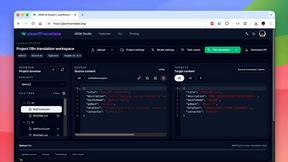
JsonTranslate translates JSON, Markdown, and TXT files while preserving keys and project structure for multilingual i18n workflows.