

Alternatives to The Text Tool
Let’s work together to transform, clean, convert, and extract text instantly with over 200 free in-browser tools and zero sign-ups.
20 alternatives found

BankBridge
Let your AI agent answer questions about your real bank data. Read-only access, $5/mo per connected bank, cancel any time.

LaunchIntel
Your AI agent picks relevant directories, submits your product in your browser and tracks every step. One-time purchase.
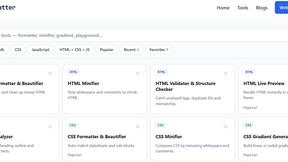
JoMatter
Jomatter provides free online tools for HTML, CSS, and JavaScript developers, helping simplify common web development and coding tasks.

ToolVerified
Stop wasting time on broken AI demos. We test every app by hand, and honest community votes build our daily trending charts.


Agent Pets
Your Claude Code & Codex sessions as pets in Chrome. Approve, deny and reply to your coding agents from any tab.


CADCraft
Free open-source 2D CAD for precise drafting, technical documentation, and AI-assisted automation.

SpriteGen
Create AI pixel-art sprites and animated sprite sheets, refine assets in the editor, and export PNG, GIF, or JSON.

OG Image Generator
Paste a URL and AI designs on-brand Open Graph images from your page's colours, fonts and logo. Free, no sign-up.

DoesQA
End-to-end testing for every web journey, from sign-up to checkout. Build tests without code, run them on hosted browsers, and see exactly what broke.
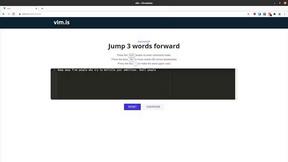
Vim.is
Vim.is is a simple online tool that helps you learn and practice Vim keyboard shortcuts quickly.

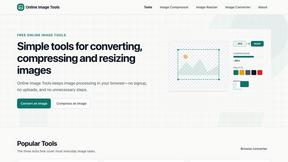
VidhyaGen - Image Converter
All-in-one digital toolkit for effortless image conversion, compression, resizing, and everyday file utilities in a single place.
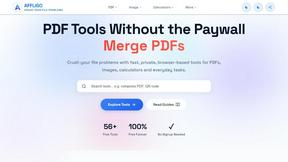
AFFLIGO
AFFLIGO makes everyday file tasks easier with free online tools to compress, convert, edit, and manage PDFs and images.

Ecommerce Data API
Amazon research data APIs for developers, sellers and AI agents. Integrate product, keyword and market research through REST APIs and MCP.
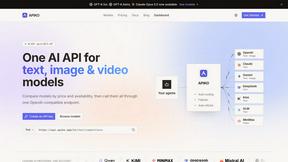
APIKO AI API
One OpenAI-compatible endpoint for text, image and video models from OpenAI, Anthropic, Google, DeepSeek and more.

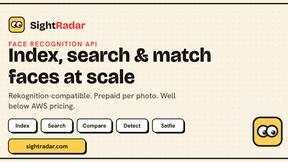
SightRadar
Face recognition API that is a drop-in replacement for AWS Rekognition. Index, search, compare and detect faces, billed per photo, no subscription.
About The Text Tool Alternatives
The Text Tool operates as an in-browser utility suite designed for writers, students, developers, and creators, falling squarely within the Dev Tools and online utilities category. It offers a growing library of fast, privacy-first tools that handle tasks like cleaning, converting, comparing, and debugging text, URLs, logs, and CSV/JSON data without requiring any sign-up or server uploads. Users commonly explore alternatives due to specific needs such as a desire for offline desktop applications, the requirement for advanced collaboration features like shared workspaces, or the need for specialized integrations with proprietary software ecosystems. Additionally, some teams may seek alternatives that offer tiered pricing models for enterprise-level storage or API access, whereas The Text Tool focuses on immediate, zero-cost functionality. When evaluating an alternative, your team should prioritize tools that align with your specific workflow synergy and data handling protocols. Look for platforms that offer transparent privacy policies and clear data processing boundaries, particularly if you handle sensitive logs or proprietary code. Consider whether the alternative supports the specific file formats and conversion types your team uses daily, such as advanced JSON path queries or multi-format log parsing. Finally, assess the tool’s reliability and speed, as a true alternative must deliver the same instant, repeatable results that your DevOps, SEO, and security teams depend on without introducing latency or unnecessary account management friction.
FAQs about The Text Tool Alternatives
What is The Text Tool?
The Text Tool is an online text toolbox that provides a growing library of fast, privacy-first utilities running entirely in your browser. It allows users to clean, convert, compare, and debug text, URLs, logs, and CSV/JSON data without creating an account or uploading files to a server. Designed for instant results, it operates as a zero-setup solution for common text manipulation tasks.
Who is The Text Tool for?
The Text Tool is specifically designed for developers, DevOps engineers, SRE teams, security professionals, data analysts, writers, and SEO teams who work with messy text daily. It serves anyone needing reliable, repeatable tools that function instantly without sign-ups or data uploads. The platform is equally suited for students and creators looking for quick, in-browser text utilities.
Is The Text Tool free to use?
Yes, The Text Tool is completely free to use with no sign-up required. There are no hidden costs, subscription tiers, or premium features locked behind a paywall. All current and future tools in the library are accessible without any financial commitment, making it a cost-effective resource for individuals and teams.
What are the main features of The Text Tool?
The main features include powerful in-browser tools for cleaning, converting, comparing, and debugging text, URLs, logs, and CSV/JSON data. It emphasizes privacy by processing everything locally without server uploads, ensuring data never leaves your device. The platform also offers instant results with no account creation, making it ideal for quick, repetitive tasks across development and content workflows.