
StreamVox - AI Live Translator
StreamVox is your team's AI live translator, breaking down language barriers on calls and media with real-time subtitles.
Visit
About StreamVox - AI Live Translator
StreamVox is a powerful, real-time AI translation tool designed for Windows that fosters seamless collaboration and connection across language barriers. It acts as a universal communication bridge, adding live subtitles and instant translation to any audio source on your PC. Whether you're in an international video call, playing a multiplayer game with global teammates, watching a foreign-language stream, or enjoying content without official subtitles, StreamVox ensures everyone is on the same page. Its core value proposition lies in its intelligent, privacy-first design that empowers teams and individuals to work and play together without the friction of language differences. By capturing and translating audio in real-time with ultra-low latency, it creates a synergistic environment where understanding is instant and effortless, unlocking a world of content and conversation for a truly global user base.
Features of StreamVox - AI Live Translator
Intelligent Per-App Audio Capture
This feature allows for precise and cooperative workflow management by isolating audio from specific applications. You can choose to capture audio only from Zoom, Discord, Chrome, or your game, while automatically ignoring background noise from other apps. This ensures your translations are clean, focused, and relevant, making team calls and collaborative sessions much more productive and distraction-free.
Customizable, Always-on-Top Overlay
StreamVox's transparent overlay is designed for seamless integration into your team's digital workspace. It floats above any application, from video players to presentation software, allowing you to follow translations without ever switching windows. You can collaboratively decide on and adjust font size, text color, and opacity to suit your team's viewing preferences, ensuring readability is perfect for every member during shared viewing sessions.
Bidirectional Audio Translation with Phone Link
This feature supercharges team communication by translating both incoming system audio and your own microphone input in real time. Furthermore, with Microsoft Phone Link integration, you can connect your mobile phone to your PC and see live subtitles for phone calls directly on your desktop screen. This turns any device into a collaborative hub, perfect for including team members in important mobile conversations.
Extensive Language Support & Privacy-First Design
StreamVox supports a collaborative global environment with 49+ input and AI-powered target languages, and its interface is available in 12 languages. Crucially, it operates with a strong ethos of team trust and privacy; all audio is processed in real-time and is never stored on servers. This means your confidential business meetings and private conversations remain secure while you benefit from cutting-edge translation.
Use Cases of StreamVox - AI Live Translator
Global Business Meetings & Remote Collaboration
Translate live conversations in Zoom, Microsoft Teams, or Google Meet in real-time. Team members can participate fully in international conferences and collaborative projects, following along with live subtitles in their preferred language. This breaks down silos and ensures every contributor, regardless of native language, can engage meaningfully and synergistically.
Inclusive Gaming & Live Streaming Sessions
Play multiplayer games or participate in live streams with teammates and communities from around the world. StreamVox provides real-time subtitles for in-game voice chat and streamer commentary, fostering a more inclusive and cooperative gaming environment where strategy and social interaction are never lost in translation.
Accessing International Media & Content
Watch foreign-language films on Netflix, follow creators on YouTube, or enjoy streams on Twitch without waiting for official subtitles. Teams involved in content analysis, marketing, or localization can instantly understand and discuss global media, enabling faster, more collaborative insights and decision-making.
Translating Mobile Calls on Your Desktop
By connecting your smartphone via Phone Link, you can bring mobile phone calls onto your PC screen with live translation. This is ideal for collaborative client support or family calls where team members or family can read along and contribute to the conversation happening on a mobile device, all from the convenience of a shared desktop view.
Frequently Asked Questions
Is my audio data kept private with StreamVox?
Absolutely. StreamVox is built with a privacy-first philosophy. All audio processing for translation is done in real-time. Your audio data is never stored on our servers or recorded, ensuring your confidential team meetings and private conversations remain completely secure and within your control.
What audio sources can StreamVox translate?
StreamVox is incredibly versatile. It can translate audio from three main sources: your system's overall audio, your microphone directly, and specific applications individually (like Zoom, Discord, or a game). This per-app capture allows your team to focus translation only on the relevant collaborative tool, minimizing background noise.
Can I use StreamVox for phone calls?
Yes, you can! By using the Microsoft Phone Link app to connect your iPhone or Android phone to your Windows PC, StreamVox can display live translated subtitles for your mobile phone calls directly on your computer screen. This integrates mobile communication seamlessly into your team's desktop workflow.
What are the display modes available?
StreamVox offers two display modes to suit different collaborative needs. The "Line-by-line" mode is perfect for fast-paced environments like gaming chats or live streams, showing text as it's spoken. The "Paragraph" mode provides a more natural reading experience for meetings, movies, or presentations, making it easier for teams to follow longer segments of dialogue.
Pricing of StreamVox - AI Live Translator
StreamVox offers flexible plans designed to support both individual explorers and collaborative teams, all backed by a 14-day money-back guarantee.
Free Starter: $0 / forever
Ideal for trying out the tool's core features with your team. Includes 20 minutes of free usage every 24 hours, access to all supported languages, and both system audio and microphone capture.
Pro: $8.99 / month
Unlocks the full power for regular collaborative use with 40 hours of translation per month. Includes all current and future features and priority email support for your team.
Pro+: $14.99 / month
Designed for active teams and power users with greater needs, offering 70 hours of translation per month alongside all features and priority support.
Unlimited: $24.99 / month
For teams with constant, high-volume translation requirements, this plan offers unlimited usage with no restrictions, ensuring seamless, barrier-free collaboration at all times.
Explore more in this category:
Similar to StreamVox - AI Live Translator

Suparelay
Call landlines and mobiles in 200+ countries from your browser. The person you call needs no app. Prepaid, from about 2 cents a minute.
Novastart
Apps and files on an infinite canvas where people and AI agents work together.

SightRadar
Face recognition API that is a drop-in replacement for AWS Rekognition. Index, search, compare and detect faces, billed per photo, no subscription.

gamespadtesterpro.com
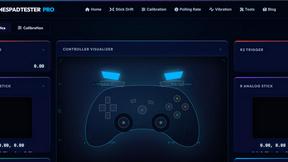
Gamepad Tester Pro makes it easy to check whether your controller is working properly directly from your browser. Test compatible PS
tallycounterweb.com
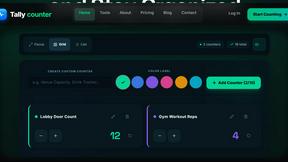
Online tally counter for tracking attendance, workouts, inventory, sports scores, visitors, habits, and everyday counting tasks.
