
Seedream 5.0
Seedream 5.0 effortlessly turns your text into stunning visuals in seconds, empowering your creativity with AI.
Visit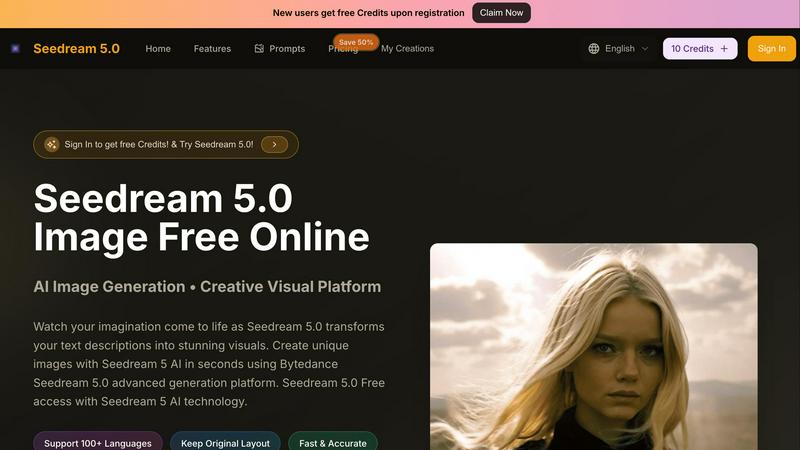
About Seedream 5.0
Seedream 5.0 is an innovative AI-powered platform that transforms the way users create visuals from text descriptions. It is designed for a diverse audience, including casual users and professional creatives, offering a seamless experience for anyone looking to generate stunning images in seconds. By leveraging the advanced Bytedance Seedream 5 technology, Seedream 5.0 produces high-quality visuals while supporting over 100 languages, making it accessible to a global community. The platform features an intuitive interface that allows users to upload images, select various aspect ratios, and customize their creations effortlessly. With Seedream 5.0, users can easily turn their imagination into captivating visuals without needing any artistic skills or extensive design knowledge. Experience the future of creative design with fast, free, and unlimited image generation, empowering users to explore their creativity like never before.
Features of Seedream 5.0
AI Image Generation
Seedream 5.0 utilizes advanced AI technology to create stunning visuals from simple text descriptions. Users can generate high-quality images instantly, making it easy to bring their ideas to life without any prior design experience.
Multilingual Support
With support for over 100 languages, Seedream 5.0 breaks down language barriers, allowing users from diverse backgrounds to create visuals in their preferred language. This feature enhances accessibility and encourages global collaboration.
Customization Options
The platform offers extensive customization features, letting users choose aspect ratios and upload images for editing. This flexibility ensures that the visuals generated can meet specific requirements and personal preferences, enhancing the overall user experience.
No Watermark and Privacy
Seedream 5.0 allows users to create visuals without watermarks, ensuring that the generated images are suitable for professional use. Additionally, users can choose to keep their creations private, providing peace of mind regarding their intellectual property.
Use Cases of Seedream 5.0
Content Creation
Content creators can utilize Seedream 5.0 to generate eye-catching images for blogs, social media posts, and marketing materials. The platform's ability to create visuals quickly helps streamline the content creation process.
Educational Resources
Educators can leverage Seedream 5.0 to develop engaging visual aids for teaching materials. By transforming complex concepts into easy-to-understand images, the platform enhances learning experiences for students.
Graphic Design Projects
Professional designers can use Seedream 5.0 to brainstorm ideas and create initial drafts for graphic design projects. The AI-generated visuals can serve as a foundation for further refinement and development.
Personal Projects
Individuals looking to create personalized gifts, invitations, or artwork can use Seedream 5.0 to generate unique visuals tailored to their specific needs. This feature fosters creativity and allows users to express themselves in various ways.
Frequently Asked Questions
How does Seedream 5.0 work?
Seedream 5.0 uses advanced AI algorithms to convert text descriptions into images. Users simply input their ideas, and the platform generates visuals based on the provided details.
Can I edit the images generated by Seedream 5.0?
Yes, Seedream 5.0 offers image editing capabilities, allowing users to upload existing photos or images and refine them using the platform's tools.
Is Seedream 5.0 free to use?
Seedream 5.0 provides free access for users, enabling them to explore its features without any financial commitment. However, certain premium features may be available for a fee.
What file formats are supported for uploads?
Seedream 5.0 supports various image formats, including JPG, PNG, and WEBP, making it easy for users to upload their visuals for editing and enhancement.
Similar to Seedream 5.0
Pixdok
PixDok is your all-in-one free online toolkit for PDF editing, image conversion, background removal, passport photos, and QR codes.
Budgetpixel AI
Create AI images, videos, music, and designs in one workspace with multiple models, powerful editing tools, and API access.
CADCraft
Free open-source 2D CAD for precise drafting, technical documentation, and AI-assisted automation.
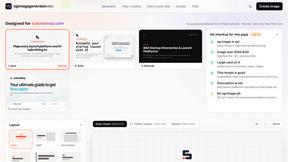
OG Image Generator
Paste a URL and AI designs on-brand Open Graph images from your page's colours, fonts and logo. Free, no sign-up.
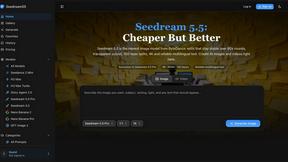
Seedream 5.5
Seedream 5.5 by ByteDance: 80+ rounds of stable image editing, native RGBA transparency, 100-layer splits, 4K output and reliable multilingual text.
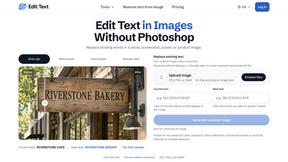
Reword Image
Replace the text already inside a photo or screenshot and keep the original layout, colors and perspective. No design file needed.
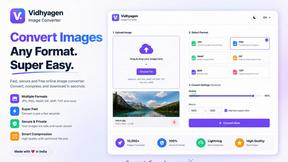
VidhyaGen - Image Converter
All-in-one digital toolkit for effortless image conversion, compression, resizing, and everyday file utilities in a single place.
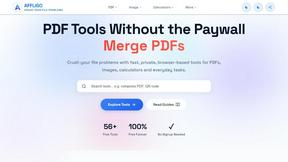
AFFLIGO
AFFLIGO makes everyday file tasks easier with free online tools to compress, convert, edit, and manage PDFs and images.