
QuickTextTools
QuickTextTools provides over 76 free online utilities to streamline text processing, boosting productivity for writers and creators effortlessly.
Visit
About QuickTextTools
QuickTextTools is a versatile and entirely free online platform designed to enhance productivity and streamline processes for a wide range of users, including writers, marketers, developers, students, SEO professionals, and content creators. The platform boasts over 76 browser-based tools that facilitate various tasks essential for efficient content creation and management. Whether you need to format text, analyze SEO performance, or manage keywords, QuickTextTools offers practical solutions that help users work smarter and more effectively. The primary value proposition of QuickTextTools lies in its user-friendly interface and privacy-focused approach, allowing users to process text directly in their browser without the need for downloads or complicated setups. With features that cater to both individual and collaborative workflows, QuickTextTools is the go-to resource for anyone looking to boost their productivity while ensuring a secure and hassle-free experience.
Features of QuickTextTools
Text Formatting Tools
QuickTextTools provides a variety of text formatting utilities that allow users to clean up and enhance their text effortlessly. From converting text case to removing unwanted characters, these tools help ensure that content is polished and ready for use across different platforms.
SEO Analysis Utilities
The platform includes powerful SEO tools that enable users to optimize their content for search engines. With features like keyword density checkers and meta tag analyzers, users can ensure their content meets SEO best practices, improving visibility and engagement.
Writing Assistants
QuickTextTools offers writing assistants that help users improve their writing quality and efficiency. These tools provide immediate feedback on word counts, character counts, and even reading time calculations, allowing writers to refine their work as they go.
Developer Utilities
For developers, QuickTextTools includes various utilities such as URL encoding, Base64 encoding, and QR code generation. These tools are essential for web development tasks and help streamline coding processes, making it easier to generate and manage code.
Use Cases of QuickTextTools
Content Creation
Writers can utilize QuickTextTools to streamline their content creation process. By using tools like the word counter and text formatter, they can produce high-quality articles, blog posts, and reports quickly and effectively.
SEO Optimization
SEO professionals leverage QuickTextTools to analyze and optimize their content. The keyword density checker and meta tag analyzer are invaluable for ensuring that content is fully optimized for search engines, enhancing its discoverability.
Academic Writing
Students benefit from QuickTextTools by using features such as the character counter and reading time calculator. These tools help them adhere to specific writing guidelines and ensure their work is concise and informative.
Social Media Management
Content creators can use QuickTextTools to prepare their social media posts. The platform's text cleaner and hashtag generator make it easy to create engaging posts that are optimized for various social media platforms.
Frequently Asked Questions
Is QuickTextTools really free to use?
Yes, QuickTextTools is completely free to use. There are no hidden costs, and users do not need to sign up or provide personal information to access the tools.
Do I need to download any software to use QuickTextTools?
No, QuickTextTools is a browser-based platform. All tools can be accessed and used directly within your web browser without any downloads or installations.
Can I use QuickTextTools on my mobile device?
Absolutely! QuickTextTools is designed to be user-friendly on all devices, including mobile phones and tablets, allowing you to enhance your productivity on the go.
How secure is my data when using QuickTextTools?
QuickTextTools prioritizes user privacy and security. All processing occurs in your browser, ensuring that your data remains private and secure without being stored or shared externally.
Explore more in this category:
Similar to QuickTextTools

@fuck.it - email with attitude
Private email. Pure. Secure. Exclusive. No ads, no tracking, no data selling. GDPR compliant, EU-hosted.

AFFLIGO
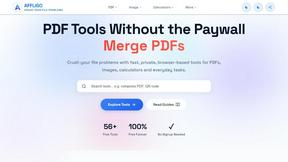
AFFLIGO makes everyday file tasks easier with free online tools to compress, convert, edit, and manage PDFs and images.

SmoothCut
Screen recorder for macOS and Windows with automatic zooms, a smoothed cursor and on-device captions. Pay once, runs on your computer.

Suparelay
Call landlines and mobiles in 200+ countries from your browser. The person you call needs no app. Prepaid, from about 2 cents a minute.

Novastart
Apps and files on an infinite canvas where people and AI agents work together.

PromptMafia
Real AI prompts from founders, with the result

MyGenogramMaker
Draw genograms and family relationship diagrams in your browser with editable templates.