
Opal
Opal is a shared visual workspace that organizes team projects and notes so everyone can find what they need instantly.
Visit
About Opal
Opal is a collaborative visual workspace designed to fundamentally change how teams and individuals manage knowledge and projects. It moves beyond the limitations of traditional, hierarchical tools like nested folders and complex dashboards, which often hide information and disrupt workflow. Instead, Opal provides an infinite digital canvas where your team can visually organize notes, documents, files, and links—just as you would on a large, physical desk or a whiteboard. This spatial approach leverages our natural spatial memory; you and your collaborators remember where information is placed, not just what it's called, making retrieval instant and intuitive. Built for solopreneurs, consultants, agencies, writers, and any team whose success depends on seamless access to conversations, client details, and creative ideas, Opal ensures your entire operational world is visible and top-of-mind. By keeping everything in sight, it eliminates the constant, flow-breaking search for buried information, allowing your team to stop hunting and start executing in perfect synergy, fostering a cooperative environment where collective knowledge is effortlessly accessible to all.
Features of Opal
The Infinite Visual Canvas
Opal's core is an expansive, zoomable canvas that acts as your team's shared digital headquarters. Unlike rigid folders, this space allows you to spatially arrange all work elements—client notes, project briefs, reference links, and creative assets—by dragging and dropping them into logical groups and relationships. This visual layout creates a shared mental map for your entire team, ensuring everyone instinctively knows where to find and place information, dramatically reducing time spent on questions and searches.
Spatial Memory & Visual Grouping
This feature taps into the brain's innate ability to remember locations. By allowing your team to place items in specific zones on the canvas—like grouping all assets for a "Q2 Campaign" in one area and client feedback in another—Opal creates a persistent visual context. This means information is recalled not just by title, but by its position relative to other items, making retrieval faster and more reliable for every team member, and strengthening collective understanding.
Multi-Pane Side-by-Side Viewing
Opal empowers deep, focused collaboration by allowing you to open multiple notes, documents, or links simultaneously in resizable panes right on the canvas. Your team can view a project brief, reference a client email, and draft a response all at once without tab-switching madness. This side-by-side workflow mirrors natural, multi-document thinking and enables seamless cross-referencing and cooperative editing without losing context.
Direct Embedding of Files & Live Links
Keep your team's workflow unified by embedding essential tools directly onto the Opal canvas. You can add live previews or links to Google Docs, Sheets, websites, and image files, placing them right next to relevant notes and tasks. This creates a single source of truth where all reference materials and active documents coexist visually, eliminating the disconnect between planning notes and the actual work assets, so your team stays synchronized.
Use Cases of Opal
Agency & Client Project Management
Agency teams can use Opal to create a master canvas for each client, visually organizing project briefs, creative assets, feedback threads, timelines, and stakeholder communications in one panoramic view. This ensures everyone from strategists to designers has immediate, contextual access to the entire project history and current status, streamlining reviews and enhancing client synergy.
Content Planning & Production Workflows
Content teams and solo creators can map out their entire editorial calendar on the canvas. They can spatially arrange topic ideas, draft outlines, research links, graphics, and publishing schedules. This visual pipeline makes it easy to see the content lifecycle at a glance, manage bottlenecks collaboratively, and ensure no brilliant idea or critical task gets lost in a chaotic list or folder.
Consultancy & Client Relationship Hub
Consultants can build a dedicated workspace for each client, placing meeting notes, contract details, project deliverables, and shared resources in a clear, spatial layout. This method keeps every client's unique context and promises highly visible, ensuring nothing falls through the cracks and enabling seamless handoffs or updates within a consulting team.
Strategic Planning & Knowledge Bases
Teams can utilize Opal as a living knowledge repository or strategic planning board. By placing company SOPs, quarterly goals, competitive research, and brainstorming sessions on the infinite canvas, they create a persistent, evolving map of organizational intelligence. This fosters a culture of shared knowledge where insights are visually connected and easily discovered by all members.
Frequently Asked Questions
How is Opal different from tools like Notion or Trello?
While Notion excels at structured databases and Trello at linear task lists, Opal is built for spatial, non-linear organization. It focuses on the visual placement of information on an infinite canvas, leveraging spatial memory. This is ideal for teams who think in connections and contexts rather than strict hierarchies, reducing the cognitive load of "filing" information and making the retrieval process more intuitive and cooperative.
Can I use Opal with my team for real-time collaboration?
Yes, Opal is designed as a collaborative workspace. Multiple team members can access and work on the same canvas simultaneously. You can see each other's cursors and edits in real-time, making it perfect for co-planning sessions, collaborative brainstorming, and maintaining a unified project view that keeps everyone aligned and synergized.
What kind of files and content can I bring into Opal?
Opal allows you to create text notes directly on the canvas and embed a wide variety of external content through live links. You can connect to and preview documents from Google Workspace (Docs, Sheets), link to websites, images, and other online resources. This brings all your team's essential work materials into one visual context without unnecessary duplication.
Is there a free plan to try Opal with my team?
Absolutely. Opal offers a free tier that allows you and your team to experience the core visual workspace with no credit card required. This lets you explore the infinite canvas, spatial grouping, and collaborative features firsthand to see how it transforms your team's workflow before committing to a paid plan.
Similar to Opal

Suparelay
Call landlines and mobiles in 200+ countries from your browser. The person you call needs no app. Prepaid, from about 2 cents a minute.
Novastart
Apps and files on an infinite canvas where people and AI agents work together.
PromptMafia
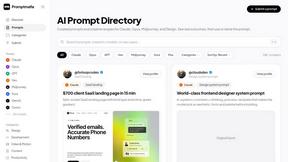
Real AI prompts from founders, with the result
MyGenogramMaker
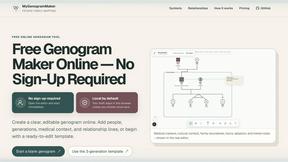
Draw genograms and family relationship diagrams in your browser with editable templates.
Toolvero
Free Online Tools Built With Privacy in Mind
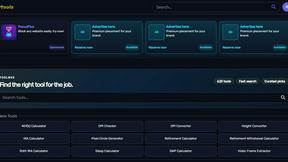
Kody Tools
Free collection of online developer utilities, code formatters, and digital converters designed to streamline your daily workflow.
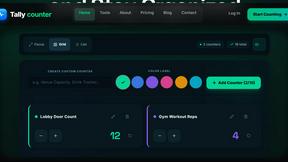
tallycounterweb.com
Online tally counter for tracking attendance, workouts, inventory, sports scores, visitors, habits, and everyday counting tasks.
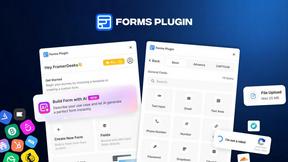
Forms Plugin
The #1 Native Form Builder Plugin for Framer - No Code, No Embeds, No External Platforms.