online audio test
Our free online audio test suite lets you collaborate with your devices to run mic, speaker, latency, and hearing checks instantly in your browser.
Visit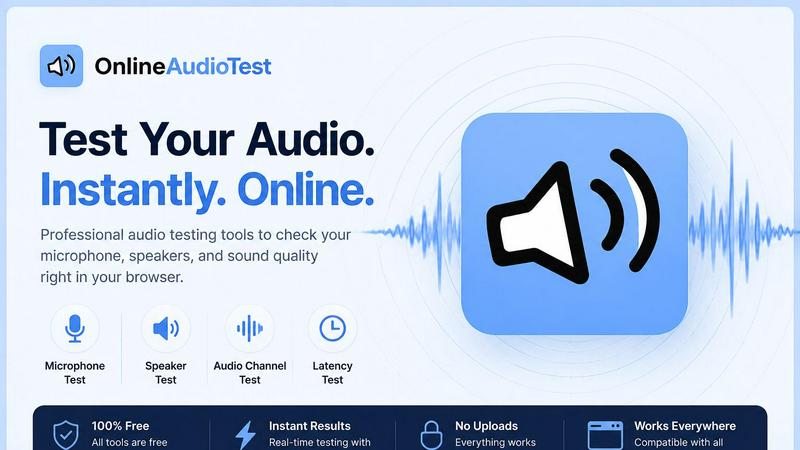
About online audio test
OnlineAudioTest.com is a comprehensive, browser-based suite of audio diagnostic tools designed to help anyone quickly assess and troubleshoot their audio hardware. Whether you are a remote worker checking your microphone before a crucial video call, a gamer diagnosing Bluetooth headphone lag, a musician testing the frequency response of studio monitors, or simply someone who wants to know the highest frequency they can hear, this platform provides instant, accurate answers. The core value proposition is built around total accessibility and privacy: every single tool works directly in your web browser with zero friction. There is no software to download, no account to create, and no personal information to submit. All audio processing, including microphone input and audio file analysis, is performed locally on your device. This means your voice recordings, uploaded music files, and test results never leave your computer, ensuring complete privacy. The suite includes a wide range of focused tools, from a simple mic check and left-right stereo audio test to advanced features like a real-time FFT spectrum analyzer, a BPM detector for DJs, and a song key detector for harmonic mixing. Each tool is designed to be a single-purpose, honest, and clear diagnostic aid, eliminating the bloat and confusion of all-in-one software. The platform is fully responsive and touch-friendly, working seamlessly across mobile phones, tablets, and desktop computers, making it a truly collaborative and cooperative resource for anyone who relies on clear, accurate audio.
Features of online audio test
Mic Check Online
This feature provides an instant and reliable way to verify your microphone's functionality. By simply clicking a button and granting browser permission, you can detect any connected microphone, including built-in laptop mics, USB desk mics, Bluetooth headsets, and earphone mics. The tool displays a live waveform and a real-time input level meter that responds immediately to your voice, confirming the mic is being detected and capturing sound correctly. You can also record a short sample and play it back instantly to check audio clarity and volume. This feature is essential for troubleshooting "can you hear me?" issues before important meetings or recordings, ensuring your input device is fully operational with no delay or setup required.
Left Right Audio Test
This feature is a dedicated stereo imaging tool for testing speakers, headphones, and earphones. It systematically checks for correct left and right channel separation, identifies faulty or silent channels, and detects swapped left/right audio output, which is a common issue with some headsets and audio drivers. The test uses both pink noise and sine tones to provide a thorough assessment. Pink noise helps evaluate the overall tonal balance and presence across both channels, while sine tones at specific frequencies can pinpoint driver distortion or imbalance. This collaborative tool is invaluable for anyone setting up a new sound system, diagnosing a single-sided headphone, or ensuring their audio mix is accurately represented before a critical listening session.
Audio Latency Test
This feature precisely measures the audio output delay from your system in milliseconds. It is an essential diagnostic tool for identifying and quantifying Bluetooth audio delay, AirPods lag, and gaming latency. The test works by playing a sound and simultaneously timing how long it takes for the signal to travel from your browser to your audio output device. This provides a clear, numerical result that helps users understand the real-world delay they are experiencing. For remote workers, this helps diagnose sync issues with Zoom or other video conferencing platforms. For gamers and musicians, it provides critical data to optimize their audio setup for real-time performance, ensuring that sound effects and musical cues are heard without a perceptible lag.
Hearing Test
This feature uses the Web Audio API to estimate the highest frequency you can hear through a pure tone sweep. It is a quick, browser-based hearing assessment that requires no downloads or special equipment. The test plays a series of tones that gradually increase in frequency, and you simply indicate when you can no longer hear the sound. The result gives you an estimate of your high-frequency hearing limit, often correlated with a "hearing age." This tool is useful for anyone curious about their auditory range, musicians who rely on hearing subtle high-frequency details, or individuals who want a baseline check on their hearing health over time. It is a private, informative, and cooperative way to gain insight into your own hearing capabilities.
Use Cases of online audio test
Pre-Meeting Mic and Speaker Check
Before joining an important video conference, a remote worker can use the Mic Check Online tool to verify their microphone is working and their voice is clear. Simultaneously, they can run the Left Right Audio Test on their headphones or speakers to ensure both channels are functioning and the audio output is not distorted. This two-minute check prevents the common frustration of "you're on mute" or "I can't hear you" during a call, fostering a more productive and professional collaborative meeting environment.
Troubleshooting Bluetooth Headphone Lag
A gamer or video editor experiencing a delay between on-screen action and audio can use the Audio Latency Test to precisely measure the delay in milliseconds. By comparing the latency of their Bluetooth headphones against a wired connection, they can diagnose if the lag is due to the wireless protocol or a system issue. This data allows them to make an informed decision, such as switching to a low-latency codec or using a wired connection for critical tasks, thereby enhancing their real-time performance and workflow synergy.
Evaluating New Audio Equipment
After purchasing a new pair of studio monitors or high-end headphones, a music producer can use the Left Right Audio Test and the Headphone Test features to evaluate their purchase. The stereo test confirms correct channel mapping and driver functionality, while the frequency sweep and pink noise tests help identify any tonal imbalances, driver damage, or manufacturing defects. This thorough, free evaluation ensures the new equipment meets professional standards before being integrated into a collaborative mixing or production environment.
Assessing Personal Hearing Health
An individual concerned about potential hearing loss from prolonged headphone use can use the Hearing Test to get a private, baseline assessment of their high-frequency hearing. By taking the test periodically, they can track any changes in their hearing range over time. This proactive, self-service tool encourages awareness and provides a simple, non-clinical data point that can be discussed with a healthcare professional, fostering a cooperative approach to long-term auditory health management.
Frequently Asked Questions
Do I need to create an account or download any software to use these tools?
No, absolutely not. The entire platform is designed for zero friction. You do not need to create an account, provide an email address, or download any software or app. All tools run directly in your web browser. Simply navigate to the tool you need, grant browser permissions for microphone access when prompted, and start your test instantly.
Is my audio data private and secure while using these tools?
Yes, your privacy is a core design principle. All audio processing, including microphone input, recording playback, and audio file analysis for tools like the BPM and Key Detectors, is performed entirely locally on your own device within your browser. No audio data, voice recordings, or uploaded music files are ever sent to any server. Your data never leaves your computer.
Which browsers and devices are supported?
The platform is built for maximum compatibility. It is fully responsive and touch-friendly, working seamlessly on all modern browsers including Chrome, Firefox, Safari, and Edge. It is designed to function correctly on mobile phones, tablets, and desktop computers, ensuring you can run a test on whatever device you have available.
What types of microphones and audio outputs are supported for the tests?
The tools are designed to work with virtually any audio hardware recognized by your operating system. For microphone tests, this includes built-in laptop mics, USB microphones, Bluetooth headsets, and earphone mics. For output tests, it supports all speakers, headphones, and earphones connected via built-in jacks, USB, or Bluetooth. The tool will detect and list all available devices for you to select from.
Similar to online audio test
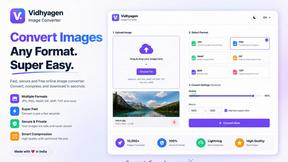
VidhyaGen - Image Converter
All-in-one digital toolkit for effortless image conversion, compression, resizing, and everyday file utilities in a single place.

AFFLIGO
AFFLIGO makes everyday file tasks easier with free online tools to compress, convert, edit, and manage PDFs and images.

Ecommerce Data API
Amazon research data APIs for developers, sellers and AI agents. Integrate product, keyword and market research through REST APIs and MCP.
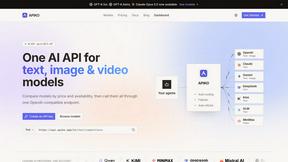
APIKO AI API
One OpenAI-compatible endpoint for text, image and video models from OpenAI, Anthropic, Google, DeepSeek and more.

JevModel
Jev turns text or JSON into Choice, Score and Noul answers with probabilities.
SightRadar
Face recognition API that is a drop-in replacement for AWS Rekognition. Index, search, compare and detect faces, billed per photo, no subscription.
SnappyKit
40+ free image tools that run in your browser — convert, compress, resize and edit JPG, PNG, WebP, AVIF and HEIC files. No uploads, no sign-up.