
GPT Image 2
GPT Image 2 is a free AI-powered editor that transforms prompts into stunning images, offering seamless editing and background removal for any.
Visit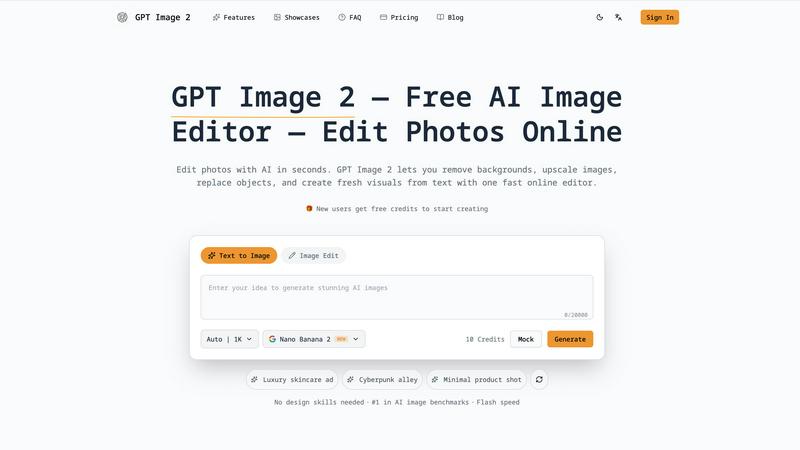
About GPT Image 2
GPT-Image2.me is an advanced AI image generation and editing tool powered by OpenAI's cutting-edge GPT-Image-2 model. This innovative platform empowers users to create and enhance images with unprecedented accuracy in prompt interpretation, producing more realistic visuals and superior text rendering compared to earlier models. Designed for a diverse audience of creators, designers, marketers, and developers, GPT Image 2 offers rapid access to the latest AI image technology directly through a user-friendly browser interface. With functionalities ranging from generating images from text prompts to editing existing images, this tool streamlines the creative process, allowing users to realize their visions without needing extensive design skills. The platform promises quick turnaround times, making it ideal for those who rely on high-quality visuals for commercial and creative endeavors.
Features of GPT Image 2
AI Image Generation
This feature enables users to generate original images from text prompts with exceptional quality and cleaner composition. By leveraging the latest AI advancements, it facilitates the creation of highly usable final output for various projects, ensuring that even novices can achieve professional results.
Image-to-Image Editing
With this functionality, users can upload existing images and refine or transform them while retaining the original structure. This is ideal for those looking to enhance their visuals without starting from scratch, allowing for seamless adjustments and creative experimentation.
Background Removal
GPT Image 2 simplifies the process of background removal, offering quick and clean cutouts for product images, portraits, and more. This feature is particularly valuable for eCommerce and marketing professionals, enabling them to create ready-to-use transparent images without complex editing tools.
Image Upscaling
This feature enhances the sharpness and resolution of images, ensuring high-quality outputs suitable for various applications, including marketing assets and social media content. Users can upscale images effortlessly, resulting in visuals that meet professional standards.
Use Cases of GPT Image 2
Marketing Campaigns
Marketers can utilize GPT Image 2 to generate eye-catching visuals for advertisements, social media posts, and promotional materials. The tool allows for rapid image creation that aligns with brand aesthetics.
E-commerce Product Photography
Online retailers can use the background removal feature to create clean, appealing product images. This helps enhance listings and attract more customers by providing clear visuals of products.
Content Creation for Social Media
Content creators can leverage the AI image generation capabilities to produce unique and engaging visuals tailored for their audience. This enables consistent and captivating content without extensive design expertise.
Graphic Design Projects
Designers can utilize the image-to-image editing feature to refine their existing work or create new designs from scratch. The platform's capabilities allow for creative exploration while maintaining a high level of detail and quality.
Frequently Asked Questions
How does GPT Image 2 generate images from text?
GPT Image 2 employs advanced AI algorithms that interpret natural language prompts, translating them into high-quality images. This process involves complex neural networks capable of understanding context and producing visually coherent results.
Can I edit existing images with GPT Image 2?
Yes, GPT Image 2 offers robust image-to-image editing features that allow users to upload and enhance their existing images. You can restyle, refine, or transform images while keeping the original layout intact.
Is there a limit to the number of images I can create?
While specific limits may apply depending on your account type, new users are typically provided with free credits to start creating images. This allows for flexibility and experimentation without immediate financial commitment.
What types of files can I upload for editing?
GPT Image 2 supports various image formats for uploading, including common formats like JPEG and PNG. This ensures that users can work with a wide range of visuals for their projects.
Explore more in this category:
Similar to GPT Image 2
Artcraft AI
AI image and video studio in your browser: generate and edit images, turn photos into videos, edit clips by sentence.
ToonBee AI
ToonBee AI turns a script or a one-line idea into a narrated cartoon video, keeping the same character in every scene. 10+ styles, 16:9 or 9:16.
ImageGenerator
Create and edit AI images online with multiple models, text-to-image, image-to-image, background removal, and upscaling.
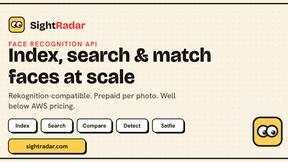
SightRadar
Face recognition API that is a drop-in replacement for AWS Rekognition. Index, search, compare and detect faces, billed per photo, no subscription.
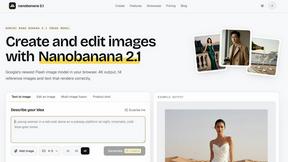
nanobanana 21
Fast, simple image creation and editing with accurate details, readable text, consistent characters, and up to 14 reference images.
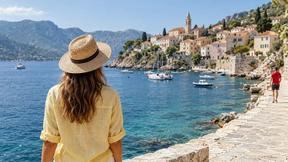
AI Object Remover
Remove unwanted people, objects, text and watermarks from photos with AI

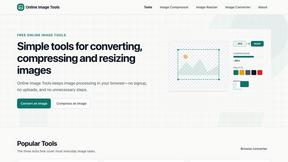
SnappyKit
40+ free image tools that run in your browser — convert, compress, resize and edit JPG, PNG, WebP, AVIF and HEIC files. No uploads, no sign-up.