
Anime Maker
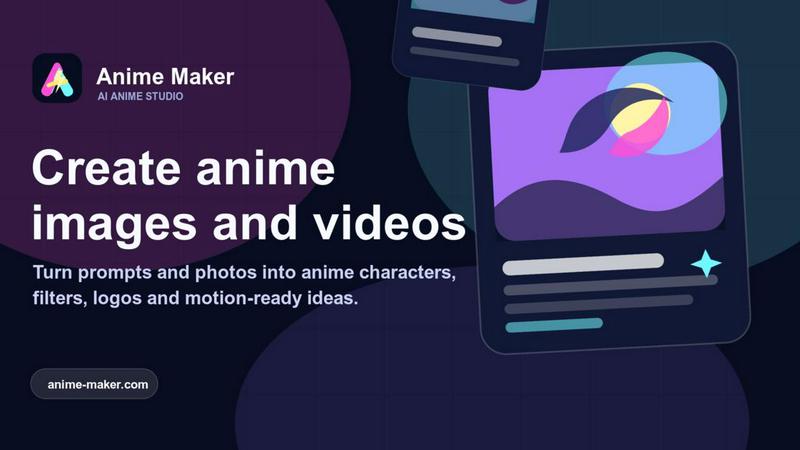
Let’s work together to turn your ideas into stunning anime images, characters, and short videos using simple text or photos.
VisitPublished on:
July 10, 2026
Pricing:
About Anime Maker
Anime Maker is a collaborative, AI-powered creative platform designed to transform text prompts and photos into high-quality anime-style images, original characters, avatars, logos, filters, and even short video concepts. Built for artists, creators, game development teams, marketers, and anime enthusiasts alike, Anime Maker provides a focused browser-based workflow that enables teams to explore visual ideas quickly and efficiently. The platform supports multiple generation modes, including text-to-image, photo-to-anime conversion, character design, and image-to-video creation, ensuring every creative need is met within a single, cohesive workspace. By streamlining the ideation and production process, Anime Maker empowers users to move from concept to export-ready results seamlessly, fostering synergy between creative vision and technical execution. Whether you are prototyping a new game character, designing marketing assets, or simply bringing a personal anime vision to life, Anime Maker offers the tools and flexibility to collaborate effectively and achieve stunning, professional-grade outputs. With free starter credits available after sign-up, the platform lowers the barrier to entry, inviting teams to experiment, iterate, and refine their ideas together. Anime Maker is not just a tool; it is a collaborative partner that amplifies creative potential and accelerates the journey from imagination to finished artwork.
Features of Anime Maker
Text to Anime Image
This feature allows users to describe a subject, setting, style, lighting, and composition in natural language, and Anime Maker generates a high-quality 1024x1024 anime image based on that description. Teams can collaborate by sharing prompts, refining descriptions together, and iterating on visual concepts without needing advanced drawing skills. The text-to-image mode is ideal for quickly visualizing ideas, exploring stylistic variations, and establishing a shared creative direction before moving into production. By focusing on clear, detailed prompts, users can achieve precise, expressive results that align with their collective vision.
Photo to Anime Converter
With the photo-to-anime converter, users can upload a JPG, PNG, or WebP photo and describe the desired linework, color treatment, lighting, mood, and background. The AI then generates a newly interpreted anime illustration, not a fixed filter or pixel-for-pixel copy, offering a fresh artistic take on the original image. This feature is perfect for teams looking to create consistent character portraits, stylized avatars, or themed marketing visuals from real-world references. By combining a source photo with a collaborative prompt, users can achieve unique, cohesive anime styles that reflect their brand or project identity.
Anime Character Generator
The character generator enables users to create original anime characters from a focused text brief covering hair, clothing, expression, color palette, role, and setting. Users can reuse the strongest wording for avatars, expression studies, or future scene references, ensuring consistency across a project. This feature supports game development teams, comic artists, and storytellers who need to quickly generate and iterate on character designs collaboratively. By maintaining a shared library of effective prompts, teams can build a cohesive cast of characters that align with their narrative and visual goals.
Image to Video Anime AI
This feature turns a character frame, scene image, or concept art into a 6 to 30 second animated clip. Users describe one main action and one camera direction, then choose the duration, aspect ratio, and output resolution (480p or 720p). The AI generates a motion study that captures the essence of the original image while adding dynamic movement and cinematic atmosphere. Teams can use this to create short promotional videos, animated storyboards, or social media content, collaborating on action descriptions and camera angles to produce engaging, professional-quality animations.
Use Cases of Anime Maker
Game Character and Asset Development
Game development teams can use Anime Maker to rapidly prototype and iterate on character designs, environment concepts, and promotional assets. By generating multiple variations from text prompts or photo references, teams can explore different art styles, expressions, and color palettes before committing to final assets. The image-to-video feature also allows for quick creation of animated character teasers or in-game cutscene concepts, fostering collaboration between artists, designers, and producers.
Marketing and Social Media Content Creation
Marketers and content creators can leverage Anime Maker to produce eye-catching anime-style visuals and short videos for campaigns, social media posts, and brand storytelling. The platform enables teams to generate consistent, on-brand imagery from text prompts or existing photos, saving time and resources compared to traditional illustration. Short animated clips created from image-to-video can be used for ads, teasers, or engaging posts that stand out in crowded feeds, all while maintaining a cohesive visual identity.
Personal Creative Projects and Fan Art
Individual artists and anime fans can use Anime Maker to bring their imaginative ideas to life, whether they are designing original characters, recreating favorite scenes, or exploring new artistic styles. The platform's multiple generation modes allow for endless experimentation, from text-based scene descriptions to photo-inspired illustrations. Users can collaborate with friends or online communities by sharing prompts and results, turning solo projects into shared creative experiences that inspire and motivate.
Storyboarding and Visual Prototyping
Filmmakers, animators, and storytellers can use Anime Maker to quickly generate storyboard frames, key visual moments, and mood boards from text descriptions. The ability to create both images and short video clips helps teams visualize camera angles, lighting, and character movement before full production begins. This collaborative workflow accelerates the pre-production process, allowing directors and artists to align on visual direction and make informed creative decisions early in the project.
Frequently Asked Questions
How do I get started with Anime Maker?
To get started, simply sign up for a free account on the Anime Maker website. After registration, you will receive 10 free credits for testing standard image generation. You can then choose your preferred mode: text to anime image, photo to anime, character generator, or image to video. Each mode has clear input fields and examples to guide you through the process, making it easy for beginners and professionals alike to start creating immediately.
Can I use my own photos as a base for anime images?
Yes, the photo-to-anime converter allows you to upload a JPG, PNG, or WebP photo and describe the desired artistic treatment. The AI will generate a newly interpreted anime illustration based on your photo and prompt, rather than applying a simple filter. This gives you creative control over the final look, including linework, color treatment, lighting, mood, and background, ensuring the result aligns with your vision.
What video formats and durations are supported?
The image-to-video feature supports creating clips that are 6 to 30 seconds long. You can choose between 480p and 720p output resolutions, as well as different aspect ratios. To generate a video, you need to describe one main action and one camera direction, and you can optionally provide a reference frame for visual direction. This makes it easy to produce short, cinematic animations for various use cases.
Is Anime Maker suitable for team collaboration?
Absolutely. Anime Maker is designed with a collaborative and team-oriented workflow in mind. Multiple users can share prompts, iterate on descriptions, and build a library of effective wording for characters, scenes, and styles. The browser-based platform ensures everyone can access and contribute from any device, fostering synergy between artists, writers, marketers, and developers. The ability to reuse and refine prompts helps maintain visual consistency across projects.
Similar to Anime Maker
Reword Image
Replace the text already inside a photo or screenshot and keep the original layout, colors and perspective. No design file needed.
VidhyaGen - Image Converter
All-in-one digital toolkit for effortless image conversion, compression, resizing, and everyday file utilities in a single place.
Leadeon
AI growth tool for X and LinkedIn: write posts in your voice, schedule at your best times, find leads on X and see what works.
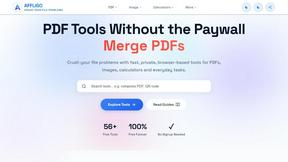
AFFLIGO
AFFLIGO makes everyday file tasks easier with free online tools to compress, convert, edit, and manage PDFs and images.
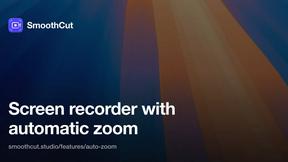
SmoothCut
Screen recorder for macOS and Windows with automatic zooms, a smoothed cursor and on-device captions. Pay once, runs on your computer.
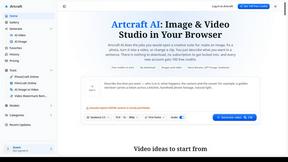
Artcraft AI
AI image and video studio in your browser: generate and edit images, turn photos into videos, edit clips by sentence.
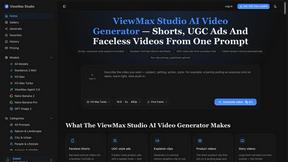
ViewMax Studio
AI video generator that turns one prompt into shorts, UGC-style ads and faceless videos, with script, voiceover and captions.
ToonBee AI
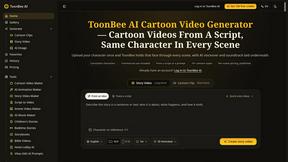
ToonBee AI turns a script or a one-line idea into a narrated cartoon video, keeping the same character in every scene. 10+ styles, 16:9 or 9:16.