

Alternatives to Anime Maker
Let’s work together to turn your ideas into stunning anime images, characters, and short videos using simple text or photos.
20 alternatives found
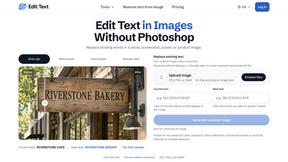
Reword Image
Replace the text already inside a photo or screenshot and keep the original layout, colors and perspective. No design file needed.
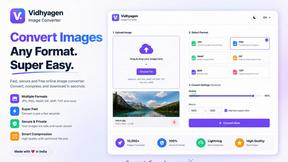
VidhyaGen - Image Converter
All-in-one digital toolkit for effortless image conversion, compression, resizing, and everyday file utilities in a single place.

Leadeon
AI growth tool for X and LinkedIn: write posts in your voice, schedule at your best times, find leads on X and see what works.
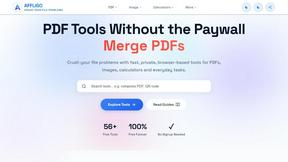
AFFLIGO
AFFLIGO makes everyday file tasks easier with free online tools to compress, convert, edit, and manage PDFs and images.
SmoothCut
Screen recorder for macOS and Windows with automatic zooms, a smoothed cursor and on-device captions. Pay once, runs on your computer.
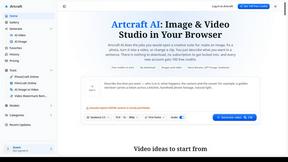
Artcraft AI
AI image and video studio in your browser: generate and edit images, turn photos into videos, edit clips by sentence.
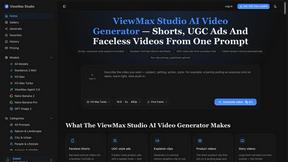
ViewMax Studio
AI video generator that turns one prompt into shorts, UGC-style ads and faceless videos, with script, voiceover and captions.
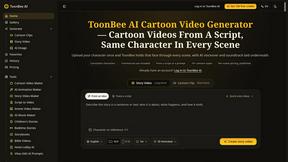
ToonBee AI
ToonBee AI turns a script or a one-line idea into a narrated cartoon video, keeping the same character in every scene. 10+ styles, 16:9 or 9:16.
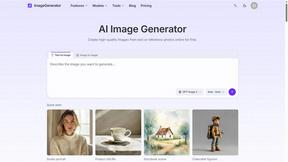
ImageGenerator
Create and edit AI images online with multiple models, text-to-image, image-to-image, background removal, and upscaling.

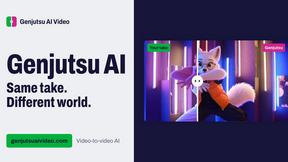
Genjutsu AI Video Editor
AI video-to-video editor for swapping characters, outfits, objects, and scenes or restyling existing clips.
AI Face Swap Video
Swap any face into any video online with AI in minutes. Upload a clip and a photo, get natural lighting and expressions. Free credits on sign-up.

Raindance AI Video Generator
Turn two photos into the Raindance AI pier video with the soundtrack included
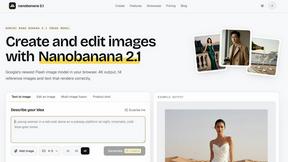
nanobanana 21
Fast, simple image creation and editing with accurate details, readable text, consistent characters, and up to 14 reference images.
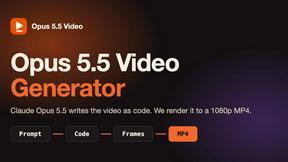
Opus 5.5 Video Generator
Turn a prompt into a 1080p motion-graphics MP4 planned and coded by Claude Opus 5.5


Rumpelstiltskin AI Video Generator
Make the viral Rumpelstiltskin tiptoe dance meme video from two photos
DanseAI - Alors on Danse AI Video Genera
Make the Alors on Danse AI meme video from two photos, soundtrack included

About Anime Maker Alternatives
When your team is exploring creative tools for anime-style content, Anime Maker offers a focused browser-based platform for generating characters, logos, filters, and even image-to-video concepts from text prompts or photos. It falls within the broader categories of content creation, design tools, and AI image generation, making it a versatile resource for artists, game developers, marketers, and anime fans who need quick visual ideation and export-ready results. However, you might be looking for alternatives due to specific needs like different pricing models, unique feature sets, platform compatibility, or a desire for more collaborative workflows or specialized outputs that better align with your team’s production pipeline. When evaluating an alternative to Anime Maker, it’s essential to consider how well the tool integrates with your existing creative processes and team dynamics. Look for platforms that offer similar or superior generation modes, such as text-to-image, character customization, and video concept creation, while also supporting the export formats your projects require. Additionally, assess the collaboration features—like shared workspaces or version history—that can help your team iterate together efficiently. Pricing transparency, scalability, and the ability to handle high-resolution outputs are also key factors to ensure the tool grows with your needs without disrupting your workflow or budget.
FAQs about Anime Maker Alternatives
What is Anime Maker?
Anime Maker is an AI-powered creative platform designed to transform text prompts and photos into anime-style images, original characters, avatars, logos, filters, and image-to-video concepts. It provides a focused browser workflow that allows users to explore visual ideas quickly, with multiple generation modes and export-ready results suitable for various creative projects.
Who is Anime Maker for?
Anime Maker is built for artists, creators, game development teams, marketers, and anime enthusiasts who need a streamlined tool for generating anime-inspired visuals. It supports collaborative workflows, making it ideal for teams that want to iterate on character designs, promotional assets, or concept art together within a single browser-based environment.
What are the main features of Anime Maker?
Anime Maker offers several generation modes, including text-to-image for creating scenes, character creation for original avatars, logo design, customizable filters, and image-to-video concepts. The platform is optimized for quick experimentation and delivers export-ready files, helping users move from ideation to final assets without leaving the browser.
Is Anime Maker secure?
Anime Maker prioritizes user data security by processing content within a controlled browser environment, though specific encryption and data handling practices should be reviewed in the platform’s privacy policy. For teams, it’s recommended to verify compliance with your organization’s security standards before integrating it into sensitive production workflows.