
AI Image Editor
Teams use this all-in-one browser workspace to generate, edit, restore, upscale images and create short videos with prompt-based AI tools.
Visit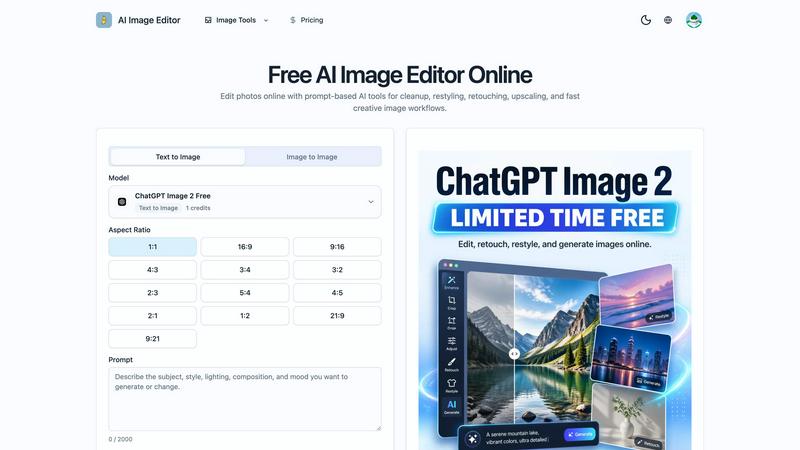
About AI Image Editor
AI Image Editor is a comprehensive, browser-based workspace designed to streamline the entire visual content creation process for creators, marketers, and collaborative teams. This all-in-one platform eliminates the need to juggle multiple software applications by integrating generation, retouching, restoration, upscaling, and animation capabilities into a single, unified workflow. Users can begin their creative journey from either a text prompt or a reference image, seamlessly move through cleanup and enhancement stages, and conclude with video creation or export-ready assets without ever switching tools. The platform is built for synergy between team members, allowing for fast creative iteration and consistent brand output. A standout feature is the dedicated ChatGPT Image 2 workflow, which provides a prompt-first approach to cleanup, retouching, and style changes, making it exceptionally easy to refine visuals with natural language instructions. Whether you are a solo creator looking to produce high-quality social media content or a marketing team needing to generate and adapt campaign assets at scale, AI Image Editor offers a cooperative environment where ideas can be quickly transformed into polished, usable results. The platform supports both text-to-image generation for brand-new visuals and image-to-image editing for maintaining core subjects while transforming styles, backgrounds, or moods. By providing tools for defining what must stay consistent, such as faces, product silhouettes, or brand colors, AI Image Editor ensures that every output remains aligned with your creative vision and brand guidelines, fostering a truly collaborative and efficient workflow.
Features of AI Image Editor
Text-to-Image and Image-to-Image Generation
This dual-mode generation capability gives teams the flexibility to start their creative process from scratch or build upon existing assets. With text-to-image, you can move from a blank canvas to prompt-generated concepts, ideal for brainstorming new visual ideas or creating unique illustrations. Image-to-image mode allows you to start from an existing asset, providing tighter creative control by keeping the subject and composition while transforming the style, background, or mood. This synergy between modes enables teams to ideate rapidly and then refine their concepts with precision, ensuring that every visual iteration builds upon the last in a cohesive and efficient manner.
Multiple Reference Image Support
Go beyond single-image constraints by uploading multiple reference images to combine subject, style, environment, or composition cues in a single generation. This feature is particularly powerful for collaborative teams where different members might have input on various aspects of the final image. For instance, you can provide one image for the product silhouette, another for the desired color palette, and a third for the lighting style. The AI then intelligently synthesizes these cues, allowing teams to achieve a unified vision that respects everyone's contributions without requiring complex manual compositing or multiple rounds of disjointed edits.
Prompt-Guided Vibe Control
Achieve precise creative direction by using concise, intentional prompts to change mood, materials, color palettes, lighting, or art direction. This feature empowers teams to explore a wide range of "vibes" or stylistic directions without needing to master complex editing software. By simply adjusting the prompt, you can test how a product image looks in a minimalist studio setting versus a vibrant outdoor environment, or how a character illustration feels in a dark, moody palette compared to a bright, airy one. This rapid exploration of visual territories fosters a cooperative decision-making process, allowing the team to quickly converge on the strongest creative direction.
Fast Creative Iteration and High-Quality Output
The platform is engineered for speed and quality, enabling teams to move from rough direction to usable creative assets quickly. By running several tightly scoped prompt changes, you can generate multiple focused versions of an image in a single session. This rapid iteration cycle is crucial for marketing teams under tight deadlines or creative teams exploring multiple concepts. Despite the speed, the output is consistently polished and high-resolution, suitable for social media, ad creative, ecommerce pages, and internal concept reviews. This combination of speed and quality ensures that teams can produce professional-grade visuals without sacrificing efficiency or collaborative momentum.
Use Cases of AI Image Editor
Ecommerce Product Background Refresh
Marketing and ecommerce teams can collaborate to turn a plain catalog shot into a polished lifestyle visual without the expense of planning a new photoshoot. By using the image-to-image feature, a team can upload a simple product photo and provide a prompt describing a desired environment, such as a cozy living room or a modern kitchen. The AI then generates a new scene around the product, maintaining its integrity while placing it in a context that resonates with customers. This workflow allows for rapid A/B testing of different backgrounds and lifestyles, enabling the team to quickly identify which visual presentation drives the best engagement and conversions across product pages, paid social, and landing pages.
Campaign Variant Generation for Brand Teams
Brand teams can use one approved hero image as a foundation to generate multiple ad directions tailored for different channels, audiences, and launch windows. Instead of creating each variant from scratch, the team uploads the core asset and uses prompt-guided vibe control to adjust the mood, add text overlays, or change the color scheme to match a specific campaign theme. This cooperative process ensures that all variants remain visually consistent with the brand identity while being optimized for different contexts, such as a more energetic version for social media and a more sophisticated version for email marketing. This synergy dramatically reduces production time and maintains a cohesive brand narrative across all touchpoints.
Art Direction Exploration for Creative Teams
Creative teams can efficiently explore multiple visual directions before committing to a single production path. By starting with a base image or concept, different team members can generate their own "vibe" interpretations using slight variations in the prompt. The team can then collectively review and compare these different directions, discussing the merits of each in a shared workspace. This collaborative exploration phase allows for a more democratic and synergistic decision-making process, ensuring that the final chosen direction has buy-in from the entire team and is backed by visual evidence, rather than just abstract discussion.
Localized Visual Sets for Global Marketing
Global marketing teams can adapt one master image into multiple versions for localization, seasonal campaigns, or platform-specific crops without needing to reshoot or manually edit each version. Using the image-to-image workflow, the team can take a core visual and use prompts to change background elements to reflect different locales, such as adding local landmarks or culturally appropriate settings. They can also generate seasonal variants, like a winter or summer version of the same product shot. This capability ensures brand consistency across global markets while respecting local nuances, all through a cooperative workflow where the central creative team provides the master asset and regional teams can quickly generate their localized versions.
Frequently Asked Questions
What is the difference between text-to-image and image-to-image modes?
Text-to-image mode allows you to generate a brand-new visual from a text prompt alone, ideal for creating concepts from scratch or when no reference image exists. Image-to-image mode starts from an existing image, allowing you to keep the subject and composition while transforming the style, background, or mood based on a new prompt. The choice depends on your starting point: use text-to-image for ideation and image-to-image for refinement and controlled edits.
How can my team ensure brand consistency across multiple generated images?
Use the "Define What Must Stay Consistent" feature to tell the model what should remain stable, such as a face, product silhouette, packaging details, color palette, or framing. Additionally, by using the same reference images and carefully crafted prompts that include brand-specific keywords, your team can create a library of reusable brand systems. This ensures that every generated image aligns with your visual identity, fostering a coherent brand experience across all outputs.
Can I use AI Image Editor for commercial projects and marketing campaigns?
Yes, the platform is designed for real-world commercial use. The high-quality image output is suitable for social media, ad creative, ecommerce pages, and internal concept reviews. Teams use it for creating campaign variants, product background refreshes, and localized visual sets. The ability to generate polished, export-ready assets makes it a powerful tool for any professional marketing or creative workflow.
How does the ChatGPT Image 2 workflow work for cleanup and retouching?
The dedicated ChatGPT Image 2 workflow provides a prompt-first approach to image refinement. Instead of using complex tools, you can describe the desired edit in natural language, such as "remove the background clutter," "smooth the skin texture," or "change the color of the shirt to blue." The AI interprets your instruction and applies the cleanup, retouching, or style change directly to the image, making it an intuitive and efficient way to perfect your visuals without manual editing skills.
Pricing of AI Image Editor
The platform operates on a credit-based system. Users receive a certain number of free credits upon sign-up, with each image generation costing a specific amount of credits (e.g., 1 credit per generation). For users who require more frequent or high-volume generation, paid subscription plans are available that offer larger monthly credit allowances, priority processing, and access to higher resolution outputs. Specific pricing tiers and costs can be found on the platform's "Pricing" page, which details the different plans designed to accommodate individual creators, professional teams, and enterprise-level organizations.
Similar to AI Image Editor
Reword Image
Replace the text already inside a photo or screenshot and keep the original layout, colors and perspective. No design file needed.
VidhyaGen - Image Converter
All-in-one digital toolkit for effortless image conversion, compression, resizing, and everyday file utilities in a single place.
AFFLIGO
AFFLIGO makes everyday file tasks easier with free online tools to compress, convert, edit, and manage PDFs and images.
SmoothCut
Screen recorder for macOS and Windows with automatic zooms, a smoothed cursor and on-device captions. Pay once, runs on your computer.
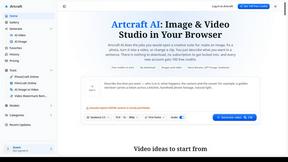
Artcraft AI
AI image and video studio in your browser: generate and edit images, turn photos into videos, edit clips by sentence.
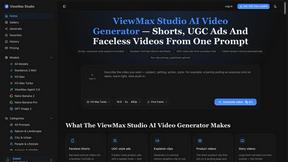
ViewMax Studio
AI video generator that turns one prompt into shorts, UGC-style ads and faceless videos, with script, voiceover and captions.
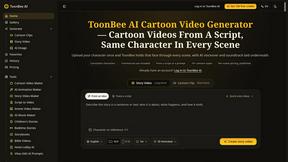
ToonBee AI
ToonBee AI turns a script or a one-line idea into a narrated cartoon video, keeping the same character in every scene. 10+ styles, 16:9 or 9:16.
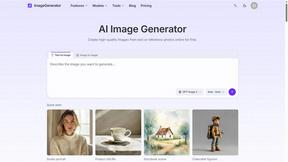
ImageGenerator
Create and edit AI images online with multiple models, text-to-image, image-to-image, background removal, and upscaling.