

Alternatives to AI Image Editor
Teams use this all-in-one browser workspace to generate, edit, restore, upscale images and create short videos with prompt-based AI tools.
20 alternatives found
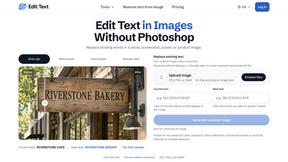
Reword Image
Replace the text already inside a photo or screenshot and keep the original layout, colors and perspective. No design file needed.
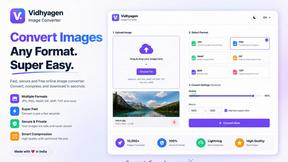
VidhyaGen - Image Converter
All-in-one digital toolkit for effortless image conversion, compression, resizing, and everyday file utilities in a single place.
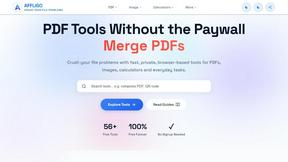
AFFLIGO
AFFLIGO makes everyday file tasks easier with free online tools to compress, convert, edit, and manage PDFs and images.
SmoothCut
Screen recorder for macOS and Windows with automatic zooms, a smoothed cursor and on-device captions. Pay once, runs on your computer.
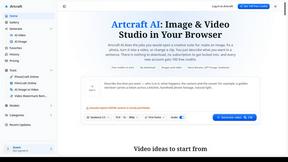
Artcraft AI
AI image and video studio in your browser: generate and edit images, turn photos into videos, edit clips by sentence.
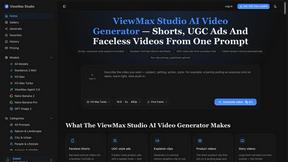
ViewMax Studio
AI video generator that turns one prompt into shorts, UGC-style ads and faceless videos, with script, voiceover and captions.
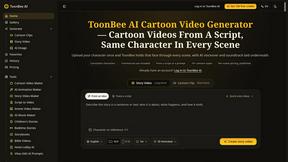
ToonBee AI
ToonBee AI turns a script or a one-line idea into a narrated cartoon video, keeping the same character in every scene. 10+ styles, 16:9 or 9:16.
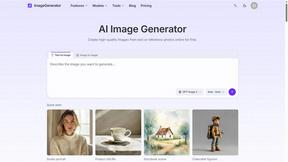
ImageGenerator
Create and edit AI images online with multiple models, text-to-image, image-to-image, background removal, and upscaling.
Genjutsu AI Video Editor
AI video-to-video editor for swapping characters, outfits, objects, and scenes or restyling existing clips.
SightRadar
Face recognition API that is a drop-in replacement for AWS Rekognition. Index, search, compare and detect faces, billed per photo, no subscription.
AI Face Swap Video
Swap any face into any video online with AI in minutes. Upload a clip and a photo, get natural lighting and expressions. Free credits on sign-up.

Raindance AI Video Generator
Turn two photos into the Raindance AI pier video with the soundtrack included
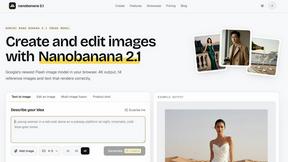
nanobanana 21
Fast, simple image creation and editing with accurate details, readable text, consistent characters, and up to 14 reference images.
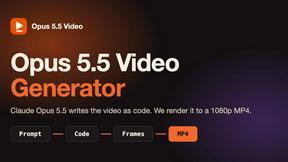
Opus 5.5 Video Generator
Turn a prompt into a 1080p motion-graphics MP4 planned and coded by Claude Opus 5.5
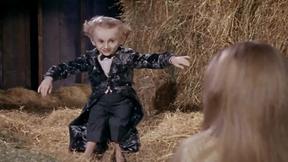
Rumpelstiltskin AI Video Generator
Make the viral Rumpelstiltskin tiptoe dance meme video from two photos
DanseAI - Alors on Danse AI Video Genera
Make the Alors on Danse AI meme video from two photos, soundtrack included

About AI Image Editor Alternatives
AI Image Editor is an all-in-one browser workspace that sits at the intersection of design tools, image and photo editing, video creation, and image generation. It is designed to streamline the creative workflow for creators, marketers, and teams by allowing them to generate, retouch, restore, upscale, and animate images—and even create short-form videos—all within a single platform without switching between multiple applications. Users commonly look for alternatives to AI Image Editor for a variety of reasons, including budget constraints, the need for a more specialized tool for a single task like raw photo editing, or a preference for a desktop-native application that does not rely on a browser. Others may seek alternatives due to specific platform requirements, such as needing offline capabilities, integration with a particular design ecosystem, or a simpler interface that does not include video creation features. When choosing an alternative to AI Image Editor, it is essential to evaluate your team’s core workflow needs first. If your primary focus is on prompt-first image generation and cleanup, look for a solution that offers a dedicated workflow similar to the ChatGPT Image 2 capability. For teams that prioritize collaboration, consider how well the tool supports shared projects, version history, and real-time feedback. Additionally, assess the breadth of features: some alternatives may excel in restoration and upscaling but lack video creation, while others might offer robust retouching but fall short on generative AI. Pricing models also vary widely, from subscription-based to pay-per-use, so align the cost with your team’s usage volume. Ultimately, the best fit will balance feature depth, ease of integration, and budget to support your team’s synergy and creative output.
FAQs about AI Image Editor Alternatives
What is AI Image Editor?
AI Image Editor is an all-in-one browser workspace that combines AI image generation, editing, restoration, upscaling, and short-form video creation into a single platform. It allows users to start from a text prompt or a reference image, then move through cleanup, enhancement, and even animation without switching between different tools. The workspace includes a dedicated ChatGPT Image 2 workflow for prompt-first cleanup, retouching, and style changes. It is designed to streamline the entire creative process for teams and individual creators.
Who is AI Image Editor for?
AI Image Editor is built for creators, marketers, and teams who need to produce high-quality visual assets efficiently. It is ideal for graphic designers, social media managers, and content creators who want to generate images, retouch photos, restore old pictures, upscale resolution, and create short-form videos all in one place. The collaborative workspace also makes it suitable for teams that require shared access and streamlined workflows without juggling multiple applications. Whether you are a solo freelancer or part of a larger marketing department, the tool adapts to your production pipeline.
What are the main features of AI Image Editor?
The main features include AI image generation from prompts or reference images, comprehensive retouching and cleanup tools, image restoration for old or damaged photos, AI-powered upscaling to increase resolution without quality loss, and short-form video creation capabilities. A standout feature is the dedicated ChatGPT Image 2 workflow, which enables prompt-first style changes and precise retouching. All of these functions are accessible within a single browser workspace, eliminating the need to switch between separate software for each task.
Is AI Image Editor secure?
AI Image Editor is designed with security in mind, as it operates entirely within a browser environment, which reduces local file vulnerabilities and allows for centralized access controls. The platform typically employs encryption for data in transit and at rest to protect user assets and prompts. For teams, it often includes role-based permissions and secure sharing options to ensure that only authorized collaborators can view or edit projects. Users should review the specific privacy policy and security certifications provided by the tool to confirm it meets their organizational requirements.