

Alternatives to VideoAny
VideoAny is your team's all-in-one AI studio for generating uncensored videos, images, and audio from text or photos.
20 alternatives found
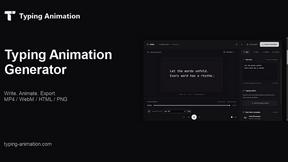
Typing Animation
Create typing animations with custom fonts, timing and sound. Export MP4, transparent WebM, HTML or PNG.
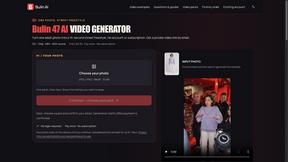
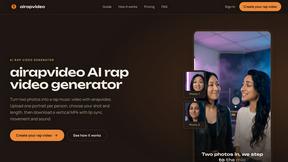
airapvideo
AI rap video generator that turns two portraits into a short vertical, lip-synced music video for TikTok, Reels, Shorts, celebrations, or fun.

GenX
All-in-one AI workspace to generate images, videos, and audio with multiple leading AI models.

YIX
AI image and video generation, photo editing, restoration and free prompt tools in one browser studio.
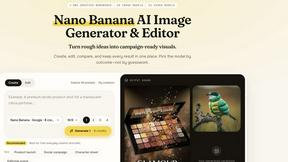
Nano AI
Create and edit AI images, generate videos, and compare models in one creative workbench.
Tip Toe AI
Upload a Dancer photo and a Partner photo and get your own AI Tip Toe barn-dance video. Free 5s preview, 12s HD from $4.90. No subscription.
BeatMotion
Turn a text prompt, your lyrics, or a photo into an original song with vocals plus a cinematic AI music video, ready to share in minutes.

Ozil Goal AI
Turn one photo into the viral Özil goal meme video: you, your dog, a toy or a drawing scores. Free 5s preview, 10s 720p from $4.90. No subscription.
Seedream 6
Independent Seedream 6 guide with a browser-based AI image and video generator powered by Seedream 5.0 Pro and 5.5.
Seedream 5.5
Seedream 5.5 by ByteDance: 80+ rounds of stable image editing, native RGBA transparency, 100-layer splits, 4K output and reliable multilingual text.
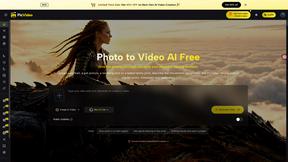
PicVideo
Turn photos into animated videos with AI. Free credits on selected models; paid options for private, watermark-free results.
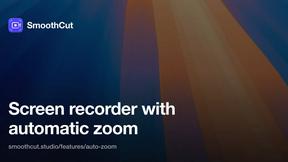
SmoothCut
Screen recorder for macOS and Windows with automatic zooms, a smoothed cursor and on-device captions. Pay once, runs on your computer.
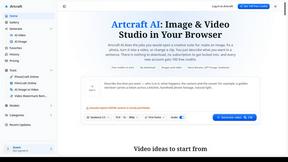
Artcraft AI
AI image and video studio in your browser: generate and edit images, turn photos into videos, edit clips by sentence.
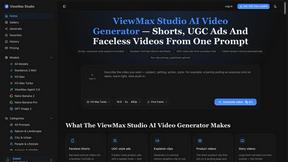
ViewMax Studio
AI video generator that turns one prompt into shorts, UGC-style ads and faceless videos, with script, voiceover and captions.
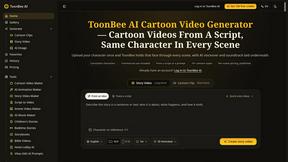
ToonBee AI
ToonBee AI turns a script or a one-line idea into a narrated cartoon video, keeping the same character in every scene. 10+ styles, 16:9 or 9:16.

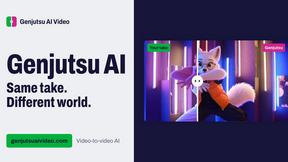
Genjutsu AI Video Editor
AI video-to-video editor for swapping characters, outfits, objects, and scenes or restyling existing clips.
AI Face Swap Video
Swap any face into any video online with AI in minutes. Upload a clip and a photo, get natural lighting and expressions. Free credits on sign-up.

Raindance AI Video Generator
Turn two photos into the Raindance AI pier video with the soundtrack included
About VideoAny Alternatives
When your team is exploring new creative tools, you might come across VideoAny, a Brazilian Portuguese AI platform designed to unify video, image, and audio creation from text or photos. It sits squarely in the video and multimedia AI category, offering tools like text-to-video, image-to-video, face swap, lip sync, and a complete image workspace. While it provides a collaborative one-studio experience for managing models and formats, many users find themselves searching for alternatives to better align with their specific workflow needs. Teams often look for other options due to differences in pricing structures, desired feature depth, or the need for more specialized integrations that better foster synergy across departments. When evaluating a new platform, focus on how well it supports your team’s existing processes, whether the available AI models match your creative vision, and if the interface promotes seamless cooperation. You should also consider the flexibility of output formats and the ease of managing multiple projects within a shared account, ensuring the tool amplifies your collective productivity rather than creating bottlenecks.
FAQs about VideoAny Alternatives
What is VideoAny?
VideoAny is an AI creative platform available in Brazilian Portuguese that allows users to produce videos, images, and audio from text prompts or visual references within a single online studio. It supports a range of video tools including text-to-video, image-to-video, video-to-video, face swap, lip sync, and creative effects. The platform also offers a dedicated image workspace for prompt-based generation and editing, alongside complementary audio creation workflows, all managed from one account.
Who is VideoAny for?
VideoAny is designed for content creators, marketing teams, and businesses that need to produce multimedia assets collaboratively in Brazilian Portuguese. It is especially suited for teams looking to streamline their creative workflows by combining video, image, and audio generation in one unified environment. The platform supports cooperative projects by allowing users to compare AI models, choose formats, and manage results together.
Is VideoAny free?
The provided product description does not specify a free tier or pricing model for VideoAny. To determine if a free version or trial is available, users should consult the official VideoAny website or contact their support team directly. The platform is described as an online studio where users can manage their results, which often implies a subscription or usage-based payment structure.
What are the main features of VideoAny?
VideoAny’s main features include a comprehensive video suite with text-to-video, image-to-video, video-to-video, face swap, lip sync, and creative effects. It also provides an image workspace for prompt-based generation and editing, as well as audio tools for complementary creation workflows. Users can compare available AI models, select formats and generation settings, and manage all their projects from a single online studio, fostering team synergy.