

Alternatives to UpMocker
UpMocker lets your team collaboratively create realistic mockups of chats, posts, and emails for seamless design and testing.
20 alternatives found
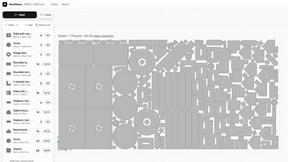
NestMaxx
Free online true-shape nesting software for laser, plasma and CNC router cutting. Pack parts tightly on sheets and export DXF or SVG layouts.
Fireply AI
AI reply agent for X (Twitter) that finds relevant conversations and posts replies in your own voice. 40 replies free.
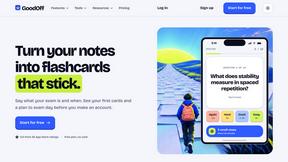
GoodOff
Upload lectures, notes, PDFs, or videos and get flashcards, quizzes, a study podcast, and a source-grounded tutor.
How Long How Many Tool
Timers and hourly checks to figure how out long until a certain time or how many days away.
AI Agent Task Manager
Clipy is a screen recorder for coding agents. Show a bug or UI change, explain it out loud, and share agent-readable context.
TinyFines
A habit tracker your friends can see. Skip a day and you owe a friend a tiny fine: half a pizza, a coffee, €2. Money never goes through the app.

Memorable Contact
AI-powered personal CRM that remembers where you met people and what you talked about. Save, scan, and recall contacts instantly.

Video Meme Generator
Make AI video memes from text, photos or clips, or use a trending template. Free credits to start.
Angry Dance Filter
Upload one photo and get a 15-second angry dance video. Free watermarked preview, then optional one-time video packs.
AIVideoAgent
Turn text ideas or reference images into videos through conversation, with agent-assisted prompts and a choice of video models.
Adobe Alternatives
Explore open-source creative software by workflow, platform and development stage, with comparisons and official project links.
Emailyy
Free email tools for signatures, subject lines, HTML previews, word counts, and email headers. Browser-based, simple to use, and no signup required.

ToolVerified
Stop wasting time on broken AI demos. We test every app by hand, and honest community votes build our daily trending charts.

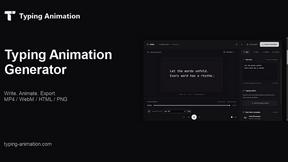
Typing Animation
Create typing animations with custom fonts, timing and sound. Export MP4, transparent WebM, HTML or PNG.
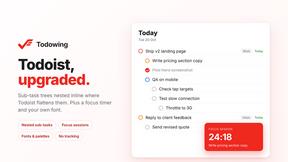
Todowing
Chrome extension that shows Todoist sub-tasks nested under their parents in Today, Upcoming, Filters, Labels, and boards.

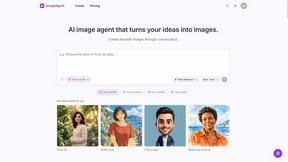
ImageAgent
Create and edit AI images through conversation, using text or reference images and refining results in chat.
About UpMocker Alternatives
UpMocker is a free, browser-based tool in the content creation and design space, specifically designed to generate realistic mockups of digital conversations and posts. It allows teams to quickly create visual assets for presentations, marketing storyboards, or user experience prototypes by simulating chats, social media feeds, and emails across a wide range of popular platforms. This collaborative focus makes it ideal for aligning creative visions and streamlining feedback loops without needing complex design software. Users often explore alternatives for various reasons, such as needing access to a broader set of design features, specific platform templates not covered, or different pricing models as projects scale. When evaluating other options, it’s wise for a team to consider the depth of platform realism, the ease of collaborative editing, export quality and formats, and overall workflow integration. The goal is to find a tool that enhances synergy, allowing every team member to contribute effectively to the visual storytelling process without technical friction.
FAQs about UpMocker Alternatives
What is UpMocker?
UpMocker is a free, browser-based mockup generator that creates realistic fake screenshots of digital conversations and posts. It specializes in platform-native templates for apps like WhatsApp, iMessage, Instagram, X, LinkedIn, Gmail, and many others. The tool provides a live preview editor where you can customize message bubbles, timestamps, and participants, culminating in a one-click PNG download. It's designed as a quick, accessible solution for content creation and design prototyping.
Who is UpMocker for?
UpMocker is built for content creators, marketers, social media managers, product designers, and educators who need to visualize digital interactions. It's particularly valuable for teams collaborating on storyboards, presentation materials, mock client communications, or UX/UI prototypes. Anyone requiring a fast, no-fuss way to generate authentic-looking chat or social media screenshots for training, marketing, or demonstration purposes will find it highly useful.
Is UpMocker free?
Yes, UpMocker is completely free to use during its early access period. It operates on a browser-based model with no requirement for user signup, account creation, or subscription fees. This allows individuals and teams to immediately access all its templates and features, including the live editor and PNG download, without any financial commitment or trial limitations.
What are the main features of UpMocker?
The core features of UpMocker include a comprehensive library of platform-native templates for major messaging and social media apps, a live preview editor for real-time customization of elements like message text and participant names, and adjustable details such as timestamps and battery indicators. Its standout offering is the one-click export to PNG format, delivering a ready-to-use image. The entire experience is streamlined for immediate, collaborative use directly in your web browser.