

Alternatives to Shrinkpad
Shrinkpad effortlessly batch compresses images and videos on Mac, optimizing your assets for faster performance and.
20 alternatives found

ImageAgent
Create and edit AI images through conversation, using text or reference images and refining results in chat.

AiAgeFilter
Free AI age filter: upload an adult portrait, add 10-40 years, meet your older self. No app needed.

AppIconGenerator
Generate iOS and Android app icons from any image and export all platform sizes for free.

PhotoGenerAI
Browser-based AI photo generation and editing for portraits, product images, background edits and outfit changes.

Pixdok
PixDok is your all-in-one free online toolkit for PDF editing, image conversion, background removal, passport photos, and QR codes.

YIX
AI image and video generation, photo editing, restoration and free prompt tools in one browser studio.

Nano AI
Create and edit AI images, generate videos, and compare models in one creative workbench.

Tip Toe AI
Upload a Dancer photo and a Partner photo and get your own AI Tip Toe barn-dance video. Free 5s preview, 12s HD from $4.90. No subscription.

Seedream 5.5
Seedream 5.5 by ByteDance: 80+ rounds of stable image editing, native RGBA transparency, 100-layer splits, 4K output and reliable multilingual text.

PicVideo
Turn photos into animated videos with AI. Free credits on selected models; paid options for private, watermark-free results.
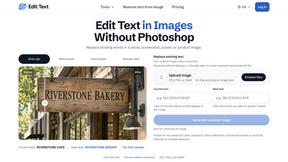
Reword Image
Replace the text already inside a photo or screenshot and keep the original layout, colors and perspective. No design file needed.

Artcraft AI
AI image and video studio in your browser: generate and edit images, turn photos into videos, edit clips by sentence.

ImageGenerator
Create and edit AI images online with multiple models, text-to-image, image-to-image, background removal, and upscaling.
SightRadar
Face recognition API that is a drop-in replacement for AWS Rekognition. Index, search, compare and detect faces, billed per photo, no subscription.

ROIpad
ROIpad supplies SaaS founders with dynamic positioning intelligence. Uncover untapped messaging angles and outmaneuver rivals with live data.

nanobanana 21
Fast, simple image creation and editing with accurate details, readable text, consistent characters, and up to 14 reference images.


SnappyKit
40+ free image tools that run in your browser — convert, compress, resize and edit JPG, PNG, WebP, AVIF and HEIC files. No uploads, no sign-up.
About Shrinkpad Alternatives
Shrinkpad is a powerful batch compression tool designed specifically for Mac users who require efficient management of their media files. This innovative application allows users to quickly compress images and videos, making it an essential asset for photographers, designers, and content creators who frequently work with large media files. By reducing storage space while maintaining visual quality, Shrinkpad helps streamline workflows and enhances productivity. Users often seek alternatives to Shrinkpad for various reasons, including pricing, specific feature sets, compatibility with different operating systems, or personal preferences regarding user interface. When searching for an alternative, it’s crucial to consider factors such as batch processing capabilities, local versus cloud-based processing options, format compatibility, and the ability to customize settings to meet specific needs. Finding a solution that aligns with your workflow can help you maintain efficiency while managing media files effectively.
FAQs about Shrinkpad Alternatives
What is Shrinkpad?
Shrinkpad is a batch compression tool for Mac that allows users to efficiently compress images and videos.
Who is Shrinkpad for?
Shrinkpad is ideal for photographers, designers, content creators, and anyone who regularly works with large media files.
Is Shrinkpad free?
Shrinkpad is a paid application, but it offers significant time savings and productivity enhancements for its users.
What are the main features of Shrinkpad?
Shrinkpad features batch processing, local processing for privacy, support for over 50 media formats, and customizable compression settings.