

Alternatives to File Studio
File Studio empowers you to convert, edit, and manage files and PDFs securely offline on your computer.
20 alternatives found


Kody Tools
Free collection of online developer utilities, code formatters, and digital converters designed to streamline your daily workflow.

tallycounterweb.com
Online tally counter for tracking attendance, workouts, inventory, sports scores, visitors, habits, and everyday counting tasks.
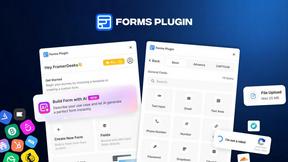
Forms Plugin
The #1 Native Form Builder Plugin for Framer - No Code, No Embeds, No External Platforms.

JsonTranslate
JsonTranslate translates JSON, Markdown, and TXT files while preserving keys and project structure for multilingual i18n workflows.


Product Launch Checklist
A free launch checklist for SaaS, apps, AI tools and more. Every step says why it matters and when you can skip it.

LiteralKit
Free, no-signup Unicode text tools: superscript, fancy fonts, case converter, symbols. Fast and private.

EasyW9Form
Free online tools for tax forms, invoices, and business paperwork for freelancers, contractors, LLCs, and small businesses.

Abodient
AI property management for UK landlords, HMO operators and agents. Compliance, rent and finance tracking, MTD-ready and 24/7 tenant maintenance.



PerPageFax
PerPageFax lets you send a fax online from any browser for a flat $0.50 per page — no account, no subscription, no fax machine.


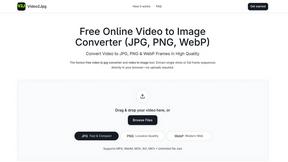
Video2Jpg
Convert video to JPG, PNG, or WebP frames in your browser. High-quality video to image converter with no uploads—fast, private, and free.
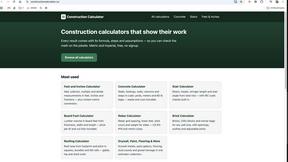
VideoToScript
Turn TikTok, Instagram Reels, YouTube Shorts, and Facebook videos into accurate, timestamped transcripts.

About File Studio Alternatives
File Studio is a powerful desktop application that falls within the productivity and management category, specifically designed for handling files and PDFs offline. Users appreciate its robust features for converting, editing, and managing documents securely on their computers, eliminating the need for cloud-based solutions. However, many users search for alternatives due to factors such as pricing, specific features that may better suit their needs, or compatibility with different platforms. When exploring alternatives to File Studio, it’s essential to consider several key aspects. Look for applications that prioritize offline processing to ensure your sensitive documents remain secure. Additionally, evaluate the range of tools offered for both PDFs and images, as well as the pricing model—whether it’s a one-time purchase or subscription-based—so that it aligns with your budget and usage requirements.
FAQs about File Studio Alternatives
What is File Studio?
File Studio is a desktop application that allows users to convert, edit, and manage files and PDFs offline, focusing on privacy and security.
Who is File Studio for?
File Studio is ideal for photographers, freelancers, and remote workers who need to handle sensitive documents securely without relying on cloud services.
Is File Studio free?
File Studio is not free; it operates on a one-time purchase model without ongoing subscription fees.
What are the main features of File Studio?
File Studio includes comprehensive PDF tools, versatile image tools, 100% offline processing, and batch processing capabilities, supporting over 20 file formats.