

Alternatives to Easymotion - AI Motion Graphic Generator
Easymotion lets your team turn static images, data, and map ideas into stunning motion graphics in under five minutes.
20 alternatives found

Memorable Contact
AI-powered personal CRM that remembers where you met people and what you talked about. Save, scan, and recall contacts instantly.

Video Meme Generator
Make AI video memes from text, photos or clips, or use a trending template. Free credits to start.
Angry Dance Filter
Upload one photo and get a 15-second angry dance video. Free watermarked preview, then optional one-time video packs.
AIVideoAgent
Turn text ideas or reference images into videos through conversation, with agent-assisted prompts and a choice of video models.
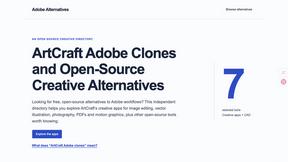
Adobe Alternatives
Explore open-source creative software by workflow, platform and development stage, with comparisons and official project links.

BankBridge
Let your AI agent answer questions about your real bank data. Read-only access, $5/mo per connected bank, cancel any time.

LaunchIntel
Your AI agent picks relevant directories, submits your product in your browser and tracks every step. One-time purchase.

ToolVerified
Stop wasting time on broken AI demos. We test every app by hand, and honest community votes build our daily trending charts.

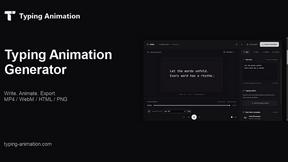
Typing Animation
Create typing animations with custom fonts, timing and sound. Export MP4, transparent WebM, HTML or PNG.

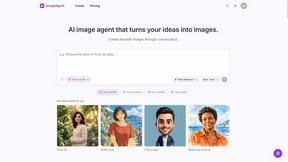
ImageAgent
Create and edit AI images through conversation, using text or reference images and refining results in chat.

Easemic
Free open-source Android comic & manga cloud reader streaming encrypted libraries from S3, WebDAV & OPDS.

3D House Planner
Free browser-based home design tool: draw a 2D floor plan, see it in 3D, furnish rooms and render it with AI. No install.
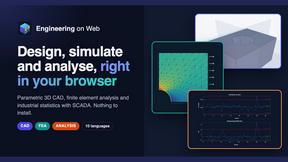
Engineering on Web
Free browser-based CAD, FEA simulation and engineering statistics, with an AI assistant for CAD. No install, no account.
GenX
All-in-one AI workspace to generate images, videos, and audio with multiple leading AI models.
AiAgeFilter
Free AI age filter: upload an adult portrait, add 10-40 years, meet your older self. No app needed.

AppIconGenerator
Generate iOS and Android app icons from any image and export all platform sizes for free.
About Easymotion - AI Motion Graphic Generator Alternatives
As a team, we know that finding the right motion graphics tool is about more than just features; it is about finding a collaborative partner that fits seamlessly into your existing workflow. Easymotion - AI Motion Graphic Generator is a browser-based platform designed to help content creators, marketers, and founders turn static ideas into polished animated videos, including map animations and product promos, without needing complex timeline editing. It falls within the AI Assistants, Content Creation, and Design Tools categories, offering a unique blend of prompt-based generation and chat-driven editing to speed up visual storytelling. Many users begin exploring alternatives when their team’s needs evolve, whether due to budget constraints, a desire for more granular control over animation pacing, or the need for specific integrations with their existing design ecosystem. When evaluating a new solution together, your team should prioritize tools that offer a flexible export workflow, support for multiple aspect ratios like 16:9 and 9:16, and a library of reusable templates. It is also essential to consider how intuitive the collaboration features are, especially if you are working across departments to produce consistent, on-brand video assets for social, product marketing, or client deliverables.
FAQs about Easymotion - AI Motion Graphic Generator Alternatives
What is Easymotion - AI Motion Graphic Generator?
Easymotion is an AI-powered motion graphics and map animation generator built for content creators, editors, founders, and marketers. It transforms ideas, files, and static visuals into polished animated videos directly in the browser, eliminating the need for complex timeline editing. The platform supports a wide range of content, including SaaS product promos, flowcharts, UI explainers, and geographic storytelling with flight routes and location pins.
Who is Easymotion - AI Motion Graphic Generator for?
Easymotion is designed for content creators, editors, founders, and marketers who need to produce professional motion graphics and map animations quickly. It is ideal for teams working on product marketing, social media content, presentations, and client deliverables. The tool is built for users who want to bypass traditional, time-consuming animation software and instead rely on AI-driven prompts and chat-based editing to achieve polished results.
What are the main features of Easymotion - AI Motion Graphic Generator?
Key features include prompt-based animation generation, the ability to convert images, spreadsheets, and PDFs into animated scenes, and a chat interface for editing colors, pacing, labels, and layout. Easymotion also offers a premium template library for starting with proven motion graphics layouts. For export, it supports MP4 and MOV formats, including transparent backgrounds, and provides aspect ratios for YouTube (16:9), TikTok and Reels (9:16), square social posts (1:1), and vertical content (4:5).
Is Easymotion - AI Motion Graphic Generator free?
The provided content does not specify whether Easymotion is free or offers a paid pricing model. It is recommended to visit the official Easymotion website for the most up-to-date information on pricing tiers, free trial availability, and subscription plans. Users can typically expect a range of options to suit different team sizes and project volumes.