
VRChat Avatar Maker
Turn your character ideas into previewable, rigged VRChat avatars with our all-in-one workspace built for faster iteration and team synergy.
Visit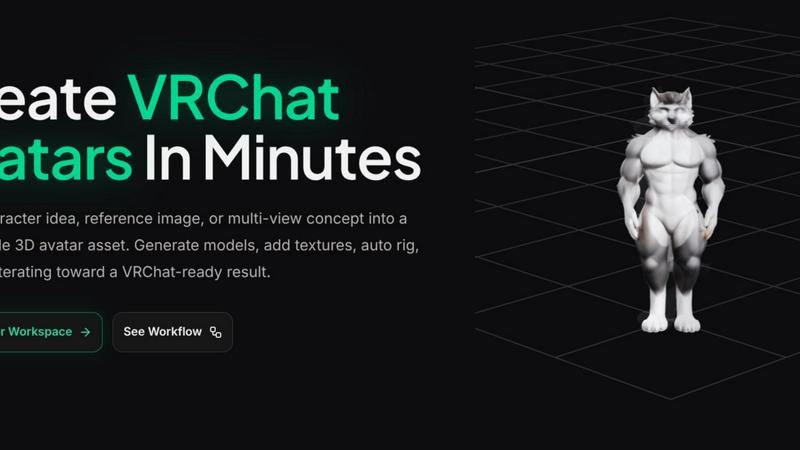
About VRChat Avatar Maker
VRChat Avatar Maker is a collaborative creator workspace designed to streamline the entire journey from a simple character idea to a downloadable, VRChat-ready 3D avatar asset. Instead of hopping between disconnected tools, this platform unifies the key stages of avatar creation—concept exploration, model generation, texturing, auto rigging, preview, and download—into one seamless, team-friendly workflow. The product is built for creators who want to move quickly and iteratively, turning prompts, concept images, or multi-view reference sets into previewable 3D avatars in just minutes. Whether you are a solo artist or part of a small team, the workspace allows everyone to contribute, review, and refine assets together. The main value proposition is speed and continuity: you start from text, a single image, or front/left/back/right references, generate a strong avatar foundation, and then keep building on the same asset by adding textures, auto rigging with motion presets, and previewing results before moving on. This approach reduces the slowest early-stage work and helps teams iterate instead of starting over each time. VRChat Avatar Maker supports popular styles such as anime, furry, and cute characters, ensuring the tool aligns with how real VRChat creators actually work and what they search for online. The platform is also designed for transparency, showing task status—generating, complete, deferred, or failed—so collaborators can track progress and decide whether to refine, retry, or download. Ultimately, this product empowers creators to spend less time on manual pipeline management and more time on creative synergy, bringing avatar visions to life with greater efficiency and cooperation.
Features of VRChat Avatar Maker
Text to Avatar
Turn a written character idea into a 3D avatar model so you and your team can move from concept to asset faster. This feature supports prompt-based avatar generation that includes style, clothing, mood, and silhouette direction. It is especially useful for first-pass custom avatar concepts, allowing the team to quickly visualize a character from a simple description. By reducing the need for manual modeling, the feature accelerates the early brainstorming phase and enables collaborative iteration on the same base idea.
Image and Multi-Image to Avatar
Upload a single reference image or a set of multi-view references (front, left, back, right) to create a stronger, more accurate avatar foundation. This feature is ideal for teams working from existing concept art or character sheets, as it preserves the intended design details across multiple angles. The multi-image input helps ensure that the generated 3D model aligns closely with the original vision, reducing the need for extensive corrections later. It promotes synergy by allowing artists and designers to contribute reference materials directly into the workspace.
Texture Generation and Repainting
Generate high-quality textures for your existing 3D models or repaint specific areas to refine the look. This feature supports the ongoing asset workflow, meaning you can add texture to a model that was generated earlier in the same workspace. It is designed for collaborative refinement, where team members can suggest or apply texture changes without leaving the platform. The ability to repaint also allows for quick style adjustments, ensuring the avatar matches the desired aesthetic before moving to rigging and preview.
Auto Rigging with Motion Presets
Automatically rig your generated avatar using pre-built motion presets, saving hours of manual bone setup. This feature is crucial for preparing the avatar for VRChat, as it ensures the model is ready for animation and movement. The auto rigging process is integrated into the workspace pipeline, so you can apply it directly after texturing or model generation. Teams can preview the rigged result and decide whether to refine or download, fostering a cooperative environment where technical and creative roles can work together seamlessly.
Use Cases of VRChat Avatar Maker
Rapid Character Concept Exploration for Teams
A small team of VRChat creators wants to explore multiple character directions for an upcoming virtual event. Using the Text to Avatar feature, each team member can submit different prompts describing unique styles, moods, and clothing. The workspace generates 3D models for each idea, allowing the group to review and compare options in minutes. This collaborative process helps the team converge on a favorite concept quickly, without waiting for manual modeling or external tools.
Refining a Character from Existing Concept Art
An artist has created a detailed character sheet with front, left, back, and right views. The team uploads these multi-view references into the Image to Avatar feature to generate a 3D model that faithfully represents the original design. After the initial model is ready, the team uses the texture generation tool to add color and detail, then applies auto rigging to prepare the avatar for VRChat. This use case demonstrates how the workspace supports a smooth transition from 2D art to a ready-to-use asset.
Iterative Design and Feedback Loop for Solo Creators
A solo VRChat avatar creator wants to iterate on a character without starting from scratch each time. They begin with a text prompt to generate a base model, then use the texture repaint feature to adjust colors and patterns. After previewing the result, they decide to auto rig the model and test a few motion presets. The workspace allows them to treat each output as a step in a continuous pipeline, enabling rapid feedback and refinement until the avatar meets their standards.
Collaborative Avatar Creation for Virtual Worlds
A group of friends is building a themed virtual world in VRChat and needs multiple avatars that share a consistent style. Each member uses the Text to Image feature to generate concept art, then uploads their favorites into the Image to Avatar tool. The team works together in the workspace, adding textures and auto rigging each avatar. They preview all models side by side, ensuring visual cohesion before downloading the final assets. This cooperative workflow reduces bottlenecks and fosters a sense of shared ownership over the project.
Frequently Asked Questions
Can I start from a text prompt and end with a fully rigged avatar?
Yes, the workspace is designed to support the full pipeline from concept to download. You can begin with the Text to Avatar feature to generate a 3D model from a written description, then continue by adding textures using the texture generation tool, and finally apply auto rigging with motion presets. Each step builds on the previous one, allowing you to iterate and refine without restarting.
What types of input can I use to create an avatar?
You can start with a simple text prompt, a single reference image, or a set of multi-view images (front, left, back, right). The platform also supports Text to Image for concept exploration before committing to a 3D model. This flexibility allows you to choose the input method that best matches your current assets or creative process.
How does the auto rigging feature work for VRChat compatibility?
The auto rigging feature uses pre-built motion presets to automatically set up the skeleton and bone structure of your 3D avatar. This ensures the model is ready for animation in VRChat. After rigging, you can preview the result in the workspace to verify that the movements look correct before downloading the asset for final export.
Can I collaborate with others in the same workspace?
Yes, the workspace is built with collaboration in mind. Team members can submit prompts, upload references, generate models, apply textures, and preview results together. The task status indicators (generating, complete, deferred, or failed) help everyone track progress and decide on next steps, fostering a cooperative environment for avatar creation.
Pricing of VRChat Avatar Maker
VRChat Avatar Maker offers a Start For Free option, allowing new users to explore the workspace and create avatars without an initial commitment. For detailed information on paid plans, tiers, and advanced features, please visit the Pricing page on the official website. The product is designed to scale with your needs, whether you are a solo creator or part of a larger team.
Explore more in this category:
Similar to VRChat Avatar Maker
mcpfolio
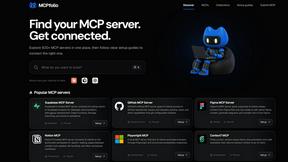
Discover MCP servers, compare tools, and follow setup guides to connect AI assistants to your apps and workflows
Riff
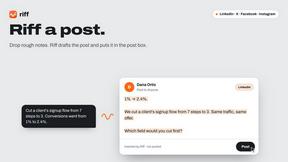
Riff writes replies, DMs and posts with Gemini Nano inside Chrome. Runs on your computer, no account or API key, and never posts for you.
Novastart
Apps and files on an infinite canvas where people and AI agents work together.
JevModel
Jev turns text or JSON into Choice, Score and Noul answers with probabilities.
DiscoverLaunches
DiscoverLaunches is a weekly launch board for indie makers and SaaS founders. Paste your URL and AI fills in your listing. Every product gets a perman

PromptMafia
Real AI prompts from founders, with the result
Video Text Remover
Video Text Remover — Erase Subtitles & Watermark from Video