Viral AI Video Maker
Create engaging viral videos in minutes with our AI-driven templates tailored for TikTok and Instagram success.
Visit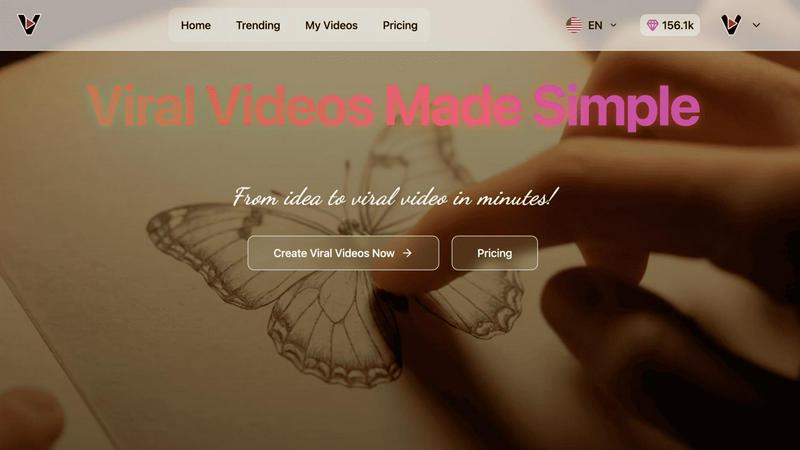
About Viral AI Video Maker
Viral AI Video Maker is an innovative platform designed to revolutionize the way users create videos, leveraging advanced artificial intelligence to simplify the video production process. This tool allows users to transform their creative ideas into engaging, shareable content in just three minutes. It caters to a diverse audience, including content creators, marketers, and social media enthusiasts, making it accessible to anyone regardless of their video editing experience. By utilizing cutting-edge Google Veo3 AI technology, Viral AI Video Maker offers a curated library of pre-optimized viral templates that cover popular formats, such as ASMR glass cutting videos and mesmerizing coffee art transformations. Each video is automatically tailored for optimal display on platforms like TikTok, Instagram Reels, and YouTube Shorts, empowering users to share their creations effortlessly. The platform emphasizes collaboration and creativity, making it an ideal solution for small businesses, influencers, and anyone eager to enhance their social media presence without facing the steep learning curve associated with traditional video editing software.
Features of Viral AI Video Maker
AI-Powered Video Creation
Viral AI Video Maker harnesses the power of artificial intelligence to facilitate the video creation process. Users can generate high-quality videos quickly, significantly reducing the time and effort typically required for video editing, thus fostering a collaborative environment for creativity.
Rich Library of Viral Templates
The platform boasts an extensive collection of pre-optimized viral video templates. These templates are designed for various popular formats, such as ASMR and artistic transformations, ensuring that users have the right tools at their disposal to create engaging content that resonates with their target audience.
Automatic Formatting for Social Media
All videos produced through Viral AI Video Maker are automatically formatted for optimal viewing on social media platforms like TikTok, Instagram Reels, and YouTube Shorts. This feature ensures that users can instantly share their work without worrying about aspect ratios or other technical specifications.
User-Friendly Interface
The platform is designed with a focus on user experience, featuring an intuitive interface that encourages creativity and collaboration. This ensures that both novice and experienced users can easily navigate the tool and produce high-quality videos without extensive training or technical knowledge.
Use Cases of Viral AI Video Maker
Content Creation for Social Media
Viral AI Video Maker is perfect for social media influencers and marketers who need to produce engaging video content quickly. With its AI-driven capabilities and viral templates, users can create eye-catching videos that attract and retain audience attention.
Marketing Campaigns
Businesses can leverage the tool to develop impactful marketing campaigns. By utilizing the platform's pre-optimized templates and automatic formatting features, companies can generate promotional videos that effectively communicate their brand messages and engage potential customers.
Educational Content
Educators and trainers can use Viral AI Video Maker to create informative and engaging educational videos. The platform's ease of use enables the production of instructional content that enhances learning and keeps students engaged.
Event Promotion
Event organizers can create promotional videos for upcoming events, such as conferences or webinars. With the ability to produce visually appealing content quickly, they can generate buzz and excitement, leading to higher attendance rates.
Frequently Asked Questions
How does Viral AI Video Maker work?
Viral AI Video Maker uses advanced artificial intelligence to streamline the video creation process. Users select a template, input their content, and the AI automatically generates a polished video ready for sharing on social media platforms.
Do I need prior video editing experience to use this platform?
No, Viral AI Video Maker is designed for users of all experience levels. Its user-friendly interface and pre-optimized templates eliminate the need for previous video editing skills, making it accessible to everyone.
Can I customize the templates available on the platform?
Yes, users can customize the available templates to fit their unique styles and branding. This feature allows for greater creativity and personalization in video content.
Is there a limit to the number of videos I can create?
The platform does not impose strict limits on the number of videos created. Users can produce as many videos as they need, making it a flexible solution for ongoing content creation.
Explore more in this category:
Similar to Viral AI Video Maker
GetYouTubeTranscript
Free YouTube transcripts on the web, a Chrome extension, and an API + MCP server so AI assistants can read YouTube.
Meigen AI
Create and edit AI images and videos with leading models in one workspace.
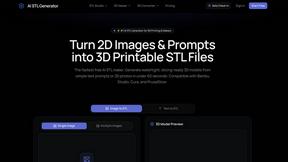
AI STL Generator
The fastest AI STL generator to turn prompts and images into 3D printable STL files.
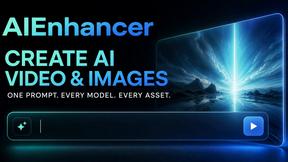
AIEnhancer
AI photo, image, and video enhancement with creative effects and shared asset workflows.
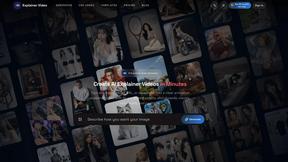
Explainer Video
AI Explainer Video Generator turning topics, scripts, URLs, and PDFs into clear animated stories.
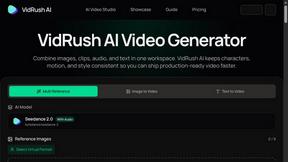
VidRush AI
AI-powered long video generator. Combine images, video, audio, and text into production-ready videos.