
Sprite-AI
Sprite-AI lets your team turn ideas into game-ready pixel sprites together in seconds, no drawing skills needed.
Visit
About Sprite-AI
Sprite-AI is an AI-powered pixel art generator designed to empower indie game developers, hobbyists, and prototypers who need high-quality 2D assets fast. Our platform transforms your plain English descriptions into clean, game-ready pixel art images in seconds, eliminating the traditional barrier of needing advanced drawing skills. Whether you describe a fire-breathing dragon with red scales, a medieval knight with a sword and shield, or a cute slime monster, Sprite-AI interprets your vision and produces a sprite perfectly sized for its intended role. You can choose from 32x32, 64x64, or 128x128 resolutions, ensuring your assets are correctly scaled for icons, items, characters, or hero and boss art. Beyond generation, we provide a built-in pixel editor that lets you paint, erase, fill, and color-pick to fine-tune every single pixel. Once your sprite is polished, you can export it as a transparent PNG that drops straight into Unity, Godot, GameMaker, or Unreal Engine. Our platform also fosters a collaborative community with a gallery for sharing creations, prompt guides to improve your results, and a token-based pricing model so you only pay for what you generate. We believe in synergy between your ideas and our technology, working together to bring your game worlds to life without the overhead of a full art team.
Features of Sprite-AI
AI-Powered Text-to-Sprite Generation
Our core feature allows you to describe any sprite in plain English, and our AI instantly generates a pixel art image that matches your description. You can specify details like color palettes, themes (medieval, sci-fi, fantasy), and even the mood of the character or item. The AI understands complex prompts, such as "magic wand with star tip glowing blue," and produces a sprite that is coherent and game-ready. This eliminates the need for any artistic skill, enabling you to prototype and iterate on game assets at the speed of thought. We work together with your creativity to turn concepts into visual assets for your project.
Built-In Pixel Editor for Fine-Tuning
Once a sprite is generated, you are not stuck with the initial result. Our integrated pixel editor provides a full suite of tools, including paint, erase, fill, and color-pick, allowing you to make precise adjustments to every pixel. This feature is crucial for collaborative refinement, as you can tweak colors, fix small details, or add your own unique touch to ensure the sprite perfectly fits your game's aesthetic. The editor is intuitive and fast, feeling like magic as you transform a good sprite into a great one. This synergy between AI generation and manual editing gives you complete control over your final asset.
Multi-Resolution and Engine-Ready Exports
Sprite-AI understands that different game elements require different sizes. You can generate sprites in 32x32 pixels for icons and small items, 64x64 for standard characters, and 128x128 for hero or boss art. More importantly, every sprite exports as a transparent PNG file that is immediately compatible with all major game engines. Whether you are using Unity, Godot, GameMaker, or Unreal, your assets are ready to drop in and play. This seamless workflow saves you hours of manual resizing and conversion, allowing your team to stay focused on game development and gameplay mechanics.
Community Gallery and Prompt Guides
We believe in the power of community and shared learning. Sprite-AI features a vibrant gallery where users can browse and discover sprites created by others, from golden magic lamps to pixelated aliens. This gallery serves as both inspiration and a benchmark for quality. Additionally, we provide comprehensive prompt guides that teach you how to write effective descriptions to get the best results from the AI. These guides are a collaborative resource, built from community feedback and expert tips, ensuring that every user can improve their prompt engineering skills and generate sprites that truly match their vision.
Use Cases of Sprite-AI
Rapid Prototyping for Game Jams
For game jams where time is the most critical resource, Sprite-AI is an invaluable tool. You can describe a character like a "ninja with spiky yellow hair and a katana" and have a fully rendered 64x64 sprite within seconds. This allows you to prototype game mechanics and visual styles without waiting for an artist. Your team can generate placeholder art, test it in the engine, and iterate on the design immediately. The synergy between your game design ideas and our instant asset generation accelerates the entire development cycle, letting you focus on what matters most: building a fun game.
Indie Game Development and Asset Creation
Indie developers often work alone or in small teams with limited art budgets. Sprite-AI solves this by providing a cost-effective way to create a complete set of 2D assets. You can generate icons for items like "flaming sword icon with orange flames," characters like "medieval knight with silver armor," and enemies like "skeleton with shield bone armor." With our token-based pricing, you only pay for what you use, making it accessible for long-term projects. The ability to fine-tune each sprite in the editor ensures that your final game has a cohesive and polished look, all built through a collaborative process between you and the AI.
Educational Projects and Learning Game Design
Teachers and students can use Sprite-AI to quickly create visual assets for educational games or learning projects about game design. A student can describe a "japanese kitsune fox mask red and white" and immediately see their concept come to life. This hands-on experience helps learners understand the relationship between visual design and gameplay without needing to master complex art software. The platform's community gallery also serves as a showcase for student work, fostering a collaborative learning environment where peers can share and critique each other's creations.
Creating Assets for Tabletop and Board Games
Pixel art is not just for video games. Sprite-AI is also perfect for creating character tokens, item cards, and board icons for tabletop RPGs or board games. You can generate a "gold coin shiny pixel art" for currency tokens or a "chess knight piece pixel art golden" for a game piece. These sprites can be printed or used in digital tabletop simulators. The ability to export transparent PNGs means you can easily integrate them into card templates or game boards, working together with other design tools to create a complete, professional-looking physical or digital game product.
Frequently Asked Questions
How does the AI generate sprites from my text description?
You simply type a description of the sprite you want, such as "8-bit dragon with red scales breathing fire," into the text prompt. Our AI model, trained on a vast dataset of pixel art, interprets your words and generates a pixel art image that matches the description. You can choose the desired size (32x32, 64x64, or 128x128) and the role (icon, item, character, hero/boss) to influence the final output. The AI works collaboratively with your input to produce a unique, game-ready asset in seconds.
Can I edit a sprite after it is generated?
Yes, absolutely. After a sprite is generated, you can open it in our built-in pixel editor. This editor provides tools for painting, erasing, filling areas with color, and picking colors from the existing sprite. You can fine-tune every single pixel to fix details, adjust colors, or add new elements. This feature ensures you have complete creative control and can polish the sprite until it perfectly matches your game's visual style. It is a true synergy between AI generation and human artistry.
What file formats are available for export, and which engines are supported?
You can export your final sprites as transparent PNG files, which is the standard format for 2D game assets. These PNGs are fully compatible with all major game engines, including Unity, Godot, GameMaker, and Unreal Engine. You can simply drag and drop the exported file into your project's asset folder, and it will be ready to use. We also offer SVG export on higher-tier plans for scalable vector assets. This ensures a seamless workflow from creation to implementation in your game.
How does the token-based pricing model work?
Sprite-AI operates on a subscription plan that provides a set number of "sprites" per month, not tokens. For example, the Hobby plan gives you 8 game-ready sprites every month, while the Creator plan offers 20, and the Studio plan provides 75. Each time you generate a sprite, it counts against your monthly allowance. You can use these sprites to generate, edit, and export your assets. If you need more sprites, you can upgrade your plan or wait for the next billing cycle. This model ensures you only pay for what you generate, making it cost-effective for projects of any scale.
Pricing of Sprite-AI
Sprite-AI offers three flexible subscription plans designed to support you and your team at every stage of development. We are currently running a launch promotion with 38% off the Creator and Studio plans, and only 386 out of 500 spots are left. Locking in now secures this price forever, as it will increase at full release.
The Starter (Hobby) plan is priced at $5 per month and is perfect for game jams and side projects. It includes 8 game-ready sprites every month, the ability to drop assets straight into any game engine, and the option to share your creations in the community gallery. You can cancel anytime.
The Creator plan is our best value, currently $8 per month (down from $13, a 38% discount). This plan is built for indie developers shipping real games. It includes everything in Hobby, plus 20 unique sprites every month, PNG and SVG exports ready for Unity or Godot, private asset storage so your art stays yours, and uncensored generations. If your sprites are not game-ready, we offer a full refund.
The Studio plan is $24 per month (down from $39, a 38% discount) and is designed for teams and serious production. It includes everything in Creator, plus 75 sprites a month for full production needs. This plan is ideal for collaborative teams working on larger projects. All plans can be canceled at any time.
Similar to Sprite-AI
Toolvero
Free Online Tools Built With Privacy in Mind
GPT Image 2 API
Generate and edit production-ready images with GPT Image 2 API, clear text rendering, reference images, and developer-friendly API workflows.
AI STL Generator
The fastest AI STL generator to turn prompts and images into 3D printable STL files.
Ideogram Studio
Create readable text, logos, posters, ads, and ecommerce visuals with Ideogram 4 workflows, guided prompts, image references, and API tools.

Presentation Intelligence
AI-native presentation and visual content platform that turns prompts, documents, images, videos, and data into polished, shareable decks.
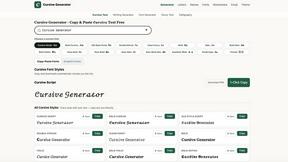
cursive text generator
Cursive Text Generator is a free browser-based tool that converts ordinary text into elegant cursive, script, and fancy Unicode styles. Users can inst
Clipy
Free, no-watermark screen recorder + instant share links. A Loom alternative: record, stop, share. No signup, no time cap, no app to watch.
Seedance 2.5 Free
Create polished AI videos from text or images with cinematic motion.