
SoniqTools
SoniqTools offers free, private browser-based audio tools to analyze, convert, edit, and optimize your audio files effortlessly.
Visit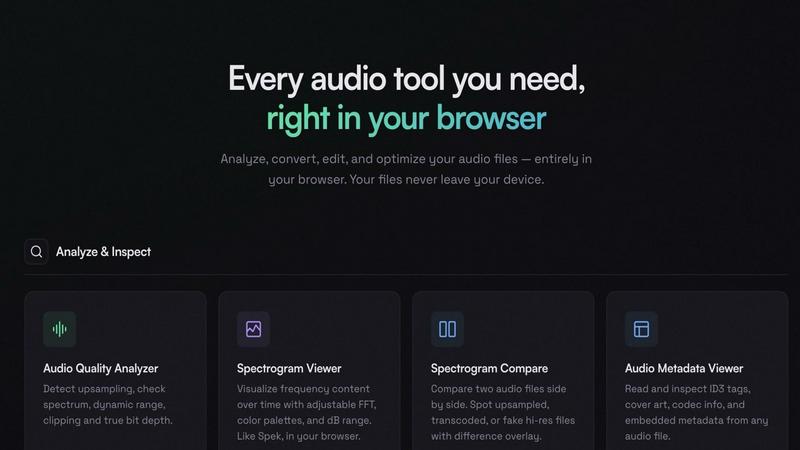
About SoniqTools
SoniqTools is a versatile and powerful suite of 18 free browser-based audio tools designed specifically for DJs, music producers, and audiophiles. This innovative platform allows users to analyze audio quality, visualize sound through spectrograms, convert formats, normalize loudness, and perform various editing tasks such as trimming and merging audio files. One of the main advantages of SoniqTools is that all processing occurs locally in your browser, ensuring that your files remain private and secure on your device. With no need for uploads, accounts, or installations, SoniqTools is incredibly user-friendly and accessible from any device. Additionally, the platform supports nine languages, making it a global solution for audio manipulation. Simply open a tab, and you can quickly begin working on your audio projects without any hassle.
Features of SoniqTools
Analyze & Inspect
SoniqTools provides a range of analysis tools, including an Audio Quality Analyzer that detects upsampling and checks for spectrum, dynamic range, clipping, and true bit depth. The Spectrogram Viewer allows you to visualize frequency content over time, utilizing adjustable FFT, color palettes, and dB ranges. You can also compare two audio files side by side with the Spectrogram Compare feature to easily spot differences, such as upsampling or transcoding issues.
Convert
The conversion capabilities of SoniqTools are extensive, allowing you to convert between various audio formats such as WAV, AIFF, FLAC, MP3, OGG, and AAC directly in your browser. The Video to Audio tool enables users to extract audio tracks from video files seamlessly, while the Sample Rate Converter and Bit Depth Converter facilitate high-quality resampling and conversion between bit depths with proper dithering.
Edit & Transform
With SoniqTools, you can manipulate audio files effortlessly using features like the Audio Looper, which allows you to loop segments with customizable transitions. The Audio Trimmer lets you cut and trim audio files precisely by visually setting start and end points on the waveform. Additionally, the Audio Merger enables the combination of multiple audio files into a single file with options for smooth crossfade or fade transitions.
Optimize & Fix
SoniqTools includes optimization tools such as an Audio Compressor that reduces file sizes by re-encoding audio with optimized bitrate settings without sacrificing quality. You can convert mono audio to stereo or downmix stereo tracks to mono effectively. These features ensure that your audio files maintain high fidelity while being optimized for various platforms and uses.
Use Cases of SoniqTools
DJ Set Preparation
DJs can use SoniqTools to analyze their tracks for quality and compatibility, ensuring that the audio files they select for performances are of the highest standard. The ability to convert and trim tracks allows for seamless integration into their set lists without any technical issues.
Music Production
Producers can take advantage of the editing and transforming tools to refine their sound, looping specific sections or merging different tracks. The Audio Quality Analyzer helps ensure that each element of their mix meets professional standards before finalizing a project.
Audio Restoration
Audiophiles and sound engineers can utilize SoniqTools to restore old recordings by cleaning up audio quality, trimming unnecessary parts, and adjusting loudness levels for a more polished final product. The features available make it easy to enhance the listening experience.
Educational Purposes
Teachers and students can benefit from SoniqTools in a classroom setting, using the platform to analyze audio files for assignments or projects. The ability to generate tones or silence can also be useful for audio experimentation and learning about sound design principles.
Frequently Asked Questions
What types of audio formats can SoniqTools convert?
SoniqTools can convert between multiple audio formats, including WAV, AIFF, FLAC, MP3, OGG, and AAC, providing flexibility for various audio needs.
Is my audio data safe when using SoniqTools?
Absolutely. SoniqTools processes all audio files locally in your browser, ensuring that your data never leaves your device. There are no uploads, which guarantees your privacy.
Do I need to create an account to use SoniqTools?
No, you do not need to create an account to access SoniqTools. The platform is designed to be user-friendly, allowing you to start working on your audio files immediately.
Can I use SoniqTools on my mobile device?
Yes, SoniqTools is compatible with any device, including mobile phones and tablets. This accessibility makes it easy to work on audio projects from anywhere.
Similar to SoniqTools
ShortTranscript
Turn public TikTok videos and Instagram Reels into editable English transcripts.

Producer Tag Generator
Give your beats a name people know. Use our free producer tag generator to write a short line and choose effects. Open Advanced Mode to pick a voice s

Melodank
Melodank turns your memories and special occasions into unique German or English songs you can preview and share as digital gifts.
Clean Voice
Remove background noise from audio and video with Clean Voice's AI-powered tool. Make podcasts, voiceovers, interviews, and videos clear.
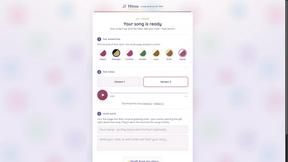
Hitou
A custom song written and produced about someone you love - free preview in minutes, pay only if it lands.
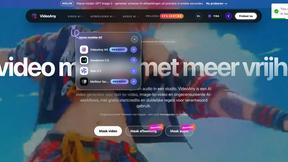
VideoAny
Let’s team up to create stunning AI videos, images, and audio from text or images all in one powerful creative studio.
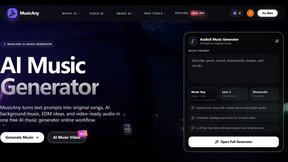
MusicAny AI Music Generator
MusicAny lets your team turn text prompts into original songs, background music, EDM ideas, and video-ready audio in one free, collaborative workflow.