
Seedream 5.0
Seedream 5.0 instantly transforms text prompts into stunning 4K images, making creativity effortless and fast.
Visit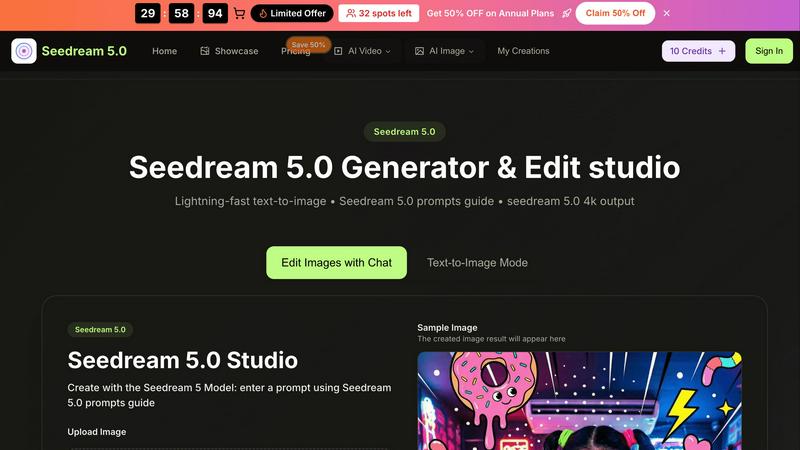
About Seedream 5.0
Seedream 5.0 is an innovative AI image generator and editing studio developed by ByteDance, designed to meet the creative needs of a broad audience. Whether you are a professional artist, a content creator, a marketer, or simply a hobbyist, Seedream 5.0 provides the tools you need to create visually stunning images in a matter of seconds. The platform excels in transforming text prompts into beautiful, high-resolution visuals, typically within just 2 to 5 seconds. Its primary value proposition lies in its lightning-fast text-to-image capabilities, which allow users to produce 4K images with intuitive editing features. The built-in Seedream 5.0 prompts guide enhances the user experience by offering suggestions for crafting effective prompts, ensuring that users can achieve their creative visions effortlessly. By combining advanced AI technology with a user-friendly design, Seedream 5.0 stands out as an essential tool for anyone looking to elevate their visual content while saving time and effort.
Features of Seedream 5.0
Lightning-Fast Text-to-Image Generation
Seedream 5.0 offers instant AI generation that transforms text prompts into images in as little as 2 to 5 seconds. This rapid output enables users to brainstorm and visualize ideas quickly, enhancing creativity and productivity.
Intuitive Image Editing with Natural Language
The platform allows users to edit images using natural language commands. This feature simplifies the editing process, making it accessible for users of all skill levels, from beginners to seasoned professionals.
High-Resolution Outputs
Users can generate images in native 2K resolution, with the option for one-click 4K upscaling. This capability ensures that the visuals produced are of professional quality, suitable for various applications, including print and digital media.
Multi-Image Fusion and Style Transfer
Seedream 5.0 excels in multi-image fusion and style transfer, allowing users to create complex visuals by blending multiple images or applying different artistic styles. This enhances creativity by offering diverse aesthetic options.
Use Cases of Seedream 5.0
Marketing Campaigns
Marketers can utilize Seedream 5.0 to create eye-catching visuals for promotional materials. The ability to generate high-quality images quickly allows for more dynamic and engaging campaigns that stand out in a crowded marketplace.
Content Creation for Social Media
Content creators can harness the power of Seedream 5.0 to produce unique images tailored to their brand's aesthetic. From Instagram posts to blog graphics, the tool provides a quick way to generate engaging visuals that resonate with audiences.
Storytelling and Character Development
Writers and illustrators can use Seedream 5.0 to develop consistent and lifelike characters across their projects. This feature is particularly useful for graphic novels and digital storytelling, where visual continuity is key to audience engagement.
Educational Materials
Educators can create customized images for presentations, worksheets, and online courses. With Seedream 5.0, they can easily generate visuals that enhance learning experiences and make complex concepts more accessible to students.
Frequently Asked Questions
What formats does Seedream 5.0 support for image uploads?
Seedream 5.0 supports various image formats, including JPG, PNG, and WEBP, with a maximum file size of 10MB. This flexibility allows users to work with different types of images seamlessly.
How does the Seedream 5.0 prompts guide work?
The prompts guide provides users with helpful suggestions for crafting effective text prompts. By recommending details related to colors, lighting, and art styles, it enhances the quality of the generated images.
Can I use Seedream 5.0 for free?
Yes, Seedream 5.0 offers a free trial option, allowing users to explore its features and capabilities before committing to a subscription. This makes it accessible for those who wish to test the platform.
Is there a limit to the number of images I can generate?
While specific limits may vary based on the chosen plan, Seedream 5.0 generally allows for a generous number of image generations. Users can create a multitude of visuals to support their projects and creative endeavors.
Similar to Seedream 5.0
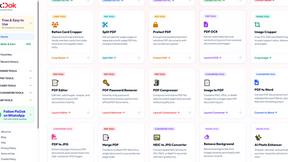
Pixdok
PixDok is your all-in-one free online toolkit for PDF editing, image conversion, background removal, passport photos, and QR codes.
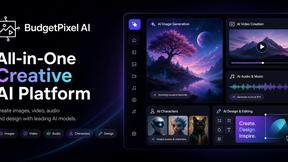
Budgetpixel AI
Create AI images, videos, music, and designs in one workspace with multiple models, powerful editing tools, and API access.
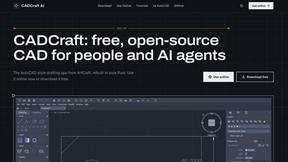
CADCraft
Free open-source 2D CAD for precise drafting, technical documentation, and AI-assisted automation.
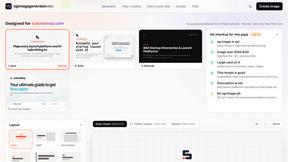
OG Image Generator
Paste a URL and AI designs on-brand Open Graph images from your page's colours, fonts and logo. Free, no sign-up.
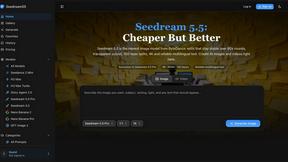
Seedream 5.5
Seedream 5.5 by ByteDance: 80+ rounds of stable image editing, native RGBA transparency, 100-layer splits, 4K output and reliable multilingual text.
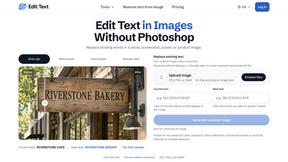
Reword Image
Replace the text already inside a photo or screenshot and keep the original layout, colors and perspective. No design file needed.
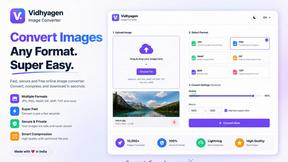
VidhyaGen - Image Converter
All-in-one digital toolkit for effortless image conversion, compression, resizing, and everyday file utilities in a single place.
AFFLIGO
AFFLIGO makes everyday file tasks easier with free online tools to compress, convert, edit, and manage PDFs and images.