Seedance 3.0
Seedance 3.0 by ByteDance transforms text prompts into stunning, broadcast-quality videos, empowering creators and sellers to elevate their visuals.
Visit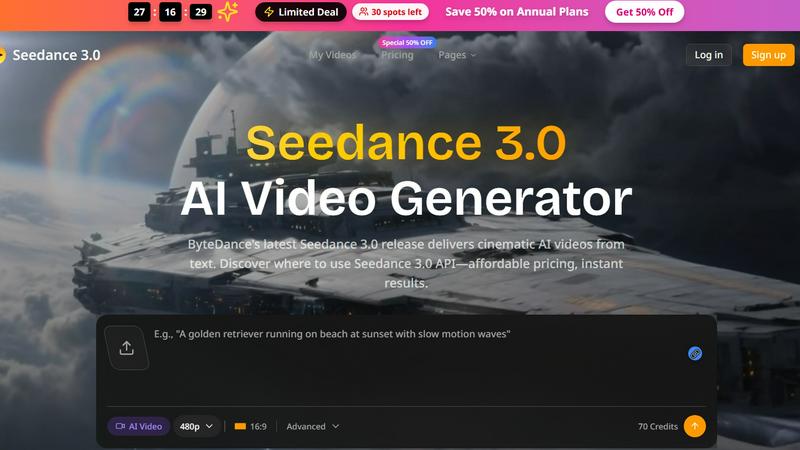
About Seedance 3.0
Seedance 3.0 is an innovative AI video generation tool developed by ByteDance, designed to transform text prompts into high-quality cinematic videos effortlessly. Ideal for a diverse range of users, including e-commerce sellers, content creators, and indie makers, Seedance 3.0 empowers individuals and teams to produce professional-grade visuals in seconds. By leveraging advanced AI technology, it enables users to craft visually appealing content without the need for extensive video production skills or resources. The platform supports a variety of use cases, from promotional product videos to engaging social media content, ultimately streamlining the creative process and allowing users to focus on their core message. With an easy-to-use interface and instant results, Seedance 3.0 serves as a powerful ally for anyone looking to elevate their visual storytelling.
Features of Seedance 3.0
AI-Powered Video Generation
Seedance 3.0 utilizes advanced artificial intelligence to generate high-quality videos directly from text prompts. This feature allows users to create engaging visuals quickly and efficiently, making it ideal for those with tight deadlines or limited resources.
Customizable Video Styles
Users can choose from a variety of customizable video styles that suit their specific branding and themes. This flexibility ensures that every video produced aligns with the creator's unique vision and messaging, enhancing the overall impact of the content.
Batch Processing Capabilities
Seedance 3.0 offers batch processing, enabling users to create multiple videos simultaneously. This feature is particularly beneficial for e-commerce sellers looking to generate product showcases and promotional materials for entire catalogs in one go.
Instant Preview and Editing
With Seedance 3.0, users can preview their videos instantly and make adjustments in real time. This feature fosters a collaborative environment, allowing teams to work together seamlessly to refine their content before finalizing the production.
Use Cases of Seedance 3.0
E-commerce Product Videos
E-commerce sellers can leverage Seedance 3.0 to create professional product videos that enhance listing attractiveness. By generating visually striking content quickly, sellers can effectively showcase their products, driving higher conversion rates and customer engagement.
Social Media Content Creation
Influencers and content creators can use Seedance 3.0 to produce eye-catching videos tailored for platforms like Instagram and TikTok. This tool helps maintain a fresh and engaging feed, reducing creative burnout and allowing influencers to focus on their message.
Indie Maker Launch Support
Indie makers can benefit from Seedance 3.0 by generating promotional videos for app launches and product demos. The ability to create high-quality visuals quickly ensures that makers can launch their products without delays related to video production.
Marketing Campaigns
Seedance 3.0 is perfect for marketers looking to develop compelling visual content for campaigns. The ability to create tailored videos for seasonal promotions or A/B tests allows teams to optimize their marketing strategies efficiently.
Frequently Asked Questions
What types of videos can I create with Seedance 3.0?
Seedance 3.0 allows users to create a wide range of videos, including promotional product showcases, social media content, app demos, and marketing campaign visuals, all tailored to their specific needs.
Is Seedance 3.0 suitable for beginners?
Absolutely! Seedance 3.0 is designed to be user-friendly, making it accessible for beginners without extensive video editing experience. The intuitive interface guides users through the video creation process.
Can I collaborate with my team on Seedance 3.0?
Yes, Seedance 3.0 supports collaborative work environments. Teams can work together to create, preview, and edit videos in real time, streamlining the creative process and enhancing productivity.
How does the batch processing feature work?
The batch processing feature in Seedance 3.0 allows users to generate multiple videos at once by uploading a list of text prompts. This function is particularly useful for e-commerce sellers looking to create videos for an entire product line efficiently.
Similar to Seedance 3.0

Novastart
Apps and files on an infinite canvas where people and AI agents work together.

JevModel
Jev turns text or JSON into Choice, Score and Noul answers with probabilities.

DiscoverLaunches
DiscoverLaunches is a weekly launch board for indie makers and SaaS founders. Paste your URL and AI fills in your listing. Every product gets a perman

PromptMafia
Real AI prompts from founders, with the result

Video Text Remover
Video Text Remover — Erase Subtitles & Watermark from Video

GetYouTubeTranscript
Free YouTube transcripts on the web, a Chrome extension, and an API + MCP server so AI assistants can read YouTube.