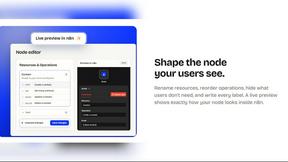
Push My App
Push My App helps your team ship search-optimized App Store and Play Store listings fast, with AI metadata, rejection scanning, and direct submission.
Visit
About Push My App
Push My App is the all-in-one platform designed for indie developers and studios to prepare, optimize, and submit App Store and Play Store listings without the traditional launch-week grind. This powerful tool transforms what used to be days of manual, repetitive work into a streamlined, collaborative process that takes just minutes. At its core, Push My App brings together AI-powered metadata generation, automated screenshot resizing, rejection risk scanning, and direct store submission into a single, unified dashboard. The platform is built for developers who would rather be coding than wrestling with app store requirements. It supports both iOS and Android ecosystems, accepting .ipa, .apk, and .aab files for seamless processing. Beyond submission, Push My App enables teams to generate a website and set up a support mailbox for their app using existing metadata and screenshots with just a few clicks. The platform fosters a cooperative workflow where developers, marketers, and product managers can collaborate effectively, ensuring every release ships 5x faster. By eliminating busywork and automating compliance checks, Push My App empowers teams to focus on what truly matters: building great software and delivering value to users.
Features of Push My App
AI-Generated ASO Metadata
Push My App leverages artificial intelligence to write your app name, keywords, description, and release notes optimized for App Store Optimization in seconds. The system generates high-conversion metadata that scores your title, keywords, subtitle, and release notes against store algorithms, ensuring maximum discoverability. This feature saves teams 2-3 hours of manual writing and keyword research per release, allowing everyone to focus on coding and product improvements rather than copywriting.
Pre-Flight Rejection Scanner
Before you submit, Push My App scans your build and listing against 80+ known Apple and Google rejection reasons. This proactive approach identifies potential blockers, such as missing privacy manifests or compliance issues, and flags them for your team to address. By catching problems early, the scanner prevents the frustrating cycle of rejection and resubmission, saving your team days of back-and-forth with store reviewers and keeping your release timeline on track.
App Translator and Screenshot Resizer
Push My App translates your full listing into 14 languages with keywords re-optimized per locale, ensuring your app reaches a global audience effectively. Simultaneously, the screenshot resizer automatically generates every required device size for both stores from a single set of uploads. This dual capability eliminates the manual effort of resizing assets and localizing content, enabling your team to expand into new markets without additional design or translation overhead.
Direct Submission and App File Scanner
Drop your .ipa, .apk, or .aab file into Push My App, and the platform extracts your bundle ID, version, and icon while validating compliance. From there, you can submit directly to App Store Connect and Google Play in one click, with pre-submission validation ensuring everything is ready. This feature consolidates the entire submission workflow into a single dashboard, allowing your team to manage iOS and Android releases side by side without switching between separate consoles.
Use Cases of Push My App
Indie Developer Solo Launches
A solo indie developer building their first app can use Push My App to go from code completion to store submission in a single afternoon. The AI writes optimized metadata, the rejection scanner catches common rookie mistakes, and one-click submission handles the technical upload process. This use case eliminates the steep learning curve of app store requirements, letting the developer focus on perfecting their product rather than navigating store policies.
Studio Team Release Coordination
Small studios with multiple team members can use Push My App as a central collaboration hub for app releases. Developers upload builds, marketers review AI-generated descriptions, and designers preview resized screenshots, all within the same platform. The side-by-side diff against the last submission ensures everyone is aligned on changes, fostering a cooperative workflow that reduces miscommunication and accelerates the release cycle.
Rapid Iteration and A/B Testing
Teams that release frequently can leverage Push My App to iterate on app metadata and test different keywords, descriptions, and release notes. The AI generates multiple options quickly, and the scoring system helps identify which combinations perform best for ASO. This use case enables data-driven decision making, allowing teams to refine their store presence with each release rather than waiting weeks for manual updates.
Global Market Expansion
When a team decides to launch their app in new international markets, Push My App handles the heavy lifting of localization. The translator re-optimizes keywords for 14 different languages, while the screenshot resizer ensures all assets fit regional device requirements. This use case reduces the time and cost of entering new markets, making global expansion accessible even for small teams with limited resources.
Frequently Asked Questions
What file formats does Push My App accept for app upload?
Push My App accepts .ipa files for iOS apps and .apk or .aab files for Android apps. When you drop your file into the platform, it automatically extracts the bundle ID, version number, and app icon. The system also validates compliance with store requirements before submission, ensuring your build is ready for review.
How does the Pre-Flight Rejection Scanner work?
The scanner checks your build and listing against a database of 80+ known rejection reasons from both Apple and Google. It analyzes your binary for issues like missing privacy manifests, incorrect entitlements, or metadata violations. The tool then generates a report highlighting any blockers, allowing your team to fix problems before submitting to the stores.
Can I use Push My App for both iOS and Android apps simultaneously?
Yes, Push My App is designed to manage both iOS and Android apps from a single dashboard. You can view your app profile page with iOS and Android versions side by side, track version history automatically, and submit to both App Store Connect and Google Play in one click. This unified approach simplifies multi-platform management for your team.
Is there a free trial available for Push My App?
Yes, Push My App offers a free Starter plan with no credit card required. You can also access a 30-day Growth trial to explore all premium features. Additionally, the platform provides free tools that do not require an account, allowing you to test capabilities like metadata generation or screenshot resizing before committing to a subscription.
Pricing of Push My App
Push My App offers a free Starter plan with no credit card required, allowing teams to begin exploring the platform immediately. For those needing advanced features, a 30-day Growth trial is available, providing full access to all premium capabilities. Specific pricing tiers for paid plans are available on the Push My App website, with options designed to scale from solo indie developers to small studios with multiple apps and team members.
Similar to Push My App
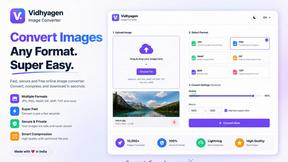
VidhyaGen - Image Converter
All-in-one digital toolkit for effortless image conversion, compression, resizing, and everyday file utilities in a single place.
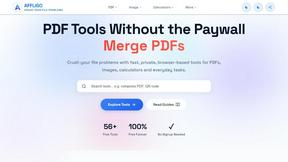
AFFLIGO
AFFLIGO makes everyday file tasks easier with free online tools to compress, convert, edit, and manage PDFs and images.

Ecommerce Data API
Amazon research data APIs for developers, sellers and AI agents. Integrate product, keyword and market research through REST APIs and MCP.
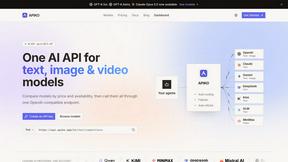
APIKO AI API
One OpenAI-compatible endpoint for text, image and video models from OpenAI, Anthropic, Google, DeepSeek and more.
JevModel
Jev turns text or JSON into Choice, Score and Noul answers with probabilities.
SightRadar
Face recognition API that is a drop-in replacement for AWS Rekognition. Index, search, compare and detect faces, billed per photo, no subscription.
SnappyKit
40+ free image tools that run in your browser — convert, compress, resize and edit JPG, PNG, WebP, AVIF and HEIC files. No uploads, no sign-up.