
Picture to Drawing
Easily convert your photos into beautiful drawings online for free with our AI-powered picture to drawing tool.
Visit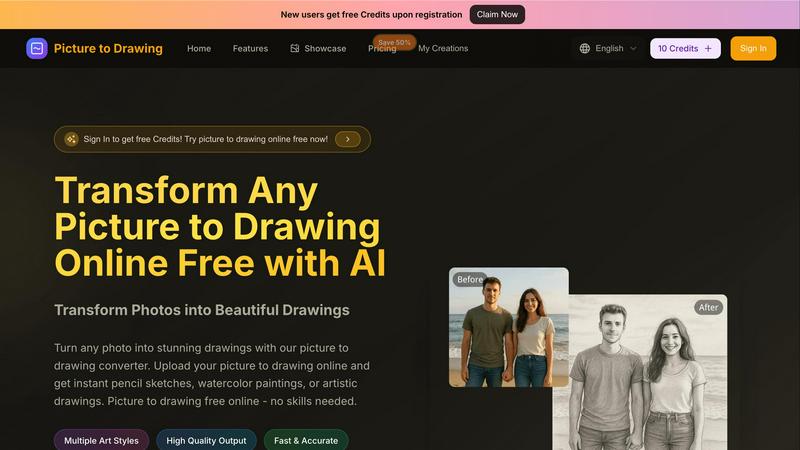
About Picture to Drawing
Picture to Drawing is a revolutionary AI-powered online tool that allows users to transform their photos into exquisite artistic drawings in mere seconds. This tool caters to a broad spectrum of individuals, including artists seeking inspiration, photographers aiming to enhance their portfolios, students exploring creative avenues, and anyone who wants to infuse a unique artistic touch into their images. The primary value proposition of Picture to Drawing lies in its user-friendly interface and the efficiency of the conversion process. Users can simply upload their photos, select from an array of artistic styles, and receive high-quality drawings almost instantly. Whether you want to convert a beloved family portrait, a breathtaking landscape, or creative still-life images into beautiful artworks, Picture to Drawing provides a seamless and enjoyable experience. With features that include multiple art styles and high-quality output, this tool empowers users to unleash their creativity effortlessly, without requiring any prior artistic skills or extensive software knowledge.
Features of Picture to Drawing
Multiple Art Styles
Picture to Drawing offers a diverse range of artistic styles, allowing users to choose from options such as pencil sketches, watercolor paintings, charcoal drawings, and more. This variety ensures that each user can find a style that aligns with their creative vision, making it an ideal tool for anyone looking to express their individuality through art.
High Quality Output
The tool guarantees high-quality output, ensuring that every drawing created from a photo retains intricate details and vibrant colors. Users can expect professional-grade artwork that is ready for download and sharing, making it perfect for both personal keepsakes and professional use.
Fast & Accurate Conversion
With advanced AI technology, Picture to Drawing converts photos into drawings quickly and accurately. Users no longer need to wait for long processing times; with just a few clicks, they can see their images transformed into stunning artworks almost instantly, enhancing their creative workflow.
Free Credits for New Users
To welcome new users, Picture to Drawing offers free credits upon registration. This initiative allows individuals to explore the tool's features and capabilities without any initial investment, encouraging more users to try their hands at transforming their photos into art.
Use Cases of Picture to Drawing
Personalized Gifts
Picture to Drawing is perfect for creating personalized gifts. Users can convert cherished family photos or special moments into artistic drawings that make heartfelt presents for birthdays, anniversaries, or holidays, ensuring a unique and memorable gift.
Enhancing Portfolios
For photographers and artists, this tool serves as a fantastic way to enhance portfolios. By transforming standard photographs into artistic representations, professionals can showcase their creative versatility and attract potential clients with visually striking pieces.
Educational Projects
Students can utilize Picture to Drawing for various educational projects. Whether it is for art class assignments, presentations, or creative storytelling, the ability to convert images into drawings can significantly enhance the overall appeal and engagement of their work.
Social Media Content
Social media enthusiasts can take advantage of Picture to Drawing to create eye-catching posts. By transforming their photos into unique artworks, users can stand out in crowded feeds and capture the attention of their followers with visually appealing content.
Frequently Asked Questions
How does Picture to Drawing work?
Picture to Drawing uses advanced AI algorithms to analyze your uploaded photo and apply artistic styles to create a drawing. Simply upload your image, choose a style, and the tool will do the rest in seconds.
What formats does the tool support for uploads?
The tool supports several image formats including JPG, PNG, WEBP, and HEIC. This flexibility allows users to easily upload their photos without worrying about compatibility issues.
Is there a cost associated with using Picture to Drawing?
While new users receive free credits upon registration, additional credits may be required for further usage after the initial offer. This model allows users to explore the tool before committing to any purchases.
Can I save and download my drawings after conversion?
Yes, once your photo is converted into a drawing, you can easily preview the artwork and download it in high quality. This feature ensures you can share or print your creations as desired.
Explore more in this category:
Similar to Picture to Drawing

Pixdok
PixDok is your all-in-one free online toolkit for PDF editing, image conversion, background removal, passport photos, and QR codes.
Budgetpixel AI
Create AI images, videos, music, and designs in one workspace with multiple models, powerful editing tools, and API access.
CADCraft
Free open-source 2D CAD for precise drafting, technical documentation, and AI-assisted automation.
OG Image Generator
Paste a URL and AI designs on-brand Open Graph images from your page's colours, fonts and logo. Free, no sign-up.

Seedream 5.5
Seedream 5.5 by ByteDance: 80+ rounds of stable image editing, native RGBA transparency, 100-layer splits, 4K output and reliable multilingual text.
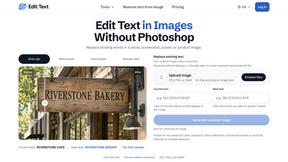
Reword Image
Replace the text already inside a photo or screenshot and keep the original layout, colors and perspective. No design file needed.
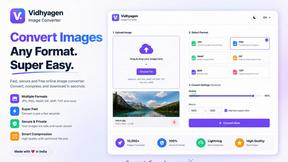
VidhyaGen - Image Converter
All-in-one digital toolkit for effortless image conversion, compression, resizing, and everyday file utilities in a single place.
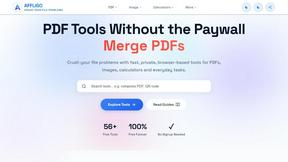
AFFLIGO
AFFLIGO makes everyday file tasks easier with free online tools to compress, convert, edit, and manage PDFs and images.