
Magpie
Magpie lets our team privately collect images, links, and notes into local boards without feeds, algorithms, or accounts.
VisitPublished on:
July 20, 2026
Pricing:
About Magpie
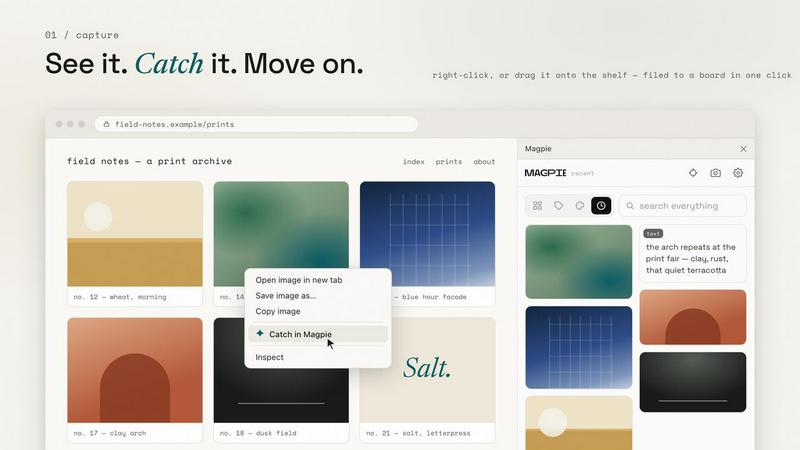
Magpie is a browser extension for Chrome that redefines how you collect and organize visual inspiration and information. It functions as a quiet side panel that captures images, screenshots, links, and text snippets into private boards stored directly on your machine, not on any cloud service. This tool is designed for designers, researchers, writers, marketers, and anyone who frequently encounters content worth saving but wants to avoid the endless feeds and algorithmic distractions of typical save-for-later apps. Magpie opens only when you see something worth keeping and disappears when you are done, with no feed to scroll, no ads to distract, and no account required to start collecting. The core value proposition is simplicity and privacy: you capture content with a right-click or drag-and-drop, file it into organized boards with tags and color-based search, and retain full ownership of your data. An optional AI helper can title captures, read text from screenshots, suggest tags, and match searches by meaning, but it remains off by default. Magpie also offers sync capabilities through paid plans, but the free version remains a complete collector forever. The product emphasizes that your boards are files, not proprietary data, and you can export or uninstall without losing anything.
Features of Magpie
Capture with Speed and Precision
Magpie enables you to catch content fast with multiple capture methods. You can right-click any image, selected text, or page to save it directly to a board. Screenshot-clip any region of your screen with a keyboard shortcut. Grab several images from a page in one pass without saving each individually. You can also paste or drag files directly into the panel. For social media posts on X and Instagram, Magpie captures the entire post including author, caption, date, and link intact. The panel opens with a simple keyboard shortcut and closes just as easily, allowing you to save and move on without disruption.
Intelligent Organization and Search
Your collection lives in boards with cover images and their own color palettes. Every image palette is read locally on your machine using plain color math, so you can browse by color, filter a board by its own hues, or sort a grid into a rainbow. Tags and notes add another layer of organization. Search works across everything, including text inside screenshots and palette colors. The optional AI helper, when enabled, titles your captures automatically, reads text from inside screenshots, suggests relevant tags, and matches searches by meaning rather than just keywords. This combination of manual and AI-assisted organization ensures you never file anything twice because finding replaces filing.
Private by Architecture
Your boards are files on your machine, and Magpie is designed with privacy as a core architectural principle. The extension installs with no host permissions, meaning it cannot read the pages you visit. There is no telemetry or analytics built into the extension, and every network claim is verifiable in DevTools. You can flip one switch to mirror every board into a real folder you choose, with one subfolder per board, images as ordinary image files, and snippets as markdown. Uninstall Magpie and your files remain exactly where you left them. Deleting an item hard-deletes its bytes, leaving no residue.
Local Color Matching for Discovery
Magpie includes a unique discovery feature called "more like this" that works entirely on your machine. When you select any clip, Magpie surfaces other items from your collection that share its color palette, matched by plain color math. This happens locally without any web search, account, or external service. Nothing new is introduced to your boards; you only ever see what you already caught. Your collection stays a record of your eye and your choices, not an algorithm's recommendations. This feature turns your existing collection into a discovery tool that respects your privacy and your creative process.
Use Cases of Magpie
Visual Moodboarding for Design Projects
Designers can use Magpie to collect visual inspiration from across the web without interrupting their workflow. When you find a color palette, typography sample, or layout that inspires you, capture it instantly with a right-click. Organize these captures into themed boards for different projects, using tags and color-based search to find exactly what you need later. The local color matching feature helps you discover connections between your collected images that you might have missed, fostering creative synergy across your project references.
Research and Content Curation
Researchers and content writers can gather links, text snippets, and screenshots for articles, reports, or presentations. Capture entire social media posts with author and date intact for proper attribution. Use the AI helper to automatically title captures and suggest tags, creating a searchable knowledge base that grows with your research. Boards can serve as organized reference libraries for different topics, and the export feature allows you to share your curated collection with team members as a zip file or single-file moodboard page.
Personal Inspiration and Creative Reference
Artists, photographers, and hobbyists can maintain personal inspiration boards for their creative work. Collect color palettes from nature photography, save typography examples from street signs, or gather UI patterns from apps you admire. The color-based search and rainbow sort make it easy to find inspiration by hue, while the local storage ensures your personal creative references remain private and accessible even without an internet connection. The "more like this" feature helps you discover thematic connections in your own collection.
Team Collaboration and Moodboard Sharing
Teams working on branding, marketing campaigns, or product design can use Magpie to build shared visual references. While each team member collects on their own machine, the export feature allows you to turn any board into a single-file moodboard page that can be shared via link or file transfer. The zip export preserves the complete structure of your boards, making it easy to share entire collections with colleagues. The sync feature on paid plans keeps boards in step across multiple machines, enabling seamless collaboration across devices.
Frequently Asked Questions
How does Magpie keep my data private?
Magpie stores all your boards, images, and snippets as files on your local machine. The extension installs with no host permissions, so it cannot read the pages you visit. There is no telemetry or analytics built into the extension. You can verify every network claim in DevTools. If you choose to use sync, your clips travel encrypted, and your local copy remains the source of truth. Uninstalling Magpie leaves all your files intact on your machine.
What happens to my data if I cancel a paid plan?
If you cancel a paid plan, every file remains on your machine. Your local boards are unaffected. You lose access to sync and the web app, but your local collection and the free version of Magpie continue to work indefinitely. There is no lock-in, and you can export everything as a zip at any time to restore it elsewhere.
Can I use Magpie without an account?
Yes, the free version of Magpie requires no account at all. You can install the extension and start collecting immediately. An account is only needed if you want to use the sync feature or the web app on paid plans. The free product is the complete collector, forever.
How does the AI helper work and what does it cost?
The AI helper is optional and off by default. You can bring your own API key for AI services, or it is included with zero setup on paid plans. When enabled, the AI helper titles your captures, reads text from inside screenshots, suggests tags, and matches searches by meaning. It requires no special configuration on paid plans, and you control whether it is active.
Pricing of Magpie
Magpie offers a generous free tier that includes the complete collector with all capture methods, local storage, boards, tags, notes, color search, and local color matching. The free product is yours forever with no time limit.
For expanded capabilities, Magpie Plus costs $5.99 per month or $59 per year with a 14-day free trial. It adds sync across machines, access to the web app at magpie.ee (installable on Android), managed AI features, and approximately 15,000 clips of storage (10 GB).
Magpie Pro costs $12.99 per month or $129 per year and offers 10 times the storage capacity of Plus, supporting approximately 150,000 clips (100 GB).
You can cancel any time, and every file stays on your machine regardless of your plan.
Similar to Magpie

Clever AI Humanizer
Clever AI Humanizer is a free tool that makes AI-generated text sound more human.
ADHD Reading
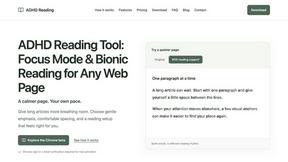
Adjust long web pages with word-start emphasis, hover focus and a calmer reading layout
GetYouTubeTranscript
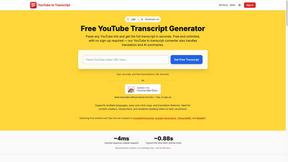
Free YouTube transcripts on the web, a Chrome extension, and an API + MCP server so AI assistants can read YouTube.

Toolvero
Free Online Tools Built With Privacy in Mind
Kody Tools
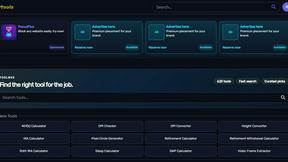
Free collection of online developer utilities, code formatters, and digital converters designed to streamline your daily workflow.
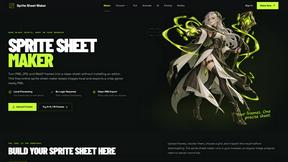
Sprite Sheet Maker
A free browser-based toolkit for creating, cutting, converting, and previewing sprite sheet animations.
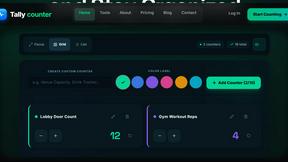
tallycounterweb.com
Online tally counter for tracking attendance, workouts, inventory, sports scores, visitors, habits, and everyday counting tasks.
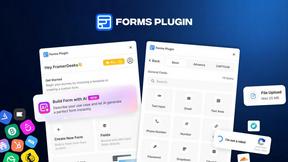
Forms Plugin
The #1 Native Form Builder Plugin for Framer - No Code, No Embeds, No External Platforms.