
Published on:
August 11, 2026
Pricing:
About Maeve Social
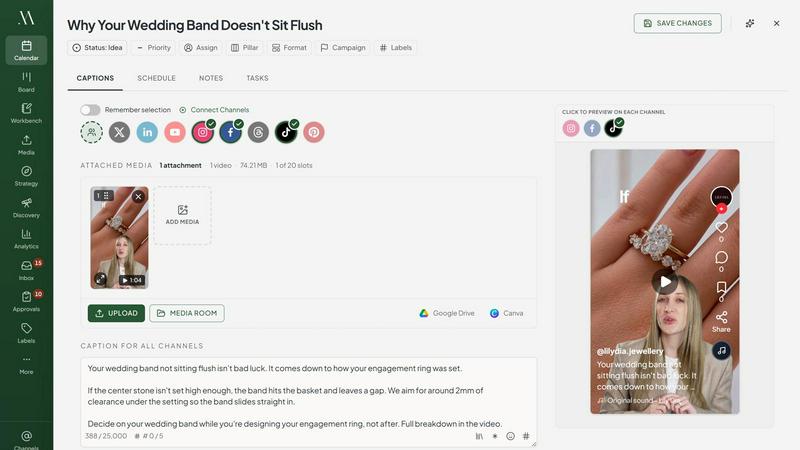
Maeve Social is an all-in-one social media project management platform for agencies, freelancers, and in-house teams. It covers the whole job in one place: plan content on a calendar and content board, draft together in a real-time Workbench, send posts to clients for approval, then schedule, publish, and report.
The standout feature is the client approval flow. Clients review and approve content through a link, with no account and no login. Feedback lands on the post itself instead of in email chains and screenshotted PDFs, and every piece moves through clear stages like Backlog, Waiting on Client, and Needs Attention.
It publishes to Instagram, Facebook, TikTok, LinkedIn, X, Threads, Pinterest, YouTube, and Google Business Profile. You also get a social inbox for comments, DMs, and mentions, Discovery for trending TikTok hashtags, music, and Instagram competitor benchmarks, an Instagram grid planner, a built-in AI assistant, and analytics with PDF client reports.
Pricing starts at $20/month. Built and bootstrapped by Jared and Brie, who use it daily to run their own accounts.
Similar to Maeve Social

Emailyy
Free email tools for signatures, subject lines, HTML previews, word counts, and email headers. Browser-based, simple to use, and no signup required.

LaunchIntel
Your AI agent picks relevant directories, submits your product in your browser and tracks every step. One-time purchase.

Todowing
Chrome extension that shows Todoist sub-tasks nested under their parents in Today, Upcoming, Filters, Labels, and boards.

ONEGTMLAB
GTM engineering agency for B2B SaaS and tech, from pre-seed to Series B.

Engineering on Web
Free browser-based CAD, FEA simulation and engineering statistics, with an AI assistant for CAD. No install, no account.
Invoiceize
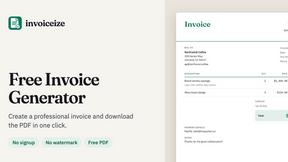
Create invoices, receipts and quotes online with live preview and PDF export.

Uniclip
Clip pages, take full-page screenshots and batch-capture list data to Notion, Feishu, Obsidian, Markdown, CSV or JSON.

TroveKey
Search tabs, Chrome bookmarks and history, run browser commands, and save webpages and social posts locally—no account.