
LinkedInPro
Quickly turn casual photos into polished LinkedIn headshots with our AI tool, no photographer required.
VisitPublished on:
October 21, 2025
Pricing:
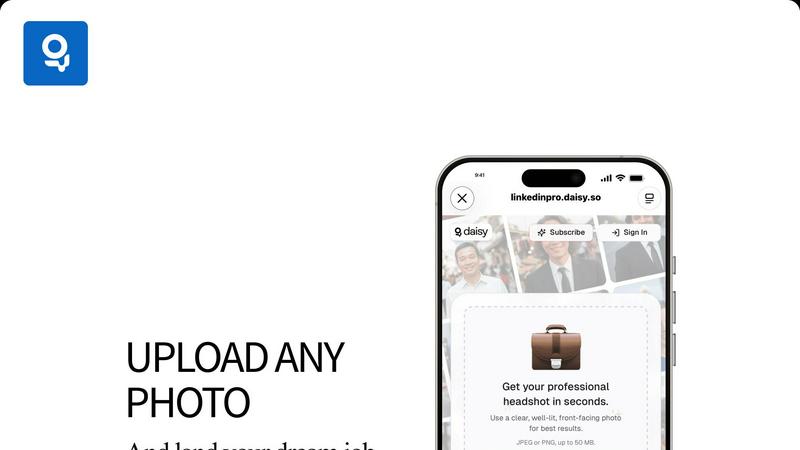
About LinkedInPro
LinkedInPro is a cutting-edge AI-driven tool specifically designed to revolutionize the process of creating professional headshots. In today's digital world, a compelling online presence is paramount, especially for job seekers, entrepreneurs, and professionals aiming to stand out. This innovative solution allows users to effortlessly transform everyday photos into high-quality, studio-like headshots in mere seconds. By simply uploading a clear, front-facing photo, users can select from a range of styles to receive a polished image that encapsulates their professional persona. The main value proposition of LinkedInPro lies in its accessibility and affordability, making it an ideal choice for those looking to enhance their LinkedIn profiles and overall personal branding without the need for expensive photography sessions. Whether you are updating your LinkedIn profile, crafting impactful resumes, or establishing a powerful online presence, LinkedInPro serves as an indispensable tool for achieving exceptional results with ease and efficiency.
Features of LinkedInPro
AI-Powered Image Enhancement
LinkedInPro leverages advanced artificial intelligence technology to analyze and enhance user photos. This feature ensures that every headshot produced is not only visually appealing but also tailored to project professionalism and confidence.
Style Selection Options
Users can choose from a variety of style templates when transforming their photos. This feature allows individuals to select a look that best represents their personal brand and the professional image they wish to convey, providing a customized experience.
Quick Turnaround Time
With LinkedInPro, users can expect to receive their polished headshots within seconds. This rapid processing time is perfect for busy professionals who need to update their online presence promptly, ensuring they can seize opportunities as they arise.
User-Friendly Interface
The platform boasts an intuitive and user-friendly interface that simplifies the process of uploading photos and selecting styles. This design encourages collaboration, making it easy for users of all technical backgrounds to navigate and utilize the tool effectively.
Use Cases of LinkedInPro
Job Seekers
For job seekers aiming to make a strong first impression, LinkedInPro provides an easy way to create a professional headshot that showcases their personality and competence. A polished image can significantly enhance their profiles and increase their chances of landing interviews.
Entrepreneurs
Entrepreneurs looking to establish their brand identity can use LinkedInPro to create headshots that resonate with their target audience. A strong visual representation can help in building trust and credibility, essential elements for business success.
Professionals Updating Their Profiles
Many professionals frequently update their LinkedIn profiles to reflect career changes or achievements. LinkedInPro allows them to quickly refresh their images, ensuring their online representation stays current and relevant in their industry.
Networking Events
Attendees of networking events can utilize LinkedInPro to prepare professional headshots ahead of time. A high-quality image can enhance their networking efforts, making them more memorable to potential connections and collaborators.
Frequently Asked Questions
How does LinkedInPro work?
LinkedInPro works by allowing users to upload a clear, well-lit front-facing photo. The AI technology then analyzes the image and transforms it into a polished headshot based on the selected style, all within seconds.
What file formats can I upload?
Users can upload their photos in either JPEG or PNG formats. The maximum file size allowed is 50 MB, ensuring high-quality images can be processed without compromising performance.
Is LinkedInPro secure to use?
Absolutely. LinkedInPro prioritizes user security and privacy, adhering to stringent privacy policies and data protection measures to ensure that your personal images remain confidential and secure.
Can I try LinkedInPro for free?
While the exact pricing and trial options may vary, LinkedInPro typically offers various subscription plans. Users are encouraged to check the official website for any available free trials or introductory offers to explore the tool without commitment.
Similar to LinkedInPro

@fuck.it - email with attitude
Private email. Pure. Secure. Exclusive. No ads, no tracking, no data selling. GDPR compliant, EU-hosted.
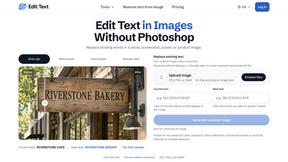
Reword Image
Replace the text already inside a photo or screenshot and keep the original layout, colors and perspective. No design file needed.
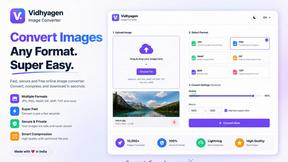
VidhyaGen - Image Converter
All-in-one digital toolkit for effortless image conversion, compression, resizing, and everyday file utilities in a single place.
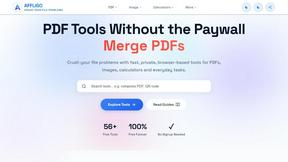
AFFLIGO
AFFLIGO makes everyday file tasks easier with free online tools to compress, convert, edit, and manage PDFs and images.
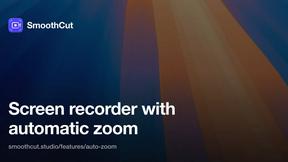
SmoothCut
Screen recorder for macOS and Windows with automatic zooms, a smoothed cursor and on-device captions. Pay once, runs on your computer.
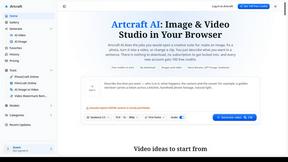
Artcraft AI
AI image and video studio in your browser: generate and edit images, turn photos into videos, edit clips by sentence.
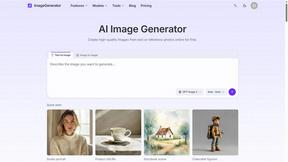
ImageGenerator
Create and edit AI images online with multiple models, text-to-image, image-to-image, background removal, and upscaling.