
HappyHorse 1.0 - Create AI Videos From Text and Images
HappyHorse transforms text and images into cinematic videos, empowering creators to craft engaging content easily and quickly online.
Visit
About HappyHorse 1.0 - Create AI Videos From Text and Images
HappyHorse 1.0, also known as Happy Horse AI, is an innovative AI video generator designed for creators seeking to transform their text prompts and images into captivating cinematic videos. This tool stands out as a free online platform that allows users to quickly test their ideas and produce polished video clips suitable for social media, advertisements, and diverse creative projects. HappyHorse caters to a wide audience, from hobbyists looking to explore their creative potential to professional content creators aiming for high-quality outputs. The main value proposition lies in its user-friendly interface that supports multimodal input, enabling seamless integration of text, images, and videos. This ensures that users can craft engaging narratives and visual stories with ease, regardless of their technical expertise.
Features of HappyHorse 1.0 - Create AI Videos From Text and Images
Multimodal Input
HappyHorse supports a unique multimodal input feature that allows creators to combine text, images, and video references in a single generation. This capability empowers users to control composition, motion, and tone simultaneously, resulting in precise and tailored creative outputs that align with their vision.
Image to Video Conversion
With the image-to-video feature, users can animate static images effortlessly. By uploading any photo, the AI generates natural and fluid motion, allowing creators to customize the duration and style of the animation. This feature is perfect for bringing still images to life, enhancing storytelling capabilities.
Camera & Motion Control
The camera and motion control feature enables users to replicate various camera trajectories and visual effects from reference videos. This includes options for dolly, tracking, and handheld movements, allowing creators to achieve cinematic quality without needing intricate frame-by-frame descriptions.
Sound Effects & Music Integration
HappyHorse automatically generates sound effects and background music that align with the on-screen action of the video. Users can also upload reference audio to guide tonal and rhythmic elements, ensuring that the audio enhances the overall viewing experience and complements the visual narrative.
Use Cases of HappyHorse 1.0 - Create AI Videos From Text and Images
Social Media Content Creation
Creators can leverage HappyHorse to produce engaging video content for social media platforms. By converting text and images into short, dynamic videos, users can capture their audience's attention and enhance their online presence, making it ideal for marketers and influencers.
Advertising Campaigns
HappyHorse is an excellent tool for crafting promotional videos for advertising campaigns. By utilizing its AI capabilities, businesses can quickly generate high-quality video ads that effectively communicate their brand message and attract potential customers.
Educational Videos
Educators and trainers can benefit from HappyHorse by creating informative and visually appealing educational videos. The ability to combine text explanations with engaging visuals helps in effectively delivering complex information in an easily digestible format.
Creative Projects and Storytelling
Writers and filmmakers can utilize HappyHorse to visualize their stories and concepts through generated videos. Whether for pitch presentations or personal projects, this tool helps in transforming written scripts and ideas into compelling visual narratives.
Frequently Asked Questions
What types of inputs can I use with HappyHorse?
HappyHorse accepts multiple types of inputs including text prompts, images, and video references. This flexibility allows for a richer and more dynamic video creation experience.
Is there a free trial available for HappyHorse?
Yes, HappyHorse offers a free trial that allows users to start generating videos online. This enables creators to test the tool before committing to a paid plan.
Can I customize the duration and style of animations?
Absolutely! HappyHorse allows users to customize the duration and style of animations generated from images, giving you control over how your video unfolds.
What kind of support does HappyHorse provide for users?
HappyHorse provides customer support across different subscription tiers. Users can access priority support based on their plan, ensuring they receive assistance when needed.
Similar to HappyHorse 1.0 - Create AI Videos From Text and Images

Reword Image
Replace the text already inside a photo or screenshot and keep the original layout, colors and perspective. No design file needed.


mcpfolio
Discover MCP servers, compare tools, and follow setup guides to connect AI assistants to your apps and workflows
Riff
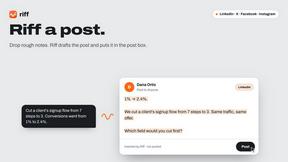
Riff writes replies, DMs and posts with Gemini Nano inside Chrome. Runs on your computer, no account or API key, and never posts for you.
SmoothCut
Screen recorder for macOS and Windows with automatic zooms, a smoothed cursor and on-device captions. Pay once, runs on your computer.

Artcraft AI
AI image and video studio in your browser: generate and edit images, turn photos into videos, edit clips by sentence.
ViewMax Studio
AI video generator that turns one prompt into shorts, UGC-style ads and faceless videos, with script, voiceover and captions.
ToonBee AI
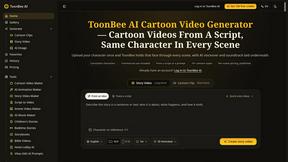
ToonBee AI turns a script or a one-line idea into a narrated cartoon video, keeping the same character in every scene. 10+ styles, 16:9 or 9:16.