
FlashSlides
FlashSlides transforms your ideas into stunning presentations in minutes, enhancing collaboration and saving valuable.
VisitPublished on:
January 20, 2026
Pricing:

About FlashSlides
FlashSlides is a revolutionary AI presentation generator that simplifies and enhances the way presentations are created. Designed for a diverse range of users, including students, business professionals, educators, and startup founders, it empowers individuals to generate polished and professional presentations with minimal effort. With just a few clicks, users can create everything from meeting decks and pitch presentations to lesson plans and comprehensive reports. The primary value proposition of FlashSlides lies in its ability to save users precious time while delivering high-quality content. By harnessing advanced AI technology, FlashSlides enables users to transform their ideas into visually appealing slides in under a minute. This collaborative tool not only boosts productivity but also allows users to focus on their content rather than the design, ensuring effective communication in any context. In a fast-paced world where time is of the essence, FlashSlides stands out as a vital resource for anyone looking to elevate their presentation game.
Features of FlashSlides
Easy Topic Input
FlashSlides allows users to input any topic quickly and easily. Whether you are interested in "Climate Change" or the "History of Rome," simply type your desired subject, and the AI takes care of the rest. This feature is designed for simplicity and efficiency, making it accessible for all user types.
AI-Generated Content and Images
Once the topic is entered, FlashSlides utilizes its advanced AI to generate content and relevant custom images for your slides. Users can choose the number of slides they want, from 1 to 50, ensuring that the presentation meets their specific needs. This feature combines relevant text and imagery, enhancing the visual appeal of each slide.
Quick Download and Sharing Options
After generating the presentation, users can download their work as a PowerPoint file or share it through a unique link. This flexibility ensures that presentations can be easily disseminated and accessed by team members or stakeholders. The straightforward export process makes it easy for users to incorporate their presentations into their workflow seamlessly.
Presentation Privacy Controls
User privacy is a priority for FlashSlides. By default, presentations are public and may appear in the archive, but users have the option to make any presentation private from their dashboard. This feature ensures that sensitive content remains confidential, giving users peace of mind while using the platform.
Use Cases of FlashSlides
Student Presentations
FlashSlides is an invaluable tool for students who need to create impressive class presentations and project reports in a fraction of the time it traditionally takes. By utilizing the AI capabilities, students can produce high-quality, visually engaging presentations that capture their audience's attention.
Business Meeting Decks
For business professionals, FlashSlides streamlines the preparation of meeting decks, proposals, and quarterly reports. With the ability to generate polished presentations quickly, professionals can focus on the meeting's content rather than on design, ensuring they communicate their ideas effectively.
Teaching and Educational Tools
Teachers and educators can leverage FlashSlides to create engaging lesson plans and educational content that captivates students. The AI-generated visuals and structured slides make it easier to present complex topics in a digestible format, enhancing the learning experience.
Startup Pitch Decks
Startups and founders can use FlashSlides to craft compelling pitch decks and investor presentations that leave a lasting impact. By generating high-quality content and visuals quickly, entrepreneurs can focus on refining their message and strategy, making their presentations more persuasive.
Frequently Asked Questions
How does FlashSlides work?
FlashSlides operates by allowing users to enter a topic, after which the AI generates a complete presentation with slides that contain relevant content and custom images. This entire process takes less than a minute, making it quick and efficient.
Is it really free?
Yes, every user can create one free presentation per day without needing to provide a credit card. For those who require more presentations, additional credits can be purchased easily.
What formats can I download?
Users have the option to download their presentations as PowerPoint (.pptx) files. Additionally, presentations can be shared via a unique URL, providing multiple ways to distribute the content.
Are my presentations private?
While presentations are public by default and may appear in the FlashSlides archive, users can choose to make any presentation private from their dashboard. This feature ensures that sensitive information remains secure and confidential.
Similar to FlashSlides

@fuck.it - email with attitude
Private email. Pure. Secure. Exclusive. No ads, no tracking, no data selling. GDPR compliant, EU-hosted.
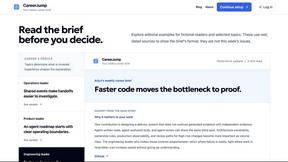
CareerJump
A free personalized weekly newsletter to help you keep up with developments relevant to your career.

RunMyWealth
Free, private financial calculators for mortgage, FIRE, and debt. 100% free, runs locally in your browser, no signup required.


Leadeon
AI growth tool for X and LinkedIn: write posts in your voice, schedule at your best times, find leads on X and see what works.
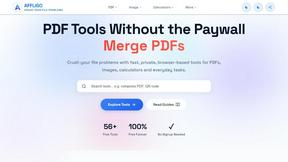
AFFLIGO
AFFLIGO makes everyday file tasks easier with free online tools to compress, convert, edit, and manage PDFs and images.

SmoothCut
Screen recorder for macOS and Windows with automatic zooms, a smoothed cursor and on-device captions. Pay once, runs on your computer.
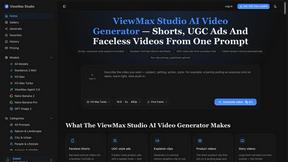
ViewMax Studio
AI video generator that turns one prompt into shorts, UGC-style ads and faceless videos, with script, voiceover and captions.